
Pop-up won't let me use or close app
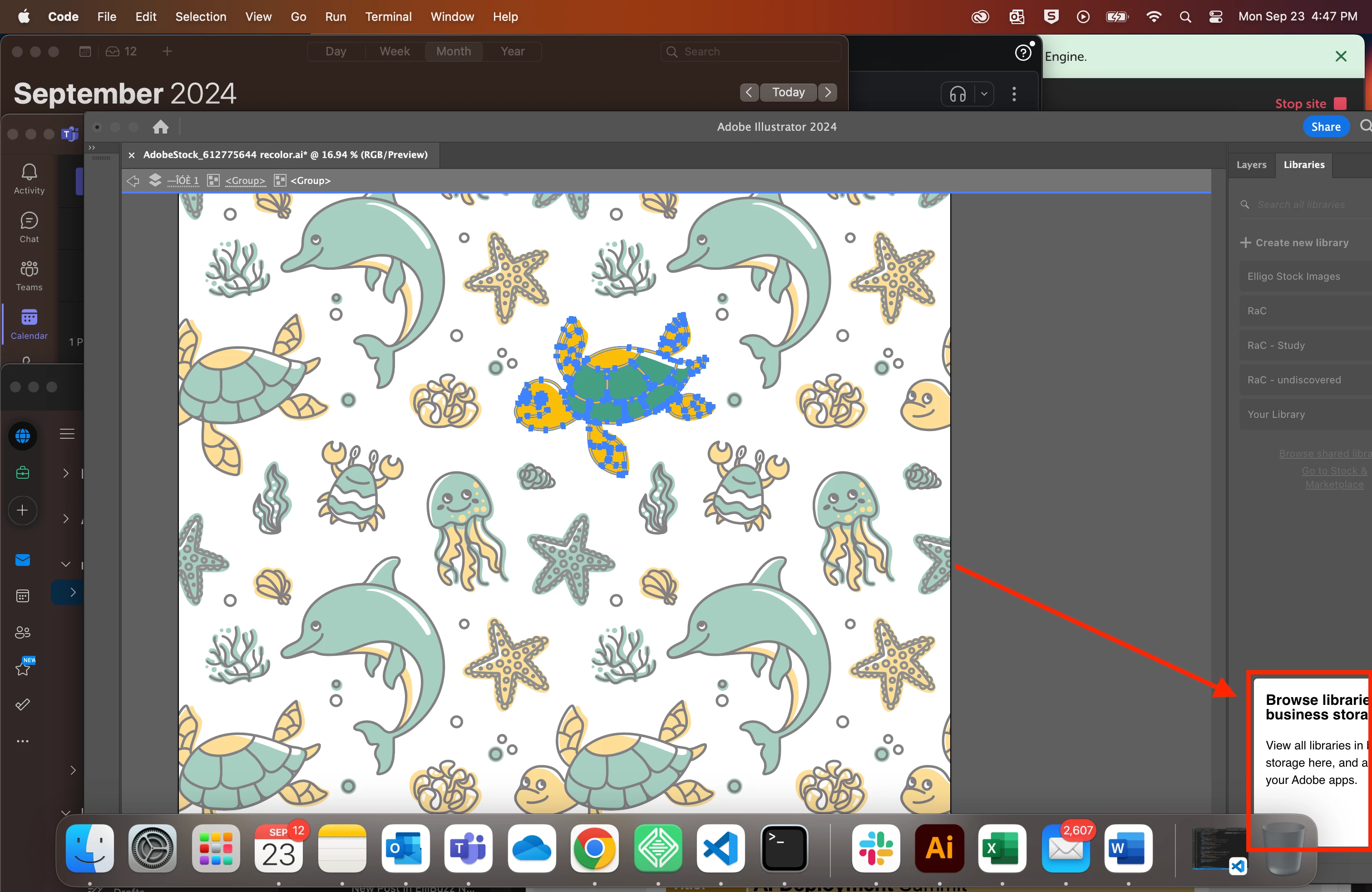
My app is not full-screen and I had moved it down to the corner of the window. When I reopened my laptop there's a pop-up in the lower right corner that's partially out of frame. I can't click the "done" button because it's not on the screen, but because the pop-up is prioritized it won't let me move or enlarge the window to access the button.
I tried tabbing to the "done" button to try to click via the return button, but it won't let me access the button via the keyboard. Right now I can't use Illustrator at all because I can't close the pop-up. I tried quitting out of Illustrator, tried deleting the app, and tried many ways to move or enlarge the window. After deleting the app I tried downloading the newest version, but it keeps giving me a conflict error. Please let me know how to get rid of the pop-up so I can use Illustrator again.


 AdChoices