caroshka
Inspiring
November 27, 2017
Question

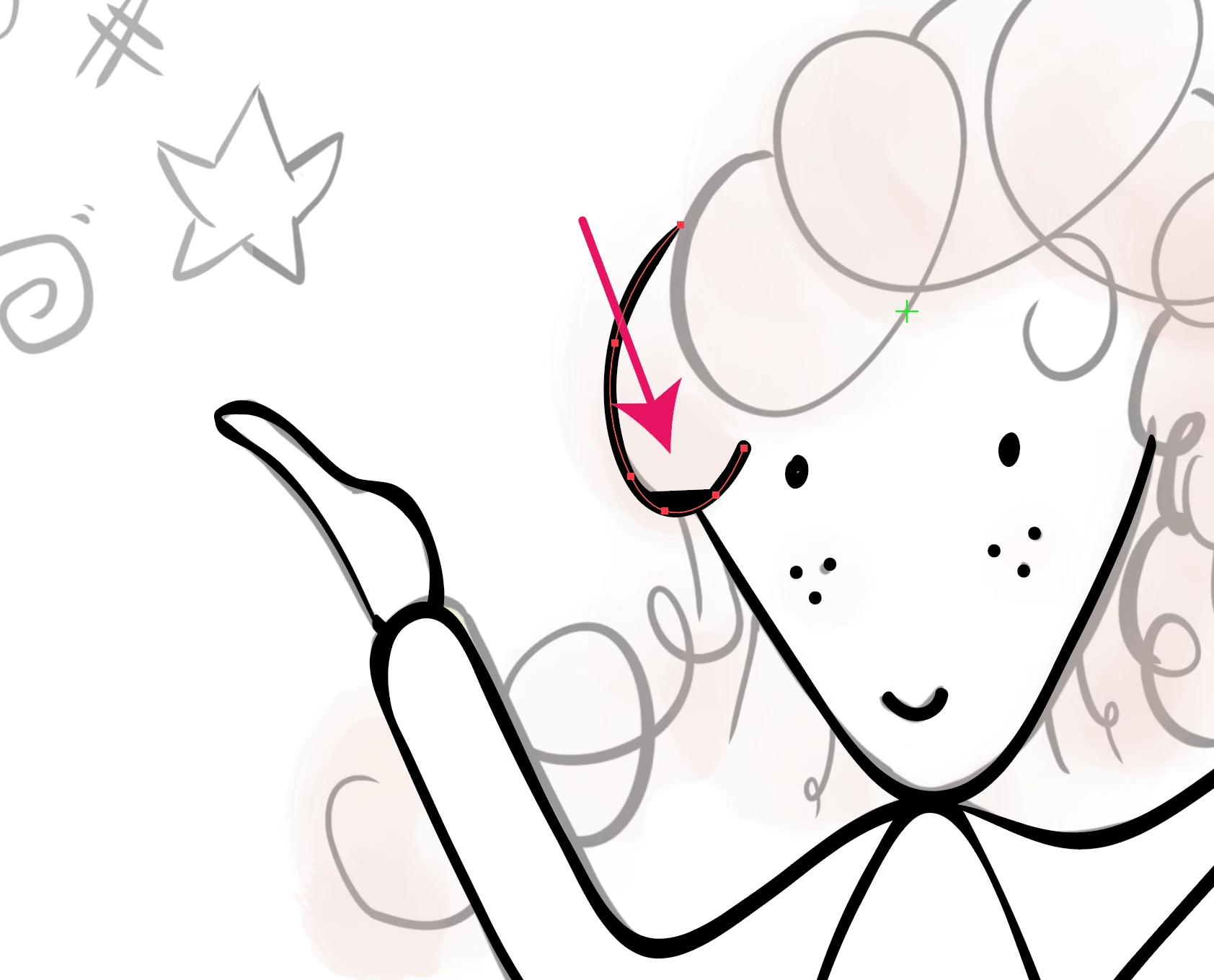
Pressure sensitive brush, strange behaviour

  • November 27, 2017
  • 1 reply
  • 507 views

Hello,

I am currently looking for an answer as this keeps happening:

When I enlarge the size of the stroke, that unwanted straight part of the stroke disappears, but I need this thin stroke to be able to work on this.

I work on a cintiq and I used these settings for my brush:

new caligraphic brush

angle 180° fixed

roundness: 100% fixed

size 9pt Pressure Variation 9pt

I'd be very happy if someone could tell me why this happens!
This topic has been closed for replies.

1 reply

Monika Gause
Community Expert
Community Expert
November 27, 2017

You could apply the zigzag effect to the path.

Set the first setting in it to 0 and the second one to a value that solves the issue (around 50 or even higher)

caroshka
caroshkaAuthor
Inspiring
November 27, 2017

Hi Monika,

thanks, this gets rid of the unwanted "straight part"... I will use this fix for now as an emergency fix.

BUT I really need to find a way to use my cintiq and thedraw tool in AI properly. Is this a bug? What could be done, Adobe team?

Will going back to CC 2017 solve this?

Monika Gause
Community Expert
Community Expert
November 27, 2017

This is a long-standing issue (don't know if it's a bug)

You could post it on http://illustrator.uservoice.com

(first check if it is already there and if so: vote for it)