

Tommy5FD2
Participant
October 19, 2021
Question

Pressure Sensitivity not working in Illustrator

  • October 19, 2021
  • 2 replies
  • 741 views

First things first. I'm running a Wacom Cintiq 16 on a Macbook Pro running Big Sur and a fresh install of Illustrator.


When I go to create a new brush, I can't select "pressure" in the drop down menu. Only "fixed" and "random" are clickable. I have tried everything I have read for the most part. I have went into my system preferences and made sure "com.wacom.IOManager" is enabled in "Accessibility".
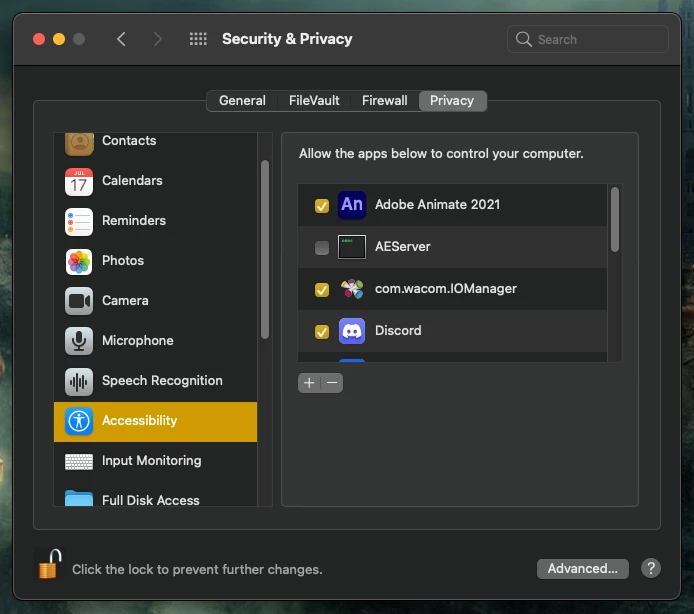
However, when I go to check "Automation" where Adobe Illustrator is supposed to be, it isn't there.
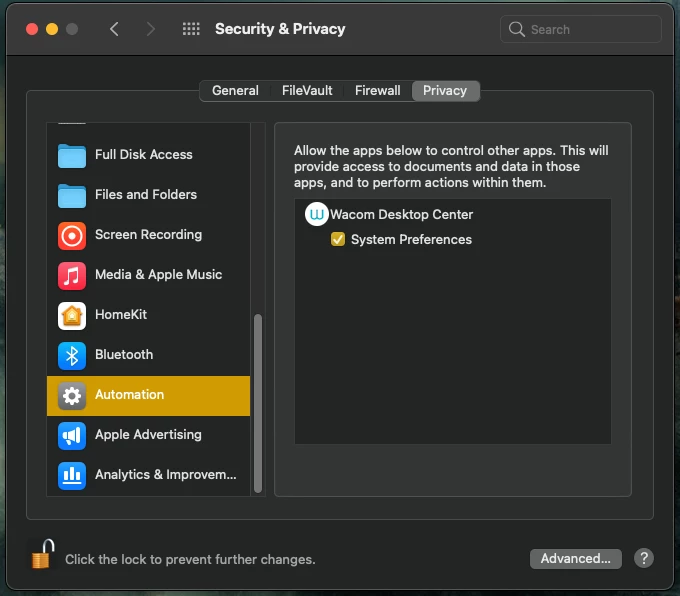
I have also unistalled and reinstalled Illustrator and updated my drivers for my Wacom.

Is there a way to add more programs into this Automation menu?


Any info is much appreciated!

    This topic has been closed for replies.

    2 replies

    Grant H
    Community Expert
    Community Expert
    October 19, 2021

    Does it work when you create a bristle brush? because the option only works for me on that


    Tommy5FD2
    Tommy5FD2Author
    Participant
    December 8, 2022

    Hello, 

    Sorry I'm just now seeing this. Thanks for reaching out. I believe it was the same for me!

    Monika Gause
    Community Expert
    Community Expert
    October 19, 2021

    Please contact Wacom and have them guide you through this. It's not straightforward anymore to install their stuff.

    There is an  item in the Illustrator preferences to activate a Wacom. Maybe that helps.


    For some people this seemed to have helped:

    https://helpx.adobe.com/illustrator/kb/illustrator-cc-crash-wacom-drivers.html


    May own Wacom is not running and I have given up.

    Tommy5FD2
    Tommy5FD2Author
    Participant
    December 8, 2022

    Sorry I just saw this response. Thank you so much for taking the time to reach out. ❤️