
Answered
Prevent auto open PDF when saving
When I make a change to a PDF in AI and save it it auto opens in Acrobat. Can I turn this off? and Where?

When I make a change to a PDF in AI and save it it auto opens in Acrobat. Can I turn this off? and Where?
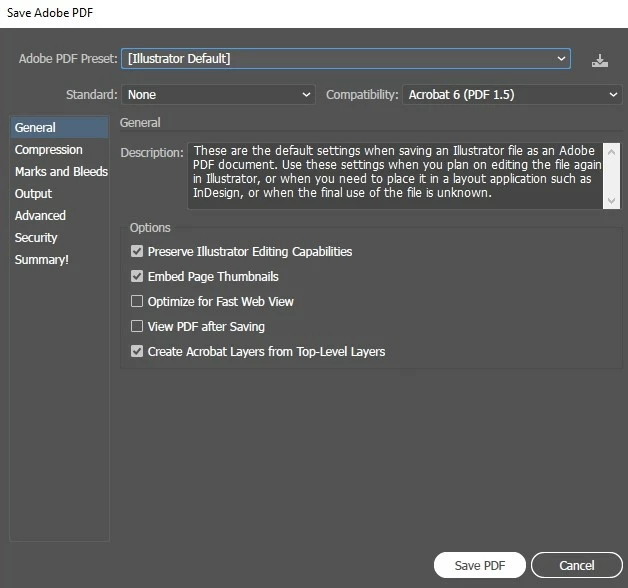
If you choose File > Save As > Save As Type: Adobe PDF does this dialog box pop up? If so, try unchecking View PDF after Saving.
Already have an account? Login
Enter your E-mail address. We'll send you an e-mail with instructions to reset your password.
 AdChoices