
Participant
February 24, 2023
Answered

Prevent color mixing between boundaries of a map

  • February 24, 2023
  • 1 reply
  • 975 views

Hola amigos, buen día.

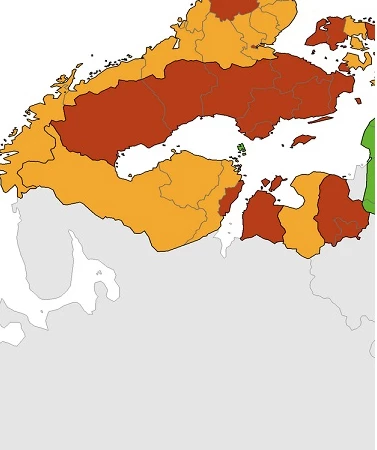
Requiero su ayuda, por favor. Diseñé el mapa para mi novela y me tocó definir los límites de ciertos reinos y aquí es donde surge mi problema. Por ejemplo, trazé tres reinos vecinos colindantes; uno de color rojo,verde y otro amarillo pero no puedo simplemente dibujar uno al lado de otro porque se solapan en las orillas creando un nuevo color indeseado. Tuve que ajustar manualmente las anclas de la pluma y tardé de cada uno y tarde casi tres horas en terminarlo (a nivel macro o quedó solapado o quedaron espacios vaciós que no pude tapar), ¿habrá en Illustrator alguna herramienta que me permita mover y ajustar las zonas de colores y que los demás tambien se vayan ajustando al limite sin solaparse? (imagen de referencia).
 

This topic has been closed for replies.
Correct answer Ton Frederiks

In addition to what Jacob said, you could try Live Paint:

https://helpx.adobe.com/es/illustrator/using/live-paint-groups.html

1 reply

Jacob Bugge
Community Expert
Community Expert
February 24, 2023

Maestro,


For each adjoining/common part of the boundaries, you can:


1) Choose/create the boundaries of one of the kingdoms and let the other one overlap it by a sufficient amount so that it is easy to see and work with;

2) Use the Shape Builder to delete the unwanted overlapping part.


https://helpx.adobe.com/search-results.html?q=shape+builder+illustrator&scope=[%22helpx%22]&subscope=[]&limit=10&start_index=0&sort_orderby=relevancy&sort_order=desc&post_facet_filters={%22applicable_products%22%3A[]}


https://helpx.adobe.com/es/search-results.html?q=shape+builder+illustrator&scope=[%22helpx%22]&subscope=[]&limit=10&start_index=0&sort_orderby=relevancy&sort_order=desc&post_facet_filters={%22applicable_products%22%3A[]}


If your version is older than the Shape Builder Tool tou can use Pathfinder Divide and Unite (reuniting the overlap with the rest of the (first) kingdom in 1).


Ton Frederiks
Community Expert
Ton FrederiksCommunity ExpertCorrect answer
Community Expert
February 24, 2023

In addition to what Jacob said, you could try Live Paint:

https://helpx.adobe.com/es/illustrator/using/live-paint-groups.html

Jacob Bugge
Community Expert
Community Expert
February 24, 2023

Indeed, Ton, I believe that would be a good first choice.