Participant
August 21, 2023
Question

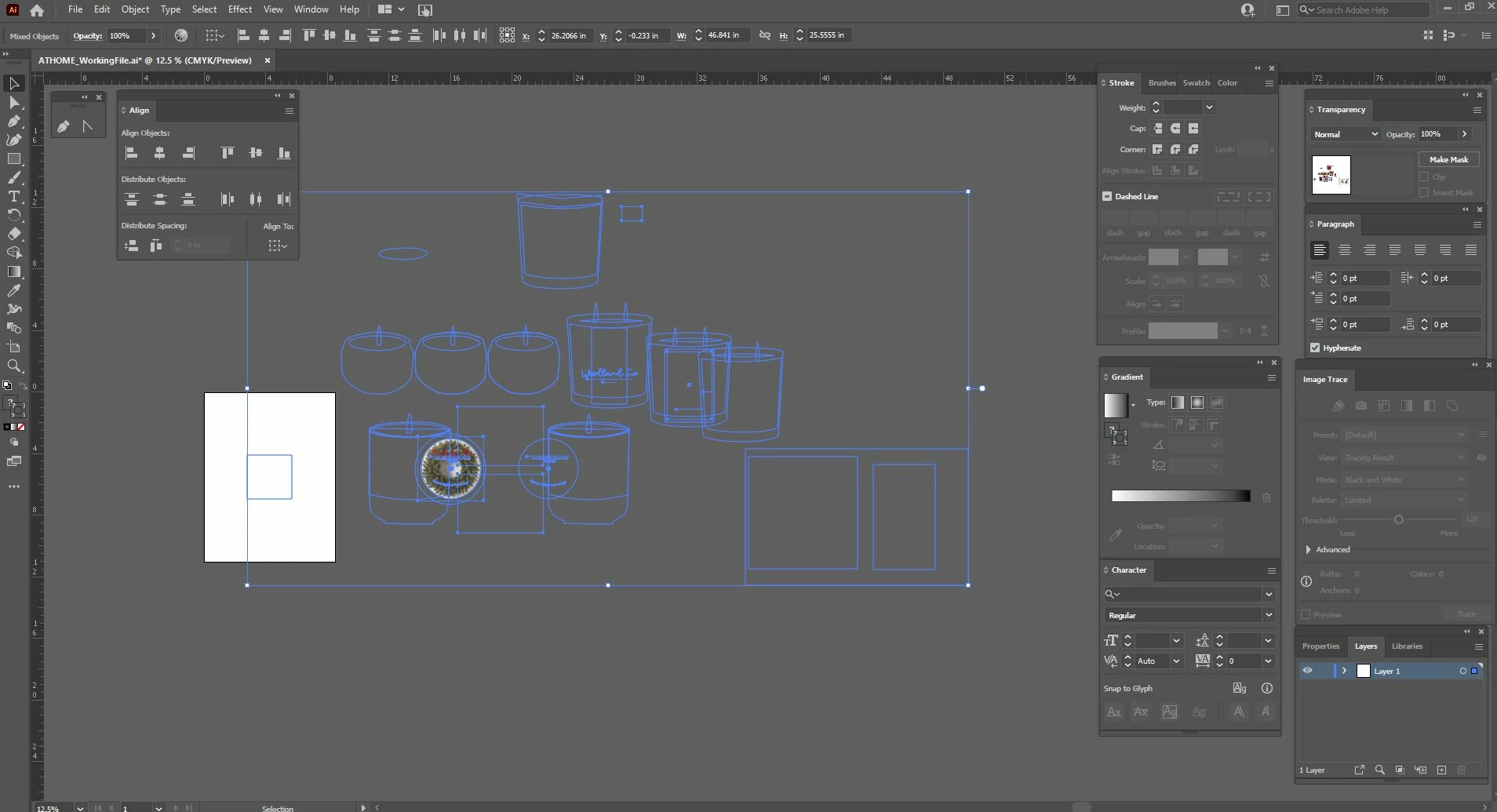
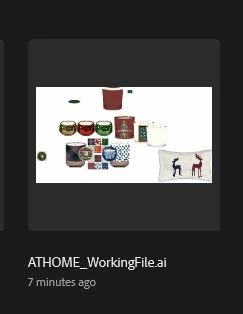
Preview has artwork visable, but when I open the file - all artwork isnt visable

  • August 21, 2023
  • 2 replies
  • 151 views

I am working on an artwork file that has alot of images on it. When I open illustrator the preview file shows everything I am working on, but when the file opens, everything is only visable via outline. 

HELP 🙂 
This topic has been closed for replies.

2 replies

Anshul_Saini
Community Manager
Community Manager
August 25, 2023

Hello @Danielle317968344yiq,


I understand that you're experiencing a discrepancy between the preview of your artwork in Illustrator and its actual visibility when the file is opened. This can indeed be a perplexing issue, but let's work through it:


  • As mentioned by Monika Gause, it's worth checking your layers panel to ensure that no layers are accidentally hidden or turned off. Sometimes, artwork might appear as outlines if the corresponding layer visibility is turned off.
  • Ensure that you are using a compatible version of Adobe Illustrator. Sometimes, using an older version to open a file created in a newer version can lead to display issues. Also, check if the file was created in a version that supports the features you're using.
  • Sometimes, GPU-related issues can cause artwork to not display correctly. Try toggling the GPU Performance using the ctrl+e shortcut to see if it has any effect on the display.
  • If the issue is specific to a single file, it might be possible that the file is corrupted. You could try opening the file on another computer or sharing it with someone else to confirm if they encounter the same issue.
  • Create a new document and place one of the problematic images into it. See if it displays correctly. This can help determine if the issue is document-specific or if it's a global problem with Illustrator.


If none of these steps resolve the issue, please consider sharing more details about your setup (such as the version of Illustrator, system specifications, and whether this happens with specific files or all files) to get more targeted assistance.


Best regards,

Anshul Saini

Monika Gause
Community Expert
Community Expert
August 25, 2023

Please tell us your computer's specifications.

Have you checked the layers? Is anything hidden?