Inspiring
July 9, 2018
Answered

Preview on GPU problem

  • July 9, 2018
  • 2 replies
  • 2406 views

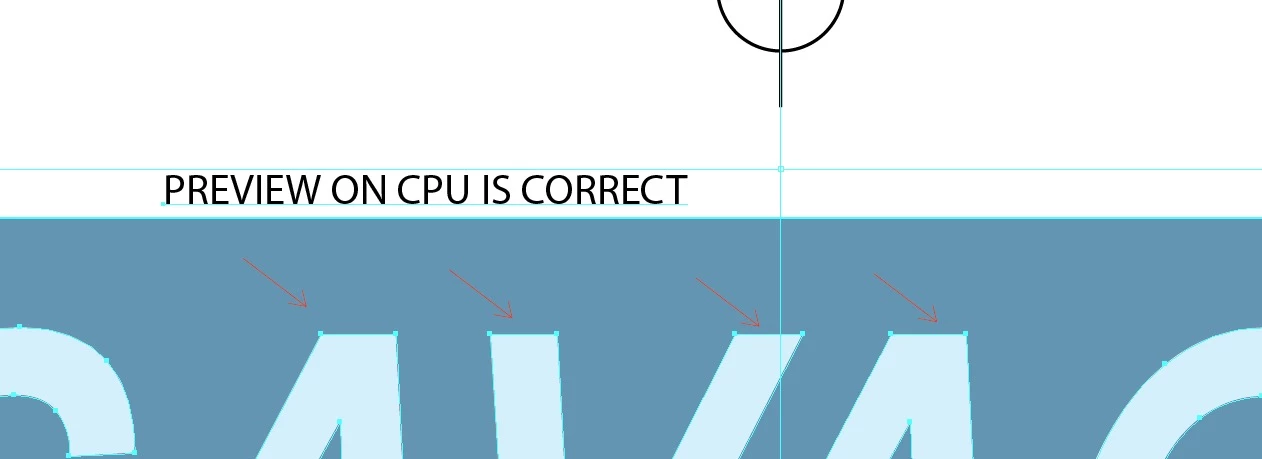
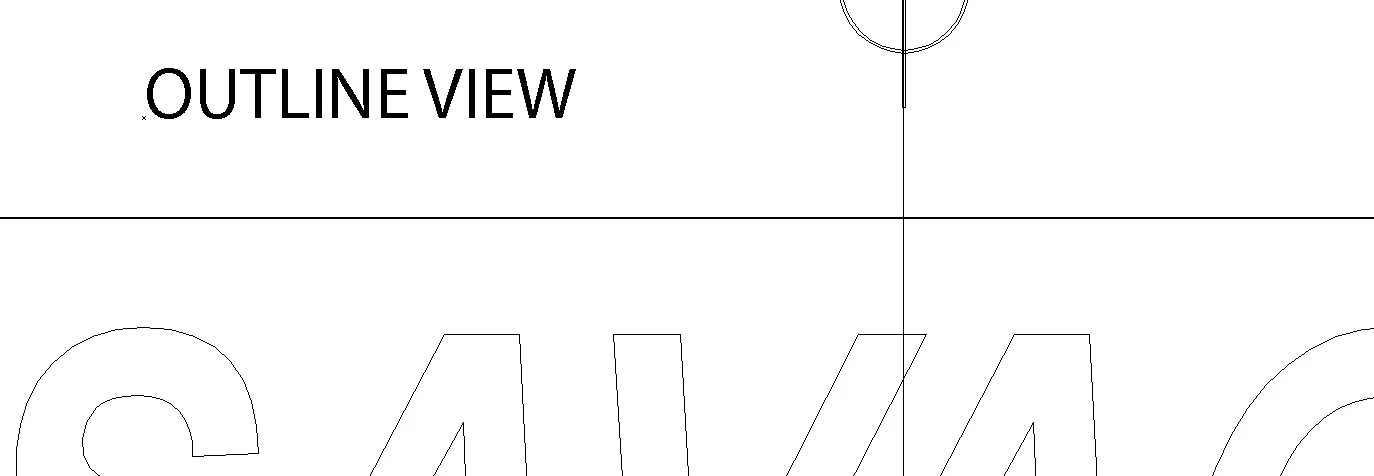
Look at the series of images.  The only difference is when changing from preview on CPU to preview on GPU.  GPU is showing incorrectly.  This is a simple piece of art with no explanation for why this is changing.  In the GPU image, notice that the paths are straight yet the fill color appears to be following a different path, which is not there.  I included the outline view as well.
    This topic has been closed for replies.
    Correct answer Srishti Bali

    Hi Larry,

    Thank you for sharing this. I would request you to please share your feedback here: GPU-Rendering doesn't work – Adobe Illustrator Feedback . This is the best way of communicating with the Engineering and Product Management teams regarding issues and suggestions so they can be implemented in future releases.

    Regards,

    Srishti

    2 replies

    Srishti Bali
    Community Manager
    Community Manager
    July 9, 2018

    Hi Larry,

    We are very sorry that you ran into this issue. May I please know which Graphic card you are using on your system and when it was updated last time?

    Regards,

    Srishti

    KuttyjoeAuthor
    Inspiring
    July 9, 2018

    Model Name:    iMac

      Model Identifier:    iMac14,2

      Processor Name:    Intel Core i7

      Processor Speed:    3.5 GHz

      Number of Processors:    1

      Total Number of Cores:    4

      L2 Cache (per Core):    256 KB

      L3 Cache:    8 MB

      Memory:    16 GB

      Boot ROM Version:    IM142.0130.B00

      SMC Version (system):    2.15f7

      Serial Number (system):   

      Hardware UUID:

    NVIDIA GeForce GTX 780M:

      Chipset Model:    NVIDIA GeForce GTX 780M

      Type:    GPU

      Bus:    PCIe

      PCIe Lane Width:    x16

      VRAM (Dynamic, Max):    4096 MB

      Vendor:    NVIDIA (0x10de)

      Device ID:    0x119e

      Revision ID:    0x00a2

      ROM Revision:    3782

      Metal:    Supported, feature set macOS GPUFamily1 v3

      Displays:

    iMac:

      Display Type:    LCD

      Resolution:    2560 x 1440 (QHD/WQHD - Wide Quad High Definition)

      UI Looks like:    2560 x 1440

      Framebuffer Depth:    24-Bit Color (ARGB8888)

      Main Display:    Yes

      Mirror:    Off

      Online:    Yes

      Rotation:    Supported

      Automatically Adjust Brightness:    No

      Connection Type:    DisplayPort

    This computer is updating with regular Apple scheduled updates.  This particular glitch is extremely rare, but I thought I'd mention it.

    Bill Silbert
    Community Expert
    Community Expert
    July 9, 2018

    GPU Performance has been an ongoing problem for many. It seems to need the perfect combination of graphic card, processor and divine intervention to work correctly. Unless you're computer savvy enough to attempt to switch or update your graphic card you will continue to have this problem when viewing with GPU Performance on. You can turn it off altogether in your Illustrator preferences. It is a very buggy option.