Inspiring
January 18, 2023
Answered

Printed gradient not satisfying

  • January 18, 2023
  • 7 replies
  • 736 views

Hi

When I try to print a cmyk gradient the result is pointed by the same issue.

In the transaction between sky blue and orange, it light up the white.

Here it is
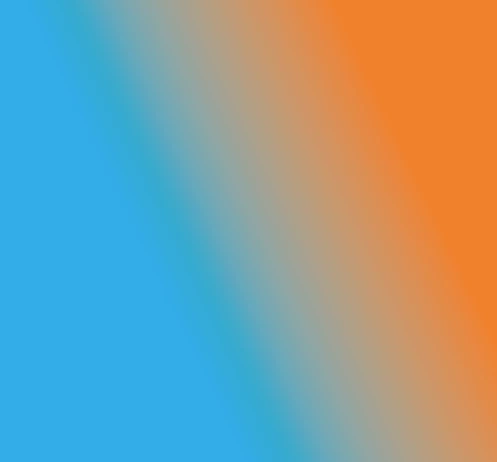
How can I delete the white range in the middle?

How can I fix it?

Thanks

This topic has been closed for replies.
Correct answer Reartu

Thanks for the answers.

I'm trying the script and it quite fix the issue.

In the gradients with no black colors, it remain the clear stripe between the two tones.

And it's not a good shape for a printing service.

Sometime I got customers that highlight me the bad result of the transiction.

With black color, there's no problem, it is fixed by the multiply tansparent option.

7 replies

ReartuAuthorCorrect answer
Inspiring
January 19, 2023

Thanks for the answers.

I'm trying the script and it quite fix the issue.

In the gradients with no black colors, it remain the clear stripe between the two tones.

And it's not a good shape for a printing service.

Sometime I got customers that highlight me the bad result of the transiction.

With black color, there's no problem, it is fixed by the multiply tansparent option.

Anubhav M
Community Manager
Community Manager
January 27, 2023

Hello @Reartu,


Glad to hear that the problem was resolved. Feel free to reach out if you have more questions or need assistance. We'd be happy to help.


Thanks,

Anubhav

Inspiring
January 18, 2023

You might try creating a Blend using the two start colors.  Just another option.  But, the suggestions already mentioned should work.

ReartuAuthor
Inspiring
January 18, 2023

Mmmm..I'm not satisfyied.

I tryed to put vary tones in yellow/magent and bright cyan, but it appears white/green/violet colors.

It seams to be a mixed white gradient between the two colors, and this is the issue.

There's no way to fix it?

Monika Gause
Community Expert
Community Expert
January 18, 2023

There is a third party extension that makes better gradients. Or maybe it's a script? Sorry, I can't remember. So basically it emulates the way Photoshop does gradients. So what you could do is try and recrate the gradient in Photoshop and then maybe pick colors from it?


There it is. But not free: https://sergosokin.gumroad.com/l/gradientblender

Mylenium
Legend
January 18, 2023

Insert a relatively bright yellow on the orange side and a second stop on the azure side containing a very pale blue with lots of white. This will keep the colors brilliant.


Mylenium

ReartuAuthor
Inspiring
January 18, 2023

What color can I match there?

Gradiente tones are 85c to 60m90y

Thanks

Monika Gause
Community Expert
Community Expert
January 18, 2023

Just try it out until you like it.

Mylenium
Legend
January 18, 2023

As Monika said already, this isn't a matter of deleting something, but ratehr adding more gradient stops.


Mylenium

Monika Gause
Community Expert
Community Expert
January 18, 2023

Create additional gradient stops that have the color you want there.