


Participant
April 12, 2025
Question

Printing Color Managment - All options greyed out

  • April 12, 2025
  • 2 replies
  • 282 views

It seems like in the last week an update has made my color managment options within the print dialogue inoperable.  No longer can I apply a printer profile or make any changes as every option is greyed out.  Any ideas as to why this is happening?  This issue presents with both existing files as well as with a brand new file.


No changes have been made to the color space of the files, nor is there any new hardware.
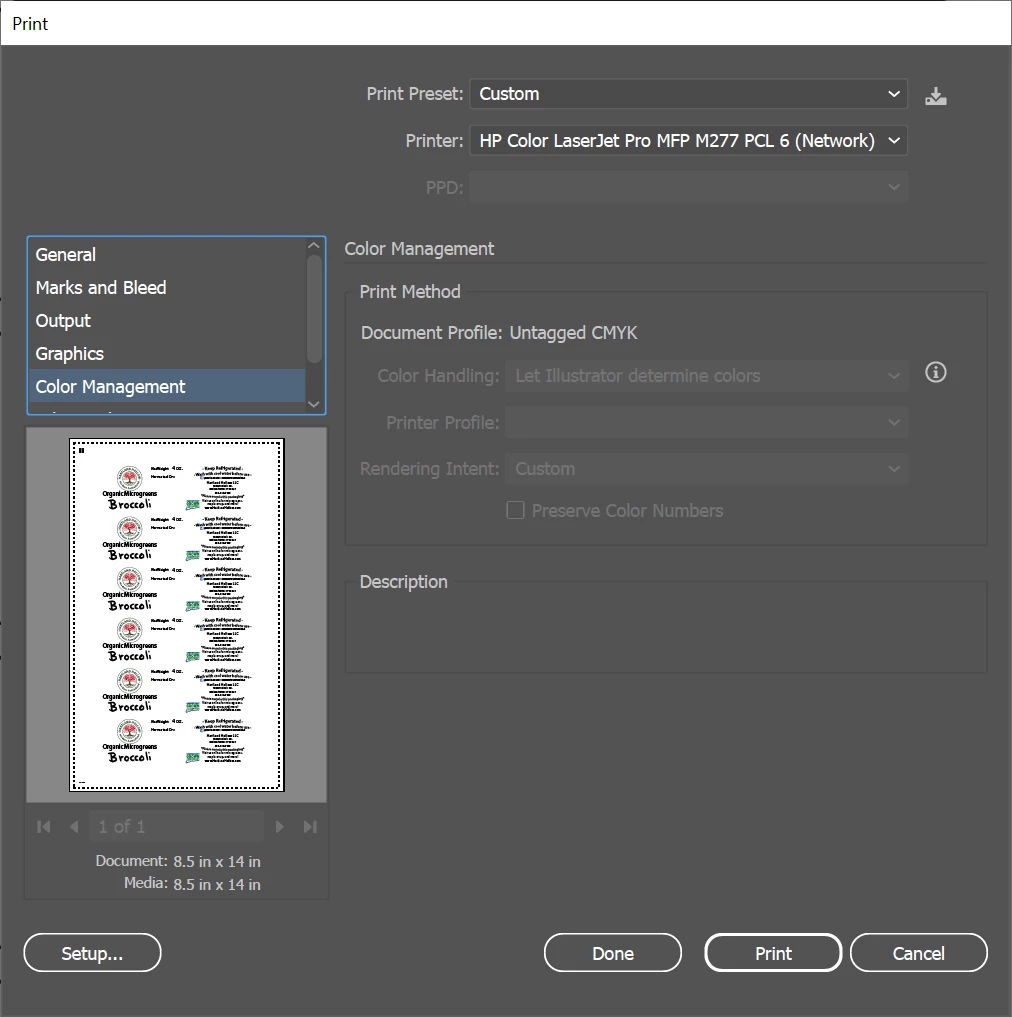


Thanks!

2 replies

Brad @ Roaring Mouse
Community Expert
Community Expert
April 12, 2025

I just loaded the M277 PCL driver (windows 10) and am not getting the same issues on a test file (v29.4), whether the document is Untagged or not, so not sure what's different, except for the fact you are accessing the printer as a shared Network printer.

I can't test Win 11 right now.

I'm wondering if using the Postscript driver for this model would help (the M277 does have PS so there's a Universal PS Driver available for it).

Jacob Bugge
Community Expert
Community Expert
April 12, 2025

JSAWN,


I believe it may be an effect of the issue here,

https://community.adobe.com/t5/illustrator-discussions/images-disappear-after-dragging-and-dropping-to-illustrator/td-p/15246851


see this post by Ton, especially the five last lines,

https://community.adobe.com/t5/illustrator-discussions/images-disappear-after-dragging-and-dropping-to-illustrator/m-p/15237401#M439739


"In addition to that, if the Document had an sRGB Document Color Profile it will be changed to the color profile of the screendump.

If it was dropped in a CMYK document, the document becomes  an Untagged CMYK Document.

Drag and drop (if it works) has been reported to change the ICC profile of the document.

Edit: just updated to 29.4 and the bug is still there."


Ton Frederiks
Community Expert
Community Expert
April 12, 2025

Yes, Jacob, the Untagged CMYK could be caused by this. The sneaky thing is that you do not get warned, even when profile mismatch warnings are checked in the Color Settings.