Participating Frequently
July 13, 2022
Answered

Printing Issues - Text and images appearing pixelated

  • July 13, 2022
  • 3 replies
  • 4984 views

Hi. I am currently facing pixelated print outputs via Adobe Illustrator. Our IT Engineer has checked the printer driver and this has been re-installed several times. This is a brand new macbook running MacOS 12 with M1 chip. 


When printing via other applications it prints normally. This issue is only on Adobe Illustrator. This has been reinstalled several times too.


Can someone please raise a support ticket for this?
This topic has been closed for replies.
Correct answer Brad @ Roaring Mouse

Hi Anshul,


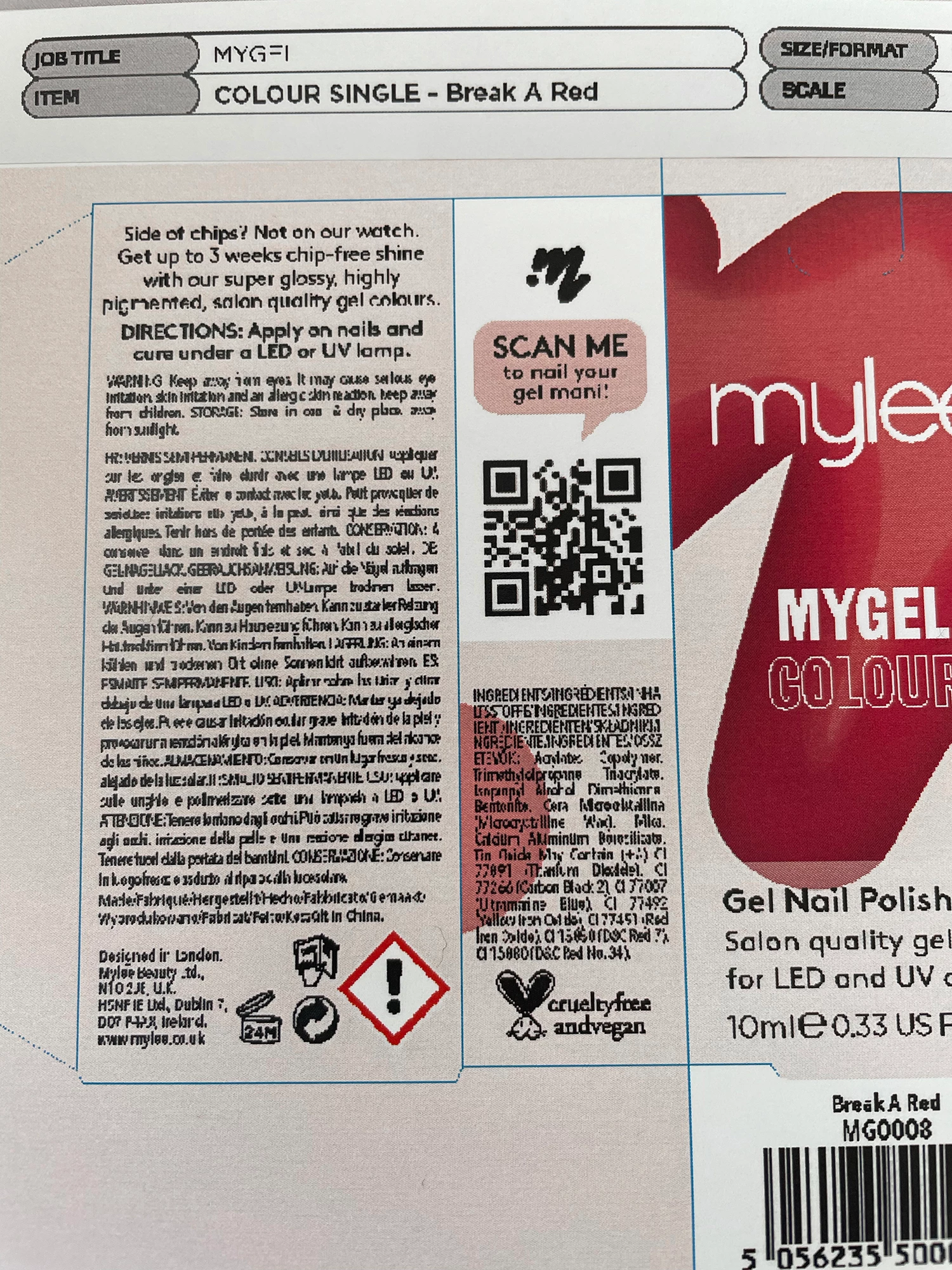
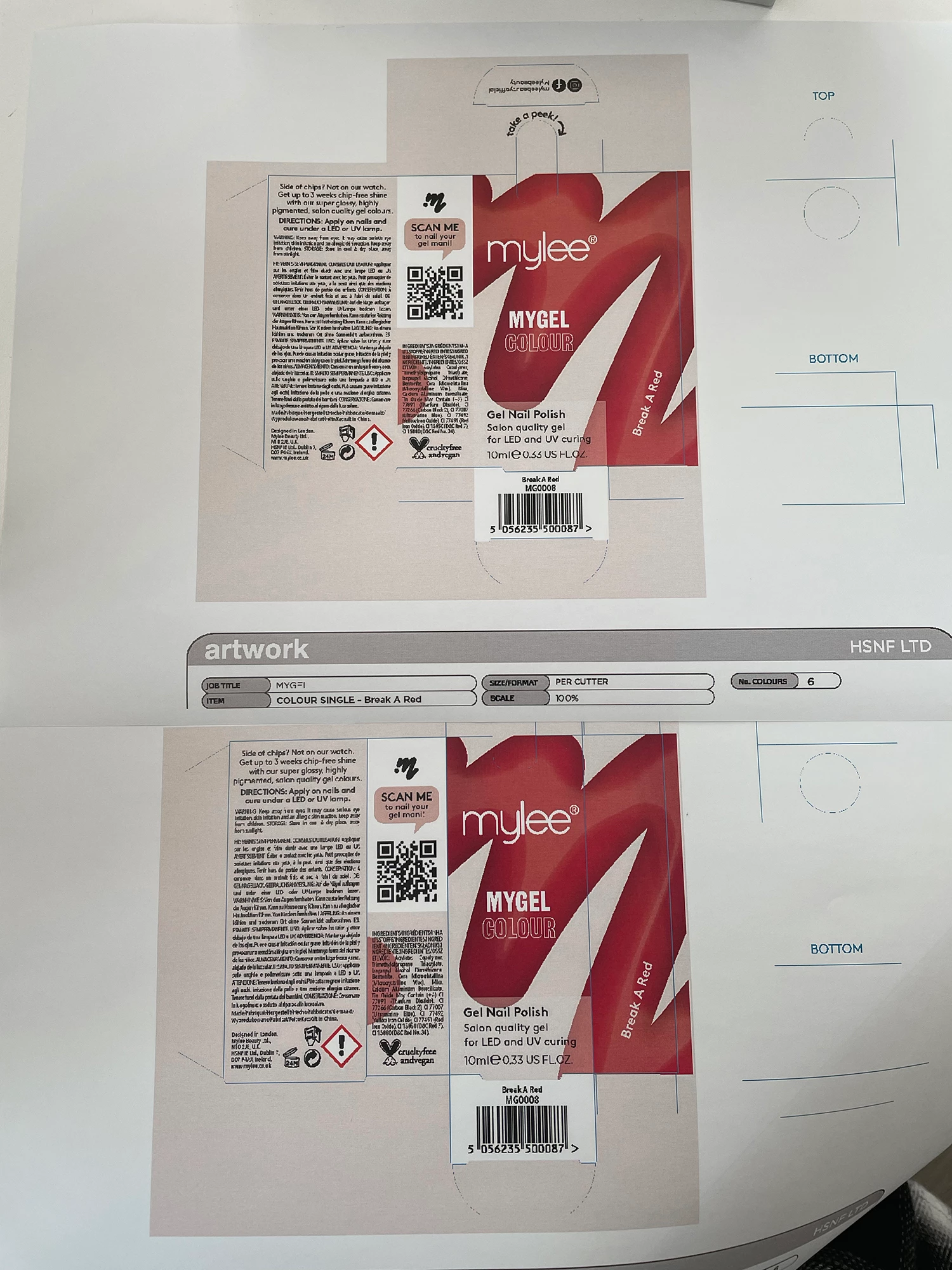
I've tried both of the options provided, unfortunatley the results are the same. Below pictures:


Do you have some other suggestions that might work?


Best,
Genesis 


If your Ricoh is a shared printer (i.e., it's been set up on a server in your organization), then it's very likely your IT team configured it improperly at that point. e.g. If they configured it with a PCL driver, then it will very definitely not print properly from Illustrator, as your Mac is not seeing the printer as Postscript-capable, even if it is.

So let's recap. This is what you should have in your Mac's System Printer settings:

1. Kind s/b "RICOH IM C2500 PS"

2. under Options: should be either "Postscript Emulation" or "Adobe Postscript", depending on what the machine has installed internally. True Adobe Postscript is best, but is not default for the Ricoh. Regardless, s/b set appropriately

3. In Illustrator (or InDesign), when you go to Print, the appropriate PPD should be indicated. The fact there is none listed in your Print screen screengrab indicates your system assumes the printer is non-Postscript.

3 replies

Brad @ Roaring Mouse
Community Expert
Community Expert
July 14, 2022

This has the appearance of attemptimg to print EPS graphics to a non-Postscript printer, so if, in your Illustrator document, you have PLACED EPS files from another source, this could be it. Or, you have the wrong driver installed for the printer you have and this is confusing Illustrator.

In either of these cases, What you should do is save your file as a PDF, then use Acrobat to print the files.

In the meantime.. What is your printer/model?

DO you have placed elements, and what are they?

How EXACTLY are you printing this document? (show screen grabs of your process)


Jacob Bugge
Community Expert
Community Expert
July 14, 2022

Brad,


This is a(nother) case where you could have said to me: "That's not a reply. This is a reply."

Brad @ Roaring Mouse
Community Expert
Community Expert
July 14, 2022

I think it was more of a post-timing thing. When I started my response, your post wasn't there yet!! I have this habit of starting a response and then mulling it a bit, then by the time I've clicked send, others have jumped on it. Sorry!! 😉

Jacob Bugge
Community Expert
Community Expert
July 13, 2022

Genesis,


"Our IT Engineer has checked the printer driver"


Is it a PostScript (emulating) printer driver, or what happens if you switch to one, or what happens if you Save (a Copy) As PDF or Print to PDF, then make the actual print from Acrobat (Reader)?


Participating Frequently
July 18, 2022

Hi Jacob,


Yes, the printer driver installed is a PostScript driver. 
When saving the file as a pdf and opening it on acrobat, it prints out fine without pixelation. You can see the difference in the images above in my response to Anshul. 

Thanks

Jacob Bugge
Community Expert
Community Expert
July 18, 2022

Genesis,


What happens if you untick Advanced>Print as Bitmap (AiPrintSett - 2.png)?


Anshul_Saini
Community Manager
Community Manager
July 13, 2022

Hi @Genesis252301604oya,


We are sorry to hear about this. Would you mind confirming if you have tried the steps suggested in this helpx article (https://helpx.adobe.com/in/illustrator/using/setting-documents-printing.html)? If not, please try and let us know how it goes.

If you are still facing the issue, would it be possible for your to share the Ai file with us and screenshots of your print settings?


We are here to help. We just need more info.


Thanks & Regards,

Anshul Saini

Participating Frequently
July 18, 2022

Hi Anshul,


Thank you for your response! 

I've followed the steps from the link you sent but had no luck. The prints still appear pixelated when printing from an Illustrator file but are fine when printing from Acrobat. 

The link below is the file I'm trying to print:
https://shared-assets.adobe.com/link/a9600c95-4938-46cb-4558-69145eb0d51a


Below are some screenshots of the print settings I'm using on Illustrator and acrobat. Attached below are some pictures of the prints (the pixelated one being from Illustrator).


Thank you,
Genesis

Anshul_Saini
Community Manager
Community Manager
July 20, 2022

Hi @Genesis252301604oya,


Thanks for sharing the file and screenshots. I printed at my end with the default print settings, and it came out fine.

You may try that and see if that helps! If it doesn't, try resetting Illustrator preferences manually and let us know how it goes.


Thanks & Regards,

Anshul Saini