Participant
April 26, 2023
Answered

problem backing

  • April 26, 2023
  • 3 replies
  • 1320 views

I can no longer save to my external hard drive. since adobe cloud offers the choice to back up to their cloud. How can I start backing up directly to my external hard drive?
THANKS

This topic has been closed for replies.
Correct answer Brad @ Roaring Mouse

I never needed to do this. but where do I have to give access? I'm going to watch 🙂 hehe


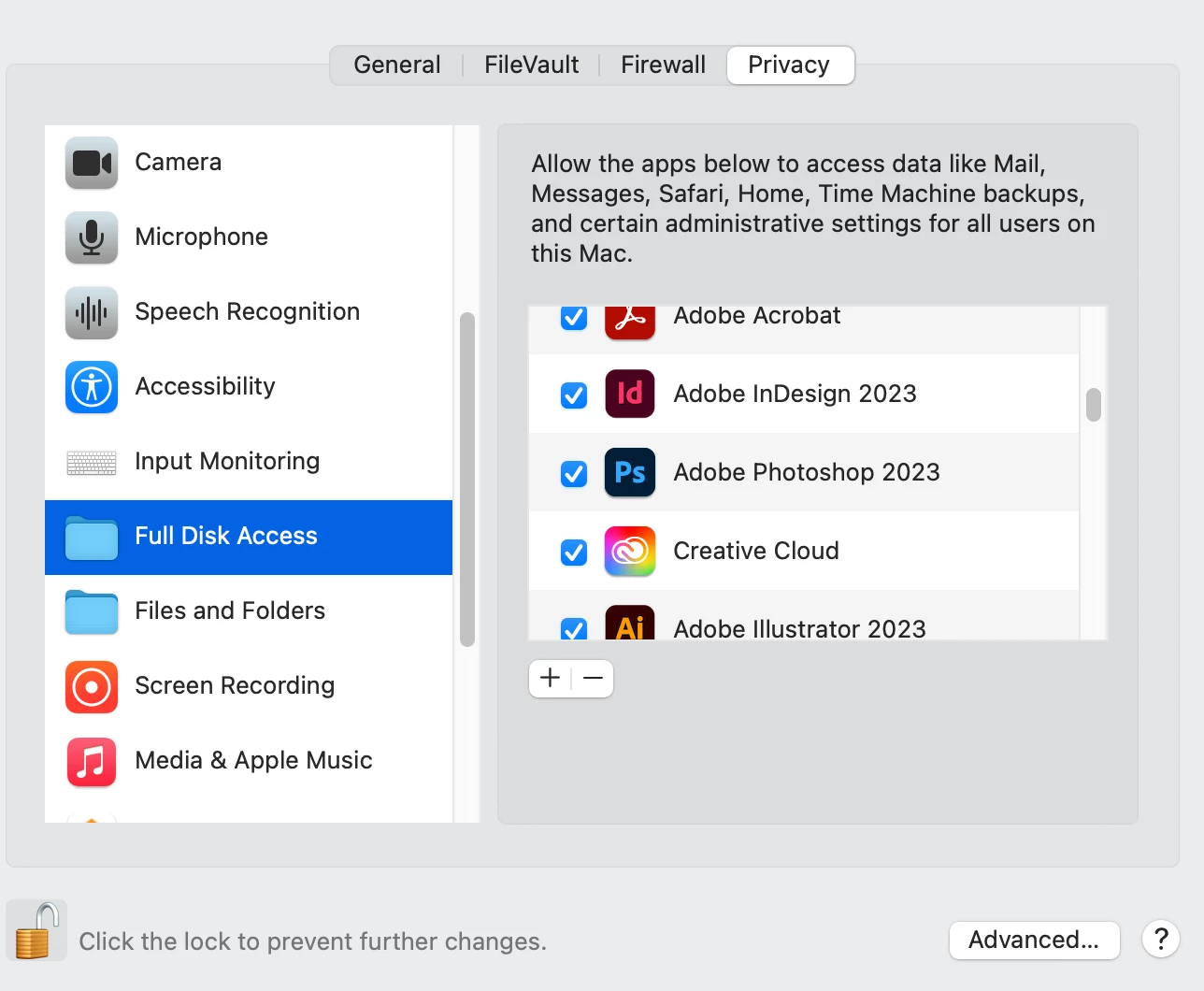
 The Full Disk Access thing is an Apple issue, so if you are on a Mac and have recently upgraded to/updated Monterey or Ventura, check that your Full Disk access permissions haven't been reset: System Preferences > Security & Privacy > Full Disk Access : your Adobe apps should be listed and checked. If not, add them back.
3 replies

Met1
Legend
April 27, 2023

Your statement implies that you can only do one (or the other), when you should be able to choose.

You don't see this when you first save, or do a Save As?


What version are you running? Some have a check box in the File Handling preference where you can select the default save destination.


(I've just noticed that mine [27.4.1] does NOT. I don't need to save to the cloud by default (I never use it) but curious how I would make that default if I did want to!)

Participant
April 27, 2023
I am a graphic designer. all my work is on my external hard drive at home, I don't want to go to the cloud, but since ADOBE gives me access to their cloud, I can only save to my computer, and I can't save to my external disk, simply save, in the same place as the document is placed. here is the message i get when i only want to make a small change in a document which is on my external drive. and my excel documents, word pdf. they work very well for backup, it's only ADOBE
Participant
April 27, 2023

 my version 

Ton Frederiks
Community Expert
Community Expert
April 26, 2023

Do you save your files as cloud documents (.aic)?

You should be able to do a save as .ai to you computer.

Monika Gause
Community Expert
Community Expert
April 26, 2023

Why can't you save to your external harddrive? WHat exactly is keeping you from it?