

Sister Sabina
Inspiring
August 27, 2018
Answered

Problem creating a new guide in a .ai file

  • August 27, 2018
  • 2 replies
  • 14323 views

I am trying to line up text in the following document using guides (if that is possible, which I would expect it is in illustrator as it is in Photoshop)  I next the text to be lined up for all 12 months of the year - 3 in the top layer and 4 in the remaining except the last of one only.
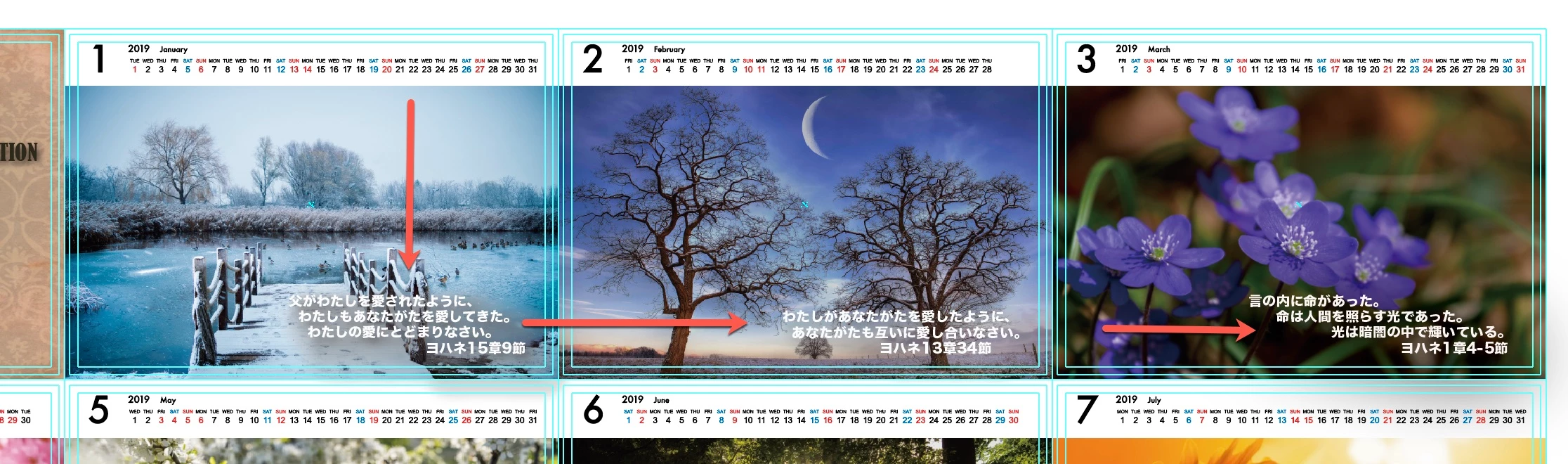
However,  the "create guide" is greyed out for some reason.
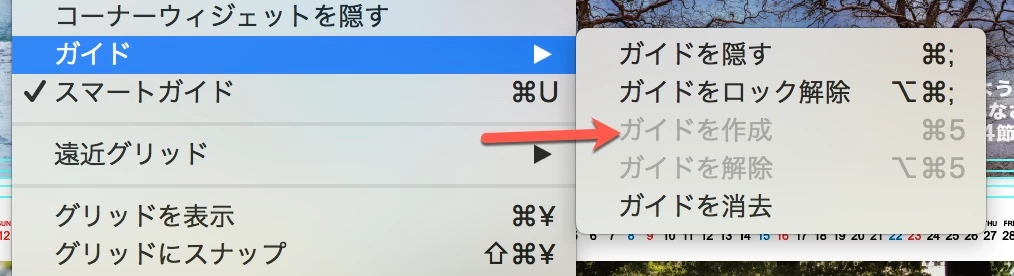
I have tried resetting to Illustrator default settings but that doesnt seem to help.

Can anybody provide  solution or a workaround for me please.  It would be much appreciated.

Sabina

Tokyo, Japan
    This topic has been closed for replies.
    Correct answer barbara_a7746676

    If the rulers are showing (View > Rulers > Show Rulers), you will be able to add ruler guides by dragging them out of the horizontal or vertical ruler.

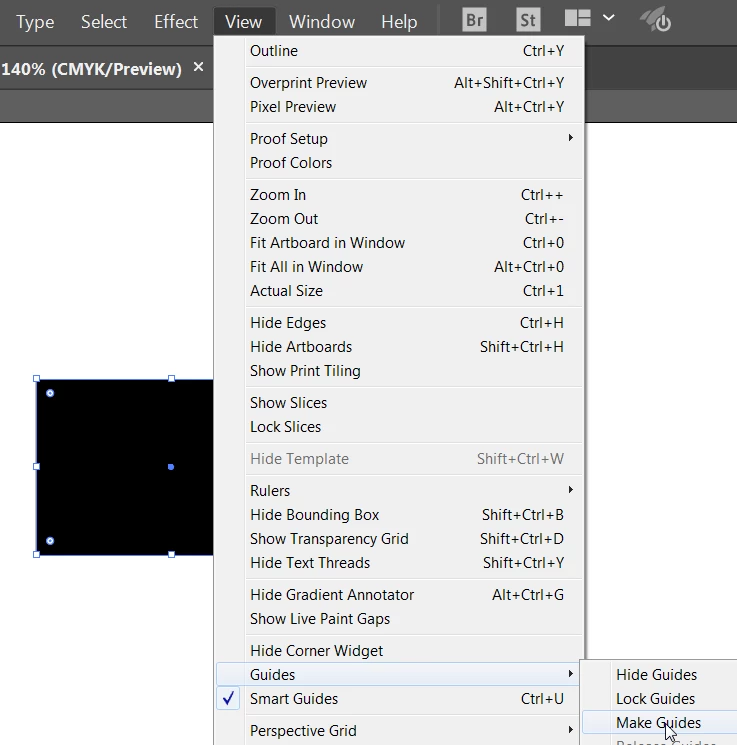
    If you are trying to use the command View > Guides > Make Guides, it works a little differently than in Photoshop. Make Guides will be grayed out unless you have an object selected. For example, below I have a rectangle selected and am able to convert it to guides. Any object, as long as it is vector, can be converted to guides in Illustrator.

    2 replies

    Sister Sabina
    Inspiring
    August 27, 2018

    Ok they aren't vectors and on Japanese Illustrator I couldnt find View > Rulers > Show Rulers but I could add ruler guides by dragging them out of the horizontal or vertical ruler.  So that is what I had been used to in Photoshop.  Thank you so much for solving my problem.

    Sabina

    Sr. Sabina
    barbara_a7746676
    Community Expert
    Community Expert
    August 27, 2018

    You're welcome, Sabina. Glad that worked for you.

    barbara_a7746676
    Community Expert
    barbara_a7746676Community ExpertCorrect answer
    Community Expert
    August 27, 2018

    If the rulers are showing (View > Rulers > Show Rulers), you will be able to add ruler guides by dragging them out of the horizontal or vertical ruler.

    If you are trying to use the command View > Guides > Make Guides, it works a little differently than in Photoshop. Make Guides will be grayed out unless you have an object selected. For example, below I have a rectangle selected and am able to convert it to guides. Any object, as long as it is vector, can be converted to guides in Illustrator.