Participant
April 18, 2025
Question

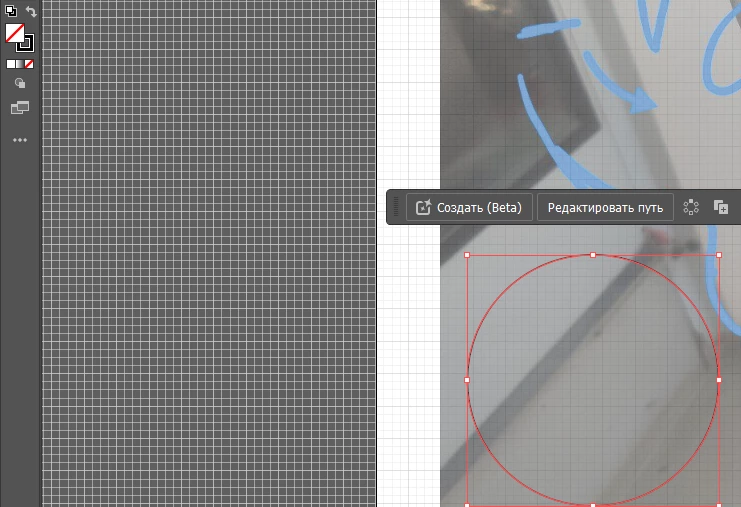
Problem. I can't drag a shape when I remove its fill.
  • April 18, 2025
  • 3 replies
  • 299 views

I can move an object while it's filled with color, but as soon as I remove the fill and leave only the outline, the object stops moving.

 

3 replies

Jacob Bugge
Community Expert
Community Expert
April 19, 2025

4355,


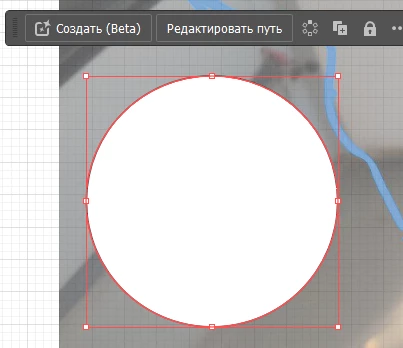
What happens if you select the stroke no fill circle as in the bottom right screenshot and use an Arrow to move it?


Is it also happening if you copy the object and paste it into a new document?


barbara_a7746676
Community Expert
Community Expert
April 19, 2025

When a shape has no fill, it is essentially empty. Therefore, when you click inside the shape nothing is selected because nothing is there inside the shape. As Monika said, you need to click the edge of the shape in order to select it and move it.

Monika Gause
Community Expert
Community Expert
April 18, 2025

You will then need to click on the stroke in order to move it. Is that what you are doing?

Participant
April 18, 2025

Yes

Anubhav M
Community Manager
Community Manager
April 18, 2025

Hello @????_???????4355,

Could you share more details, like the version of the OS/Illustrator installed, and a small screen recording of your workflow, so I can better assist you?

Looking forward to hearing from you.


Anubhav