
Participant
December 14, 2019
Question

Problem resizing rectangle with rounded edge

  • December 14, 2019
  • 4 replies
  • 73858 views

Hi all,


How to reduce a rectangle to rounded corners without changing the angles on illustrator
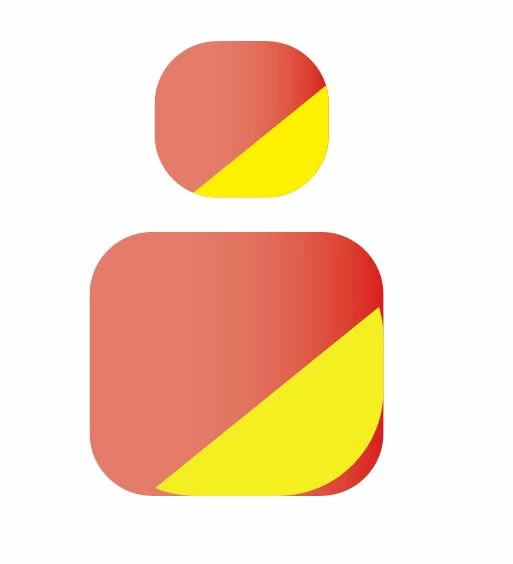
You can see taht the form is changing by modifying the dimension.


Thanks in advance for your help.


Ben

4 replies

Participating Frequently
December 16, 2019

Go to Illustrator Preferences.

General Preferences

Check the Scale Corners option box (right side)

Jacob Bugge
Community Expert
Community Expert
December 14, 2019

Ben,


For my part you are welcome, Ben.


So it was the (full) ticking of the Scale option.


Jacob Bugge
Community Expert
Community Expert
December 14, 2019

Ben,


As I (mis)understand it, you have a red(dish) shape that is a rectangle with rounded corners as an effect or as live corners, and a yellow partial shape that has been changed into a simple path by Object>Expand Appearance or something.


To have them behave in the same way, I believe you will need to either also expand the red(dish) shape or to tick the relevant scaling option (Scale Strokes & Effects or Corners) rather than unticking it.


FreezbenAuthor
Participant
December 14, 2019

Thanks a lot, i finally found the option needed to solve my problem. I forgot to chek the option "rounding radius" im not sure for the term in englsih sorry 😊


Thanks a lot for your quick help

Monika Gause
Community Expert
Community Expert
December 14, 2019

Is this the round corners effect? In that case in Preferences > General uncheck scale strokes & effects

Is this the round corners widget? In that case see the transform panel and uncheck scale corners.

FreezbenAuthor
Participant
December 14, 2019

Hi Monica,

It's already uncheck for both but the problem is still here.


Ben