Participant
March 4, 2025
Question

Problem starting up Illustrator

  • March 4, 2025
  • 2 replies
  • 109 views

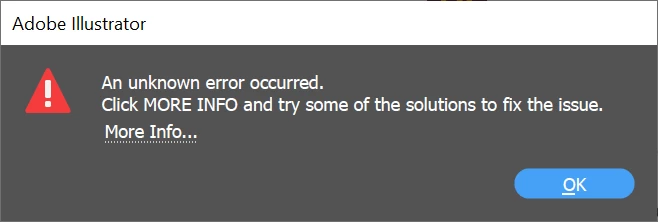
I having issues with Illustrator bringing up a few errors on lodaup including
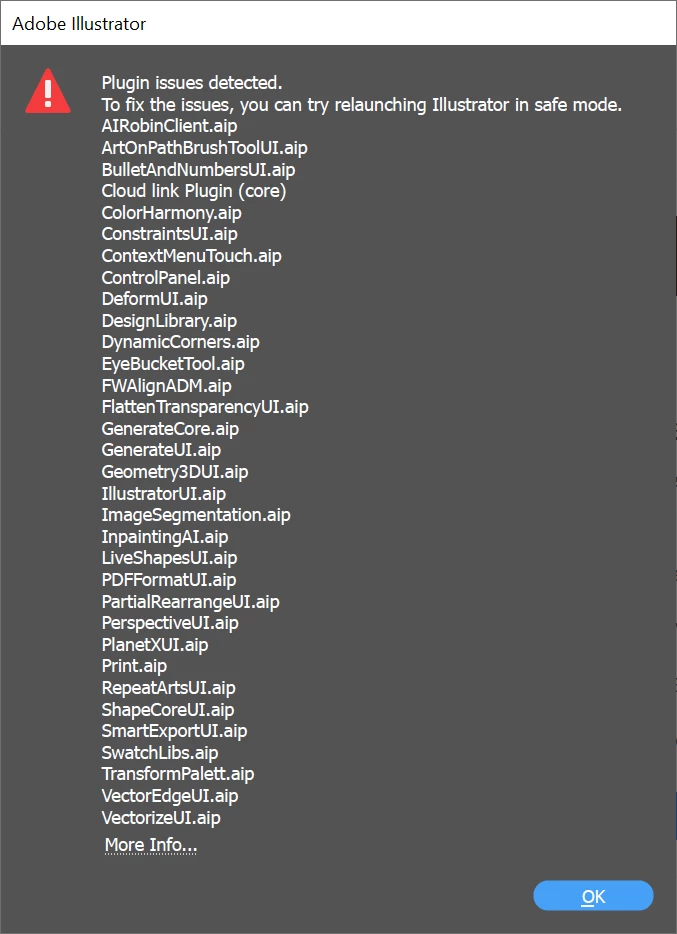
 

Tried following advice from https://helpx.adobe.com/illustrator/kb/plugin-missing-issue.html?trackingid=TG8SLGS2&mv=in-product&mv2=ai but didnt reolve the issue and using the Creative Cloud Cleaner Tool but no resolution in the problem. Any help appreciated.


Thanks


2 replies

Participant
March 5, 2025

Dear Anubhav

Thanks for getting in touch. I tried removing and reinstalling all Microsoft Visual C++ Redistributable and this did not solve the issue.

Is there anything else which you could advise?

Many thanks

Anthony Corns

(Personal details removed by moderator)

[Adobe Community]
Adobe Community


Anubhav M (Adobe Employee) mentioned you in a post! Join the conversation below:

________________________________

[Illustrator Discussions]<> Re: Problem starting up Illustrator<>

Hello @anthonycorns<>,


If repairing the Microsoft Visual C++ Redistributables did not help, kindly try the following steps to reinstall the Microsoft Visual C++ Redistributable and checking if it helps:

- Close all Adobe apps

- Uninstall all currently installed Microsoft Visual C Redistributable packages

- Install the latest Microsoft Visual C Redistributable package from here: (https://adobe.ly/3FeG6ys)

- Relaunch Illustrator

Also, check for any pending OS updates and install them to see if it helps.

Looking forward to hearing from you.

Anubhav

Community Manager
March 7, 2025

Hello @anthonycorns,

I'm sorry to hear the suggestions did not help. Would you mind running Illustrator under a different administrator account (Windows / macOS) and checking if it works as expected there?

Looking forward to hearing from you.


Anubhav

Community Manager
March 4, 2025

Hello @anthonycorns,

If repairing the Microsoft Visual C++ Redistributables did not help, kindly try the following steps to reinstall the Microsoft Visual C++ Redistributable and checking if it helps:

- Close all Adobe apps

- Uninstall all currently installed Microsoft Visual C Redistributable packages

- Install the latest Microsoft Visual C Redistributable package from here: (https://adobe.ly/3FeG6ys)

- Relaunch Illustrator

Also, check for any pending OS updates and install them to see if it helps.


Looking forward to hearing from you.

Anubhav