
Participant
February 14, 2024
Question

Problem to select next/skip in Creative Cloud's learn

  • February 14, 2024
  • 2 replies
  • 139 views

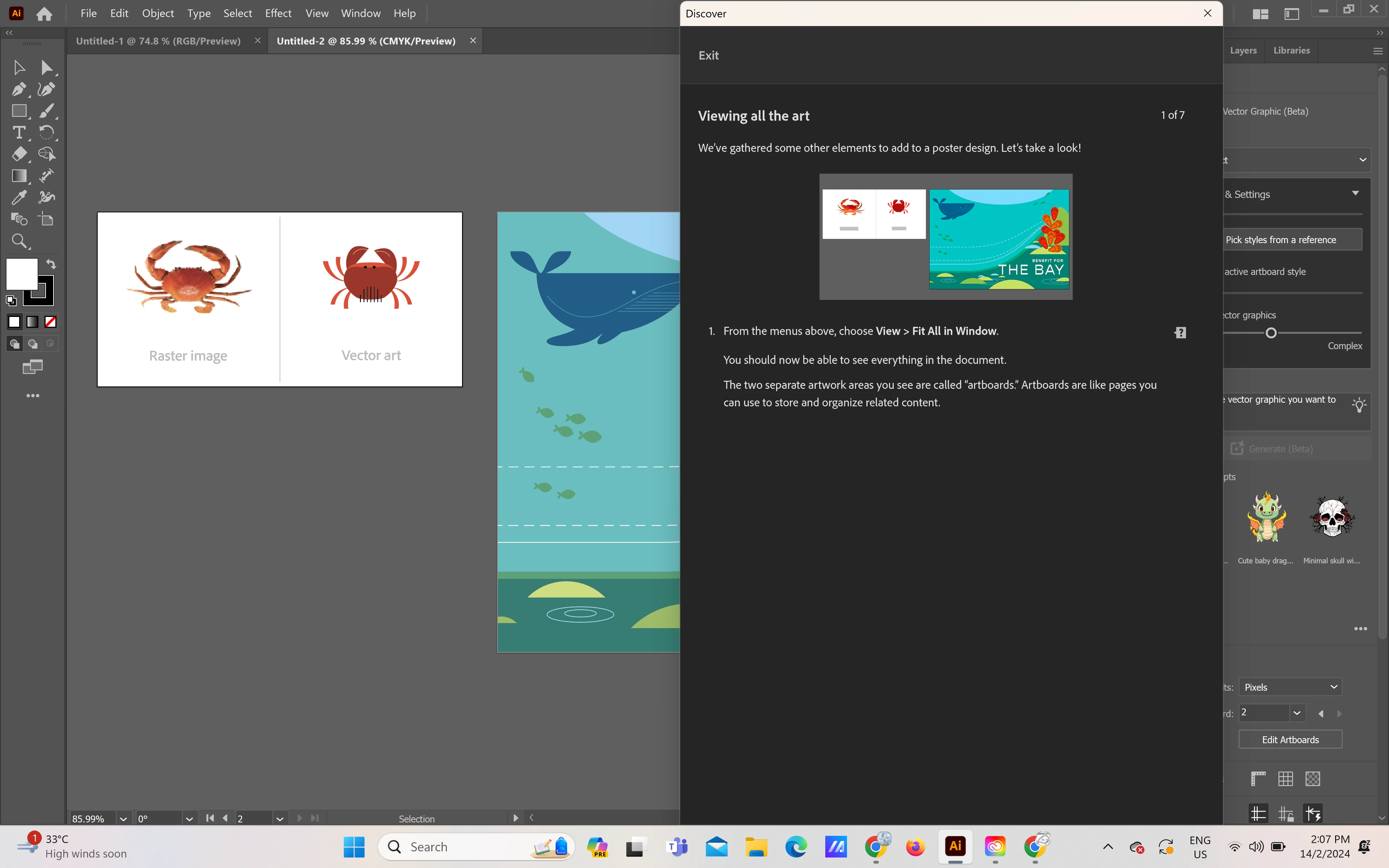
Hi, is there anyone face the same problem as me? There are no any skip or next button when I want to proceed to the next step when I was using the Adobe Creative Cloud's learn feature. May I know how to solve this problem? 
 

This topic has been closed for replies.

2 replies

Mike_Gondek10189183
Community Expert
Community Expert
February 15, 2024

It is at the bottom. You need to collapse your window as per Myra.

Myra Ferguson
Community Expert
Community Expert
February 15, 2024

Your Discover panel appears to be too tall. Try hovering your cursor over the title bar of the Discover panel until you see it turn into a double-sided arrow. Then use it to resize the panel from the top. Once you've resized it, use the cursor to move the entire panel upward. Then you should be able to see the buttons at the bottom that include Previous and Next.