
Participant
July 30, 2020
Answered

Problem with Alt shortcut on Illustrator

  • July 30, 2020
  • 1 reply
  • 654 views

Hi, dears,

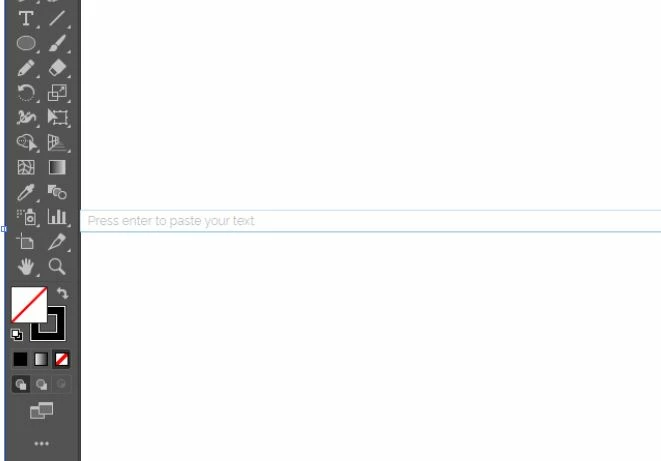
I have a problem with my Alt shortcut. Whenever I press the Alt key to copy a shape with my left mouse click there opens a text box "Press enter to paste your text". I have check all my shortcuts in Illustrator for disabling but didn't find any and it bothers. I am attaching a screenshot.

Please if anyone comes up with a solution.

Regards
This topic has been closed for replies.
Correct answer farooqumer89

Thank you so much dear. Yes I checked that one. It was a typing application which was creating the problem.


1 reply

Monika Gause
Community Expert
Community Expert
July 30, 2020

Do you perhaps have something installed or set up in your system that enhances Copy/Paste operations?

So that a system wide shortcut interferes with Illustrator?

farooqumer89AuthorCorrect answer
Participant
July 30, 2020

Thank you so much dear. Yes I checked that one. It was a typing application which was creating the problem.


Monika Gause
Community Expert
Community Expert
July 30, 2020

Good to hear. Thank you for the information.

Can you please mark your own post as correct? It will help people with the same problem.