Participant
April 4, 2023
Answered

Problem with coordinates when illsutration is bigger than the artboard

  • April 4, 2023
  • 2 replies
  • 540 views

Hello everyone,

I come to you because I have an issue related to my x,y coordinates being stuck at the top left of my artboard. My issue here is that when the 'illsutration' is bigger than the artboard, then my drawings made with extended script are off.

Here is the context:
I draw a shape in the browser in a viewer, then take the coordinates of these shapes.

Here for example, I underline the title of a document.

However, using my script, the shapes representing the underline are off.
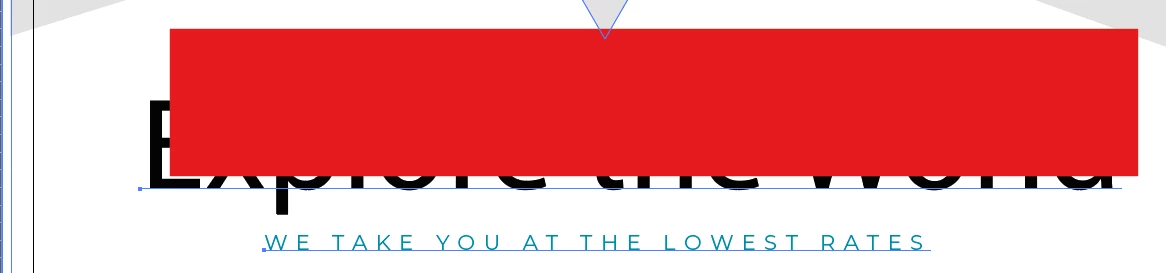

They are specifically off by the same amount of which the document is bigger than the artboard on the top and left.

This is logic however, the (0;0) reference point in Illustrator is on the TOP LEFT.
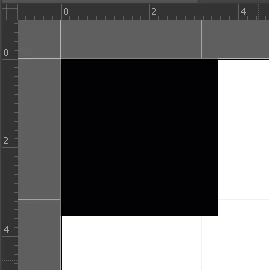
I drew a square at (0;0) of 10 width to illustrate it.

Now, let's imagine I want to draw that square on the TOP LEFT of my whole document, illustration and artboard included.
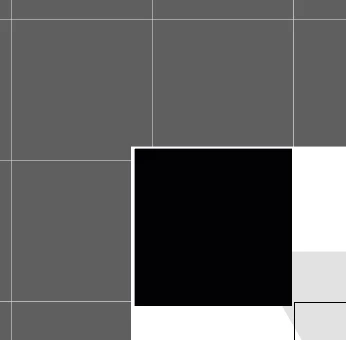
It's easy; I just have to draw a square at (-5;5).

But my whole problem is how can I know how much the illustration is 'bleeding' away from the borders of my artboard?

I tried to use the visualbounds, artboardbounds, document size and they all return the same value (the size of the artboard itself).

Any help on the topic will be much appreciated, all I need is to know the TOP and LEFT amount of document that is bleeding from the art board.

I thought about looping thorugh all my layers and getting all the left top corners and getting the one with the maximum and use that as my new reference point, but I would like that to be a last resort solution.

Thanks you in advance for any help / information / suggestion 🙂
Stefan
This topic has been closed for replies.
Correct answer Stefanuel

Ok, after some research I found an alternative solution.

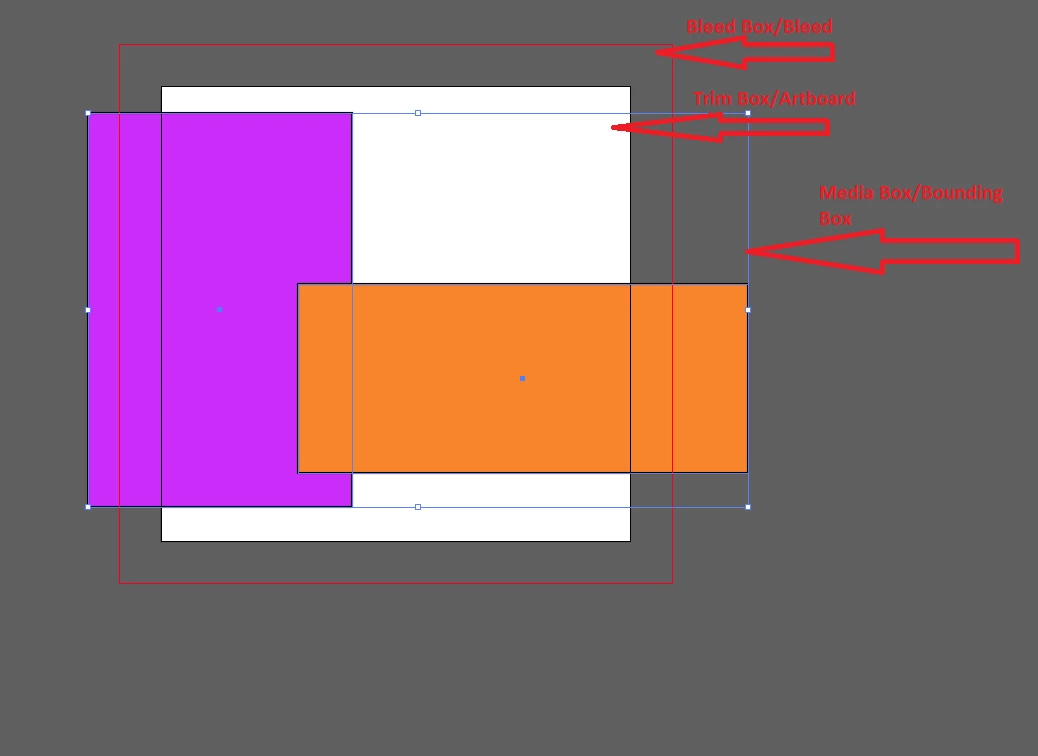
I found out about the existence of multiple "boxes" around the document.

credit to: https://community.adobe.com/t5/illustrator-discussions/change-page-boxes-when-exporting-pdf/m-p/9763571

So in short, what I did to resolve my problem was to crop the document in the online viewer, that way the (0;0) point of the viewer is also the (0;0) point in Illustrator. It seems you can read the metadata of the file, and see if the file has bleeding, margin, ... And by using these metadatas, you can decide what "box" do you want to use as your reference for the (0;0) point.

Thanks you all for help 🙂

2 replies

StefanuelAuthorCorrect answer
Participant
April 5, 2023

Ok, after some research I found an alternative solution.

I found out about the existence of multiple "boxes" around the document.

credit to: https://community.adobe.com/t5/illustrator-discussions/change-page-boxes-when-exporting-pdf/m-p/9763571

So in short, what I did to resolve my problem was to crop the document in the online viewer, that way the (0;0) point of the viewer is also the (0;0) point in Illustrator. It seems you can read the metadata of the file, and see if the file has bleeding, margin, ... And by using these metadatas, you can decide what "box" do you want to use as your reference for the (0;0) point.

Thanks you all for help 🙂

CarlosCanto
Community Expert
Community Expert
April 4, 2023

can you post your script or a simplified version of it?

StefanuelAuthor
Participant
April 4, 2023

Yes 🙂

Here is a simplified bit of code that draws a rectangle on the coordinates of the 'noteData':

var doc = app.activeDocument;
myLayer= doc.layers.add();

var myPathItem = myLayer.pathItems;

//The 4.17 delta is used to convert shape coordinates from the viewer to the document
var xMin = (noteData.xMin) / 4.17;
var xMax = (noteData.xMax) /4.17;
var yMin = (noteData.yMin) /4.17 - doc.height;
var yMax = (noteData.yMax) /4.17 - doc.height;

rect = myPathItem.rectangle(yMin,xMin,noteData.width/4.17,-noteData.height/4.17)

rect.filled = false;
rect.stroked = true;
rect.strokeWidth = strokeWidth;
rect.strokeColor = noteStrokeColor;


I want to say that this code works fine on any document where no illustration is bigger than the artboard, no matter the format.
The 4.17 Delta ensures that the conversion between the data fetched from the viewer has the same proportion / position, it can safely be removed.

Thanks you in advance for your help!