
Participant
January 21, 2024
Question

Problem with GPU

  • January 21, 2024
  • 1 reply
  • 226 views

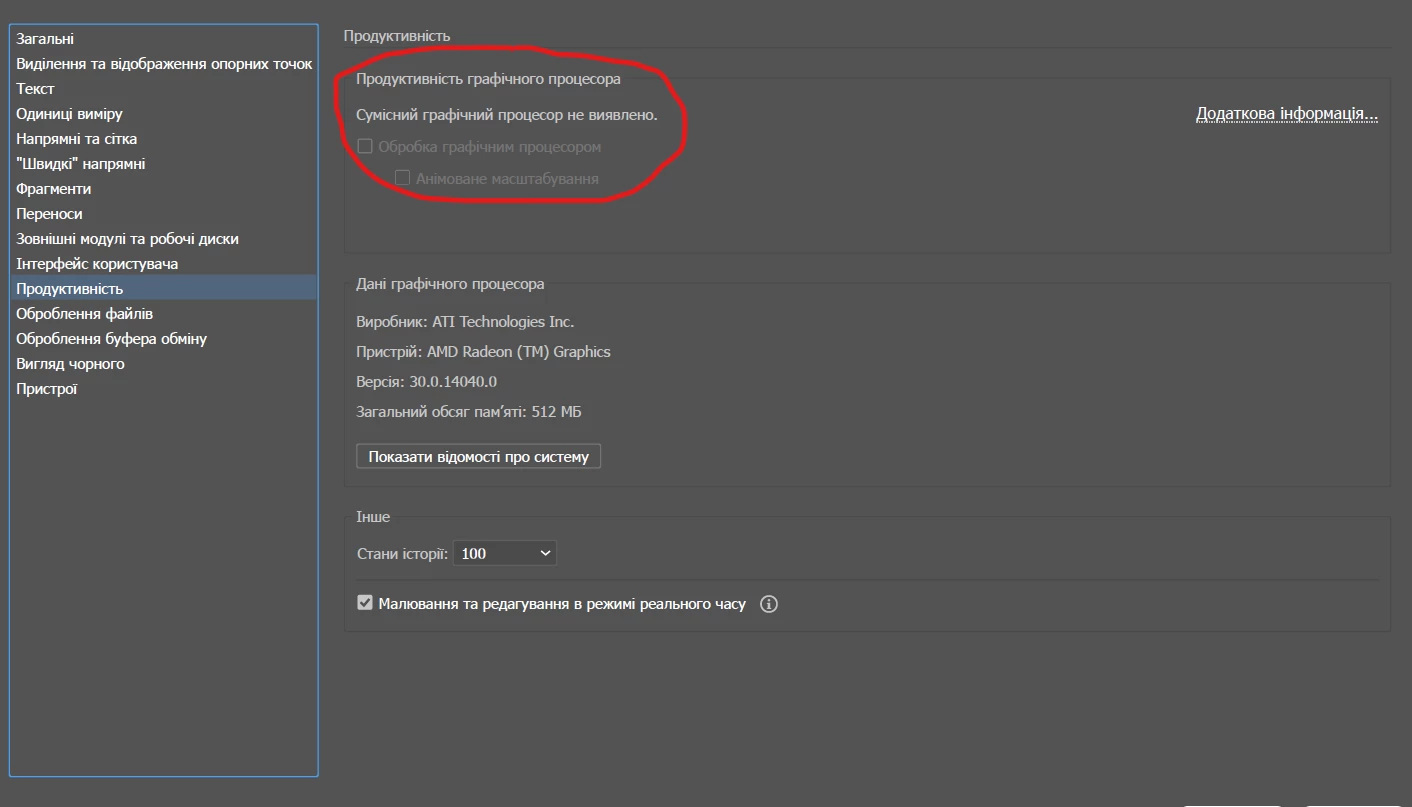
Good afternoon. I'm facing the following problem. I have a Ryzen 5 5625U processor with Radeon Vega graphics. In the system settings in the performance section, I see that Adobe Illustrator does not see my graphics accelerator (Compatible GPU not detected). I will attach a screenshot. Because of this, in a 3D task, when processing, the load goes to the CPU, while the GPU is loaded at 0%. Help me solve the issue
This topic has been closed for replies.

1 reply

Community Manager
February 9, 2024

Hello @Kristina34923837g8a3,


We understand that encountering technical issues can be frustrating. Would you mind performing a clean reinstallation of the GPU drivers (Intel / NVIDIA / AMD) and setting the Graphics Preference to High-Performance for Illustrator (https://www.amd.com/en/support/kb/faq/gpu-110) and checking if it helps?


Also, try manually resetting Illustrator's preferences and sharing your observations:


For Windows

- Close all Adobe applications.

- Go to Location C:\Users\%USERPROFILE%\AppData\Roaming\Adobe

- Rename Adobe Illustrator and Adobe Illustrator 28 Settings folders to Adobe Illustrator.old and Adobe Illustrator - 28 Settings.old

- Relaunch Illustrator from Creative Cloud


Disclaimer: Please note that renaming preferences folders will remove all the custom settings, and Illustrator will launch with default settings. You can also save a backup of the folders in case you want to. The location is mentioned above.


Looking forward to hearing from you.


Thanks,

Anubhav