Known Participant
March 23, 2023
Answered

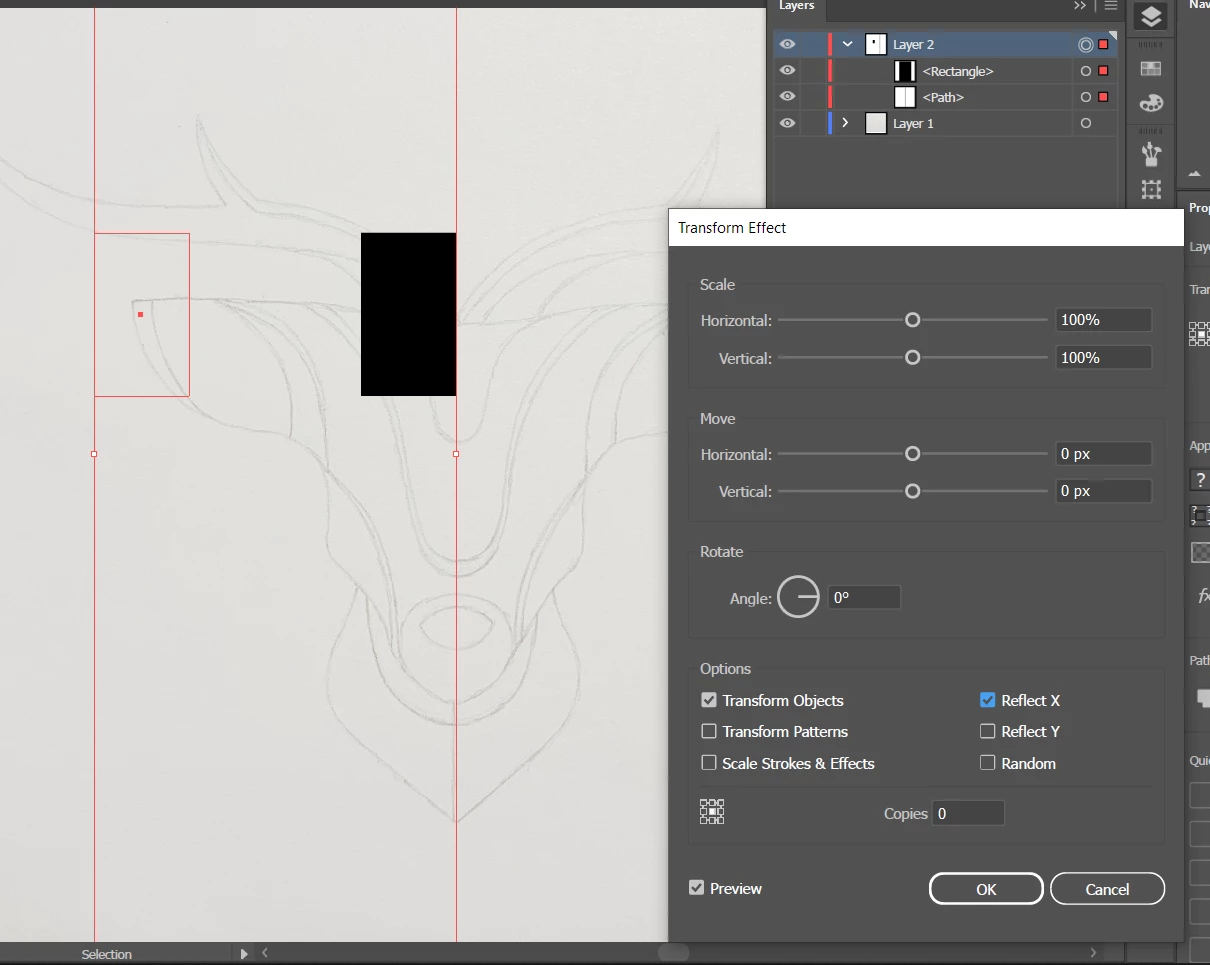
problem with live mirroring
  • March 23, 2023
  • 3 replies
  • 869 views

it's all aligned and i watched some tutors to find a problem as the forum as well, but I haven't figurd out why this isn't reflectiong to center/ cantral path. Have you got any ideas on how to fix it?

This topic has been closed for replies.
Correct answer Ton Frederiks

As an alternative you could use Object > Repeat > Mirror.

3 replies

Ton Frederiks
Community Expert
Ton FrederiksCommunity ExpertCorrect answer
Community Expert
March 23, 2023

As an alternative you could use Object > Repeat > Mirror.

fyliyAuthor
Known Participant
March 23, 2023

I've solved the problem already but tried your method and can't figure out how to make it right :0 Thank you for trying anyway!

Monika Gause
Community Expert
Community Expert
March 23, 2023

Where is the central path?

And what is it that you want to do?

fyliyAuthor
Known Participant
March 23, 2023

by central path I mean line selected on this screenshot. I want rectangle to reflect on the other side revatively to the line

Ton Frederiks
Community Expert
Community Expert
March 23, 2023

It looks like you have more selected than the black rectangle. Maybe ungroup or direct select the rectangle only.

fyliyAuthor
Known Participant
March 23, 2023

it still doesn't work. Also, there isn't any group here yet, I just selected lina and rectangle. But selecting only rectangle doesn't work neither...

Monika Gause
Community Expert
Community Expert
March 23, 2023

So you want to set up a layer appearance that automatically reflects what you draw on it, right?