


Inspiring
May 27, 2025
Answered

problem with opacity
  • May 27, 2025
  • 3 replies
  • 1101 views

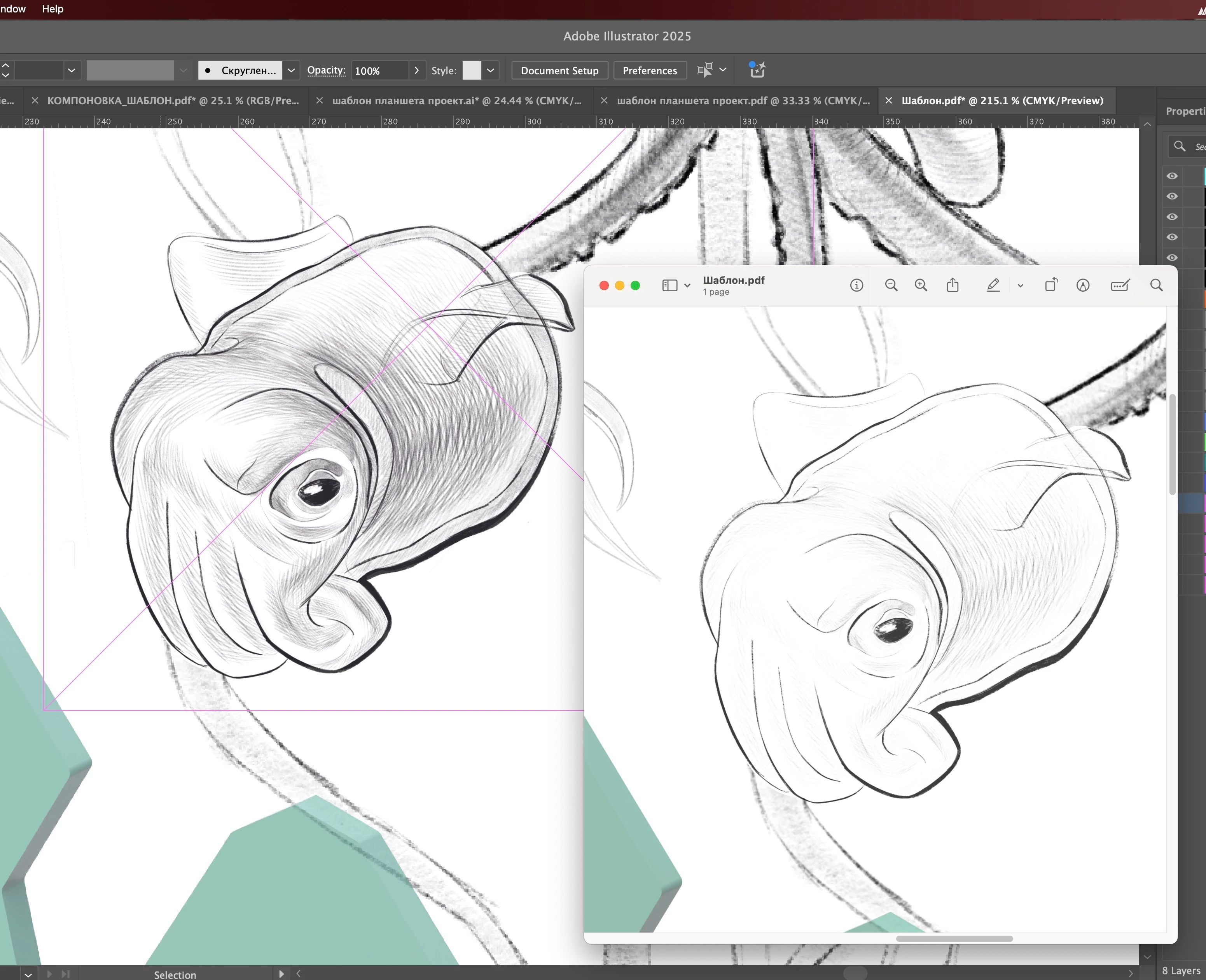
Hi! I am trying to export my project, in which I used 70% opacity for some images to make them lighter, but when I look at the final exported files, these images become much lighter. What settings should I change to make my export look the same as in illustrator?

Correct answer cimomomi

okay. so i finally succeeded in this work. all you have to do is export it in JPG and not PDF. Yes this solution doesn't solve anything but at least i finally managed to export this file somehow 

3 replies

cimomomiAuthorCorrect answer
Inspiring
June 23, 2025

okay. so i finally succeeded in this work. all you have to do is export it in JPG and not PDF. Yes this solution doesn't solve anything but at least i finally managed to export this file somehow 

Ton Frederiks
Community Expert
Community Expert
May 27, 2025

What are your PDF settings, do you save profiles with the file?

Is there a difference between linked and embedded files?

There can also be a different display depending on the viewer, you show Preview, how does it look in Acrobat?

cimomomiAuthor
Inspiring
May 28, 2025

This is all my settings for export.

If different displays show different picture, how can i understand what options is the most relevant? Does acrobate shows it more realistically? 

sorry for stupid questions 

Monika Gause
Community Expert
Community Expert
May 28, 2025

They are all relevant. 


But you have to learn how it works.

Monika Gause
Community Expert
Community Expert
May 27, 2025

Make sure that your screen is calibrated

Make sure the Illustrator color settings are correct.

Make sure to attach the correct color profile to a file

Grayscale files might still not work.

Make sure to export the PDF correctly and view it in Acrobat for checking purposes.

cimomomiAuthor
Inspiring
May 27, 2025

Thanks for the answer! I'm new to illustrator, how can i understand which color profile, color settings and exporting are right? Is there any source of information about this for noobs? 😄

Monika Gause
Community Expert
Community Expert
May 27, 2025

With color profiles this does depend on your output, so it is advised to ask your printers.


Everything else: there is sadly not a lot of free information available. But there are trainings on LinkedIn Learning. You have 3 months of free membership as a Creative Cloud subscriber. Or possibly in your local library.


Adobe has some information in their helpx so you can get an idea: https://helpx.adobe.com/acrobat/using/color-management.html