

BlueDog007
Inspiring
February 18, 2024
Answered

Problem working with a tutorial speaking about how to Export a file to a PNG Transparent file?

  • February 18, 2024
  • 1 reply
  • 199 views

Where is the Properties Panel in this Tutorial?
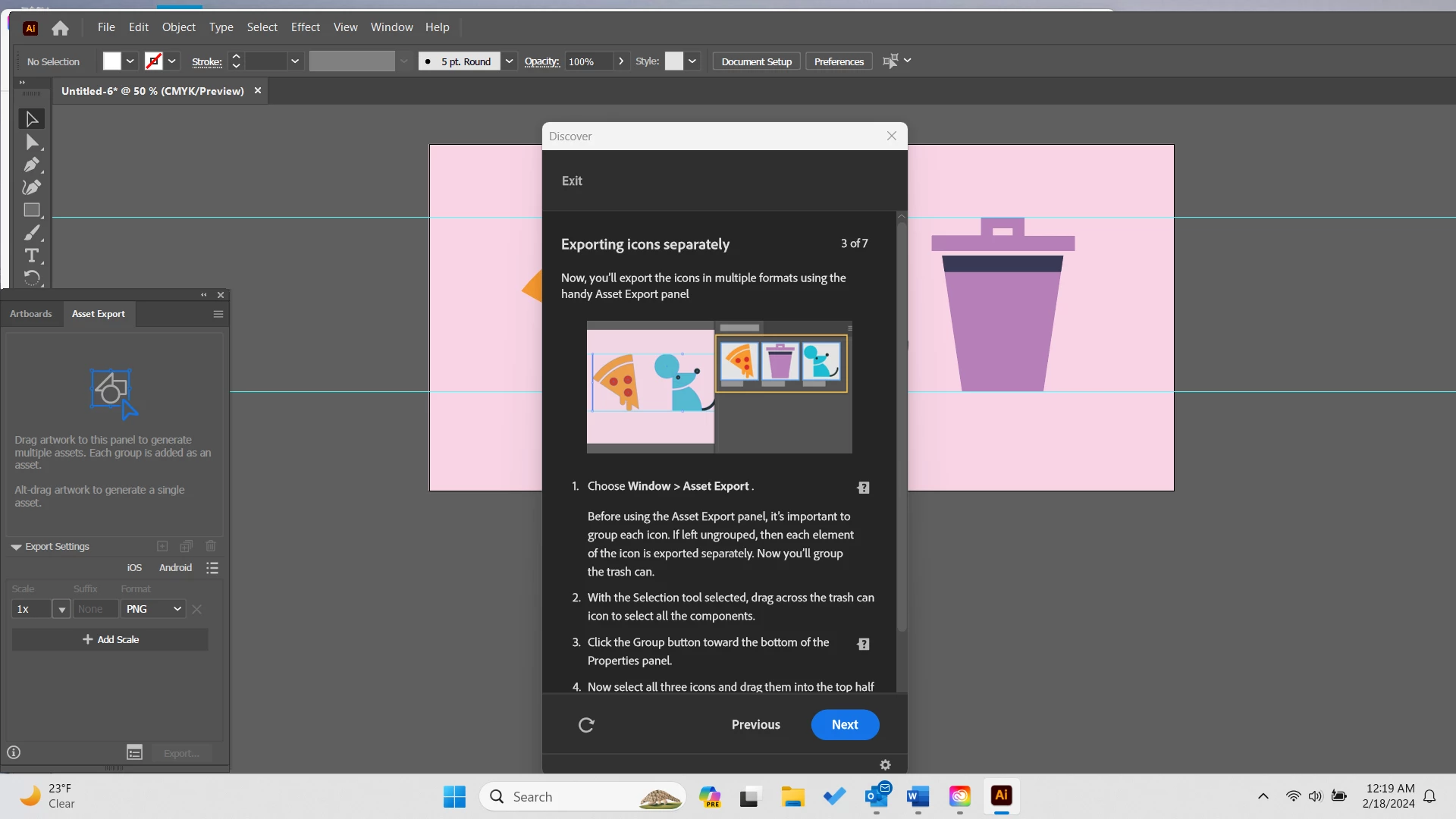
I am working in a tutorial entitled: How do I make my exported PNG image a Transparent file?  Which lead me to: Exporting Icons  Hands on Tutorial.

I am absolutely frustrated with this tutorial.  Why?

1st of all, it is hard to work with the images in the tutorial with the instruction panel right over it all.

2nd, I am at the point where it says to Group the images I just used my selection tool to surround.  But it says to find Group in the Properties panel.

I can't find the Properties Panel.  I even tried to go to Window > Properties and it still doesn't show in the screen.

I am simply exasperated with this tutorial.  I got to take a break on this.  Why is this so darn hard to follow?


This topic has been closed for replies.
Correct answer Monika Gause

It looks like your application frame is very wide. Much wider than your screen. The properties panel could be to the very right. Perhaps that can be reset by rebooting the computer. You could also try and grab the application screen and move it to the left until the buttons for adjusting it are accessible.


Can't you just move the Discover panel to another place?

1 reply

Monika Gause
Community Expert
Monika GauseCommunity ExpertCorrect answer
Community Expert
February 18, 2024

It looks like your application frame is very wide. Much wider than your screen. The properties panel could be to the very right. Perhaps that can be reset by rebooting the computer. You could also try and grab the application screen and move it to the left until the buttons for adjusting it are accessible.


Can't you just move the Discover panel to another place?