Participant
August 30, 2022
Question

Problemas al alinear trazos
  • August 30, 2022
  • 2 replies
  • 1108 views


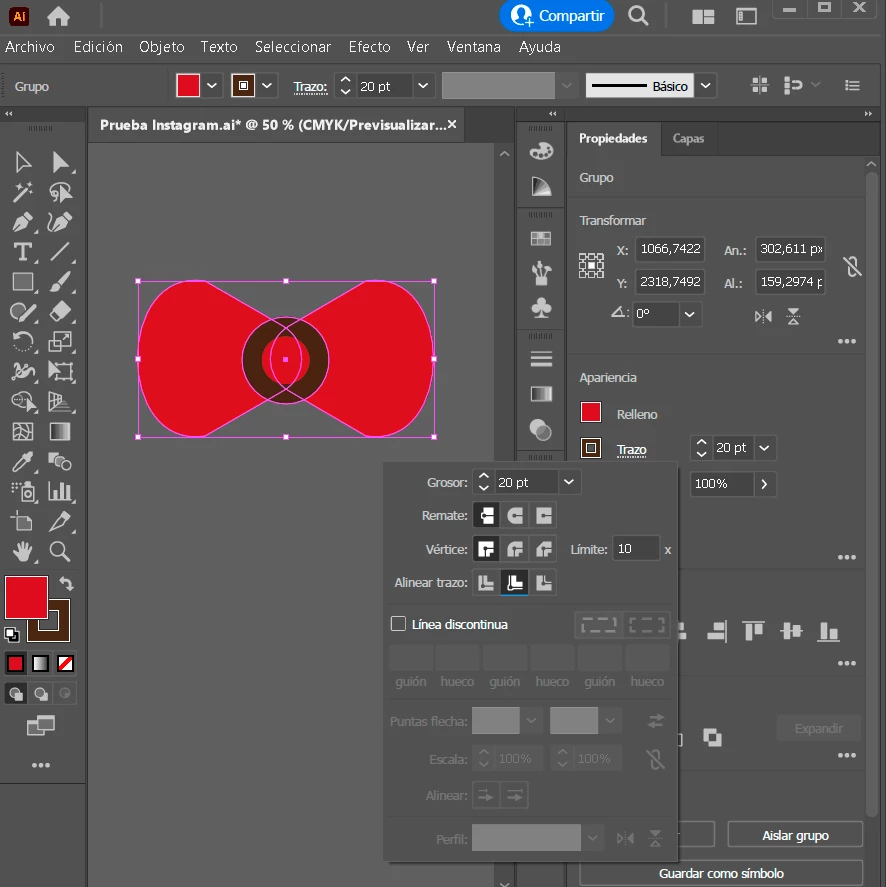
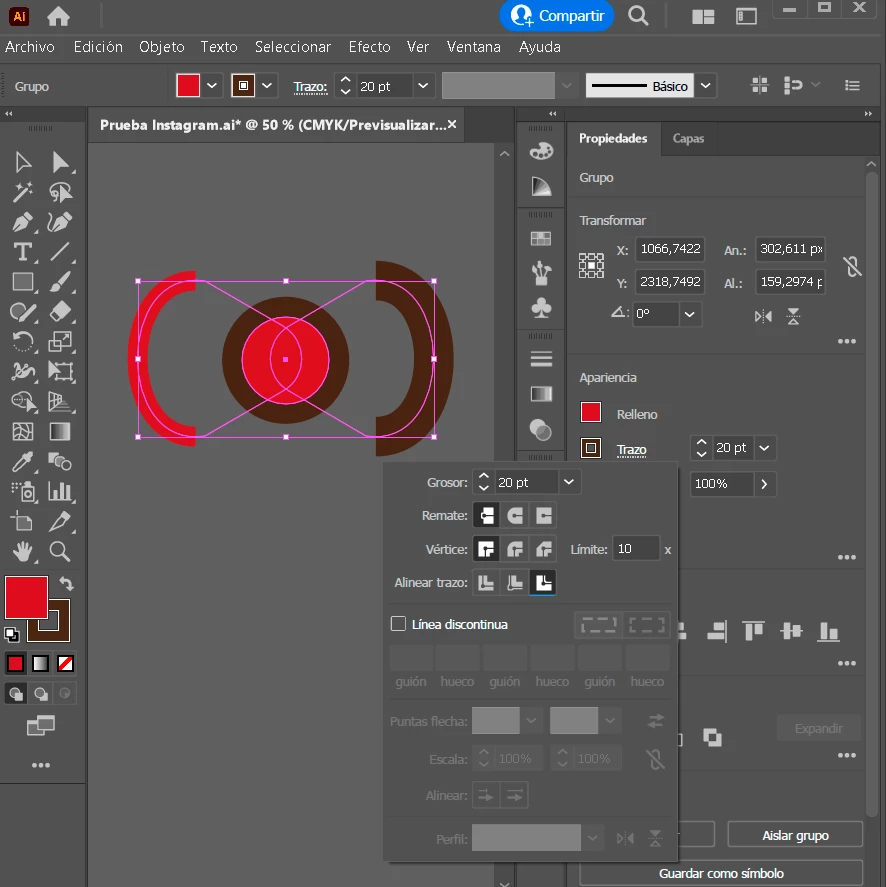
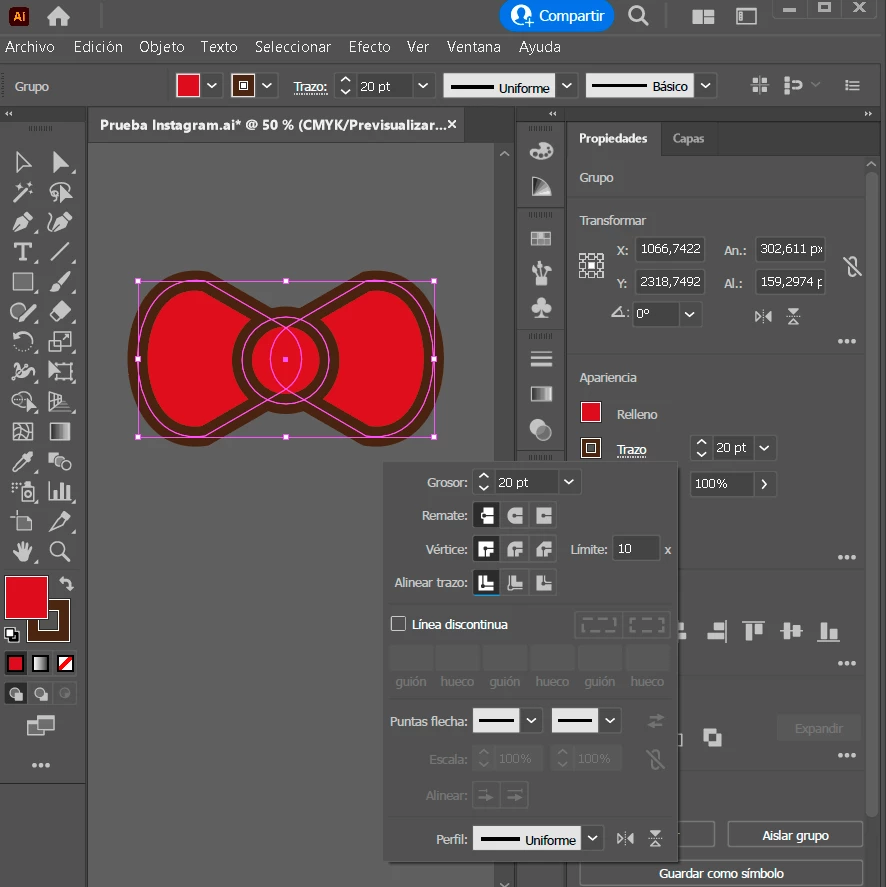
Tengo un Problema a la hora de alinear el trazo. Al alinearlo de forma central esta todo correcto, pero si lo quiero alinear al interior o exterior, se deforman mis figuras.


Lo actualice hoy a la ultima version pensando que eso ayudaria a solucionar el problema, pero no ocurrió.


Espero alguien pueda darme solución. De antemano, gracias

This topic has been closed for replies.

2 replies

Kurt Gold
Community Expert
Community Expert
August 31, 2022

I think it's either a case of corruption or some funny bug that depends on the actual rotation.


You can see it by first applying the strokes to the inside or outside and then rotating the group at different angles. Sometimes the alignment is right and sometimes it is wrong.


Monika Gause
Community Expert
Community Expert
August 30, 2022

Interesting.

Can you please upload that AI file to Dropbox or the like and give us the link?

Participant
August 31, 2022

If there are any problems with the file, let me know.


https://we.tl/t-ClgEgiXyiu <- We Transfer


Monika Gause
Community Expert
Community Expert
August 31, 2022

Thank you for the interesting file.

I would assume the objects got corrupted.


If it's just this one, create new paths.


If it's a more complex file, you could try if you can get rid of the corruption by saving it as Illustrator version 3 file (not CS3). You will lose any new features, such as effects, brushes, any live objects, symbols and whatnot. All these items will be expanded to plain paths resepctively pixels when you save down to version 3. So before saving down, delete all the effects and also strokes aligned to outside or inside from the objects.