Participant
May 31, 2020
Answered

PROBLEMAS CON LA CONFIGURACION DE LOS PINCELES

  • May 31, 2020
  • 4 replies
  • 1475 views

Buenas noches.


Tengo un problema con la configuracion de mis pinceles en ADOBE ILLUSTRATOR, ya que al principio lo configuro como quiero en cuanto a trazo, grosor  y perfil de anchura, pero al hacer el trazo en la mesa de trabajo me aparece el pincel con una configuracion totalmente diferente a la que habia relizado desde un principio. Les agradezco su colaboracion. 
This topic has been closed for replies.
Correct answer barbara_a7746676

If you follow Larry's instructions your brush should be exactly as you want it to be. Below I am giving a little more detail.

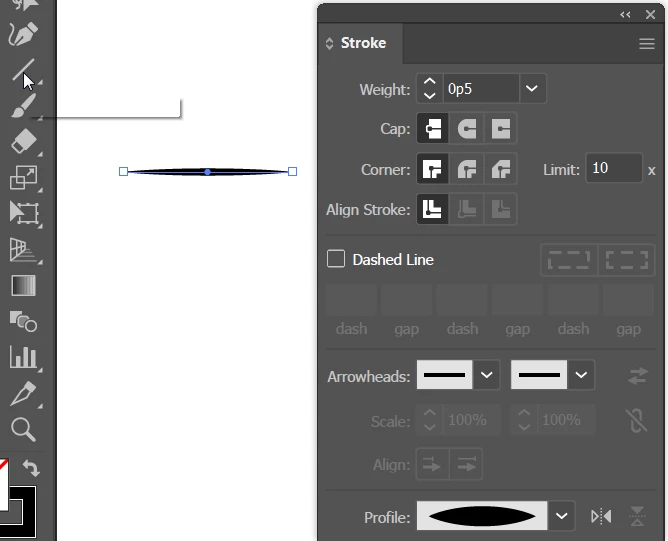
I drew a line with the Line tool and chose the stroke weight and profile.

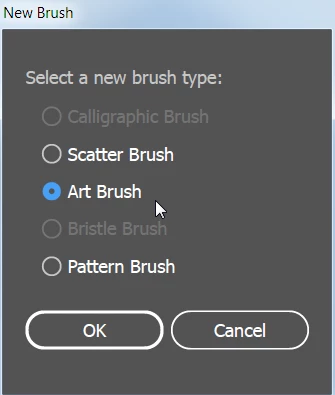
After dragging the path into the Brushes panel, the New Brush dialog appears and you can choose the type of brush that you want. I chose Art brush. 

After clicking OK, the Pattern Brush Options dialog appears. I accepted the defaults and clicked OK.

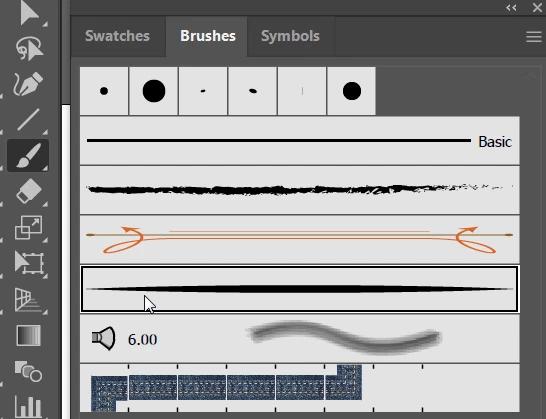
Select the Brush tool, and click on the brush that you want to use in the Brushes panel. The brush should be highlighted with a double line around it.

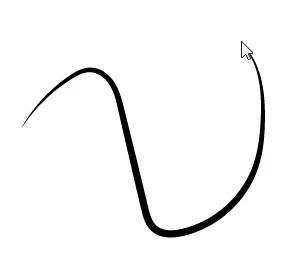
When you draw with the Brush tool it will use the brush you selected.


4 replies

Participant
February 4, 2024

Estou com o mesmo problema, tentei fazer as mesmas coisas que disseram, mas não deu certo.

Monika Gause
Community Expert
Community Expert
February 4, 2024

What exactly are you doing? What exactly do you have? What exactly should be the outcome?

Can you show a screenshot of the selected path with the Appearance panel?

Monika Gause
Community Expert
Community Expert
May 31, 2020

You want to use the width tool on a stroke?

Then you cannot use calligraphy brushes. And probably you don't want to use the brush tool at all, but the pencil tool instead.


The brush tool will ALWAYS apply a brush to the path. You obviously want to use a variable width instead.

barbara_a7746676
Community Expert
barbara_a7746676Community ExpertCorrect answer
Community Expert
May 31, 2020

If you follow Larry's instructions your brush should be exactly as you want it to be. Below I am giving a little more detail.

I drew a line with the Line tool and chose the stroke weight and profile.

After dragging the path into the Brushes panel, the New Brush dialog appears and you can choose the type of brush that you want. I chose Art brush. 

After clicking OK, the Pattern Brush Options dialog appears. I accepted the defaults and clicked OK.

Select the Brush tool, and click on the brush that you want to use in the Brushes panel. The brush should be highlighted with a double line around it.

When you draw with the Brush tool it will use the brush you selected.


Larry G. Schneider
Community Expert
Community Expert
May 31, 2020

To use Brushes you must select one from the Brush panel (except the one marked Basic). You can draw a line with the Pen tool. With it still selected adjust the stroke size and profile, then drag it to the Brush panel to create a new brush.