Participating Frequently
April 2, 2023
Question

Problème d'importation image

  • April 2, 2023
  • 2 replies
  • 1454 views

Bonjour,

J'ai un souci, lorsque j'importe une image, la photo n'est pas lisible, est-ce qu'il y a une manip à faire svp ?
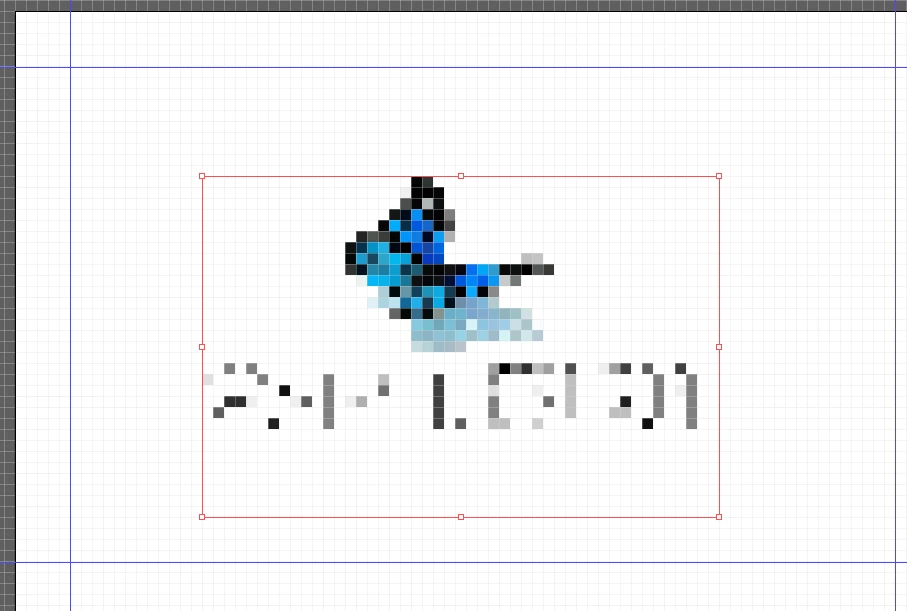

 

This topic has been closed for replies.

2 replies

Jacob Bugge
Community Expert
Community Expert
April 2, 2023

ssweetm,


As I (mis)understand it, forget about Photoshop and/or any kind of exporting in whichever application.


Just work in AI from the beginning and simply File>Place the logo image.


You can tick Link or just embed it, then simply resize and position it to the desired fit inside the business card.


You can select the image and set the size in the Transform panel while pressing Ctrl/Cmd, or ClickDrag at one of the corners while holding Shift, either way to get keep unchanged proportions.


This way you will avoid any reduction of the quality/resolution so your final artwork will be as good you can get it, given the quality/resolution of the original image.


If you have made the logo as vector artwork in AI, forget everything else and just fit it into the business card along with the other artwork, of coruse, and get the best possible quality.


ssweetmAuthor
Participating Frequently
April 3, 2023

Bonjour,

Merci pour vos explications, tout est ok je pense que c'était un bug.

Tout fonctionne normalement maintenant.

Jacob Bugge
Community Expert
Community Expert
April 3, 2023

For my part you are welcome, ssweetm.

Monika Gause
Community Expert
Community Expert
April 2, 2023

Can you open the image in Photoshop and check the pixel dimensions?

ssweetmAuthor
Participating Frequently
April 2, 2023

Here


Monika Gause
Community Expert
Community Expert
April 2, 2023

What kind of image did you import in Illustrator?

Did you scale it in Illustrator?

Can you try View > Overprint preview?