
Problems RGB to CMYK
Hello everyone,
I would like to print a T-shirt and have therefore downloaded ICC profiles to export my RGB image to CMYK.
I have saved the ICC profile in the folder "C:\Windows\System32\spool\drivers\color".
Unfortunately, I cannot select the colour profile in the drop-down menu (see screenshots, Edit - Colour settings).
What is the reason?
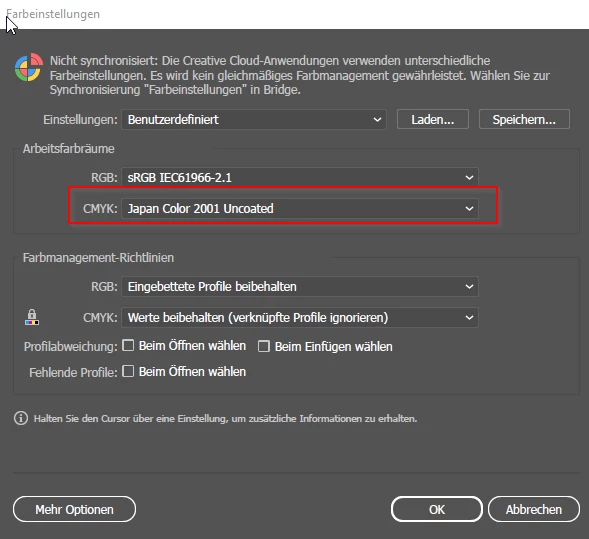
If I save the image as a PDF anyway, I can select the actually ICC colour profile for some reason. After converting to PDF, however, I cannot see any change in the colours. I therefore assume that the colour profile must first be selected in the previous step before the image is exported as a PDF.
-->Unfortunately, this is not possible, see screenshot.
I would be happay about a feedback.
Best regards,
Felix


 AdChoices