


spiky
Inspiring
September 30, 2021
Question

Problems updating Pantone Connect Plugin

  • September 30, 2021
  • 2 replies
  • 3419 views

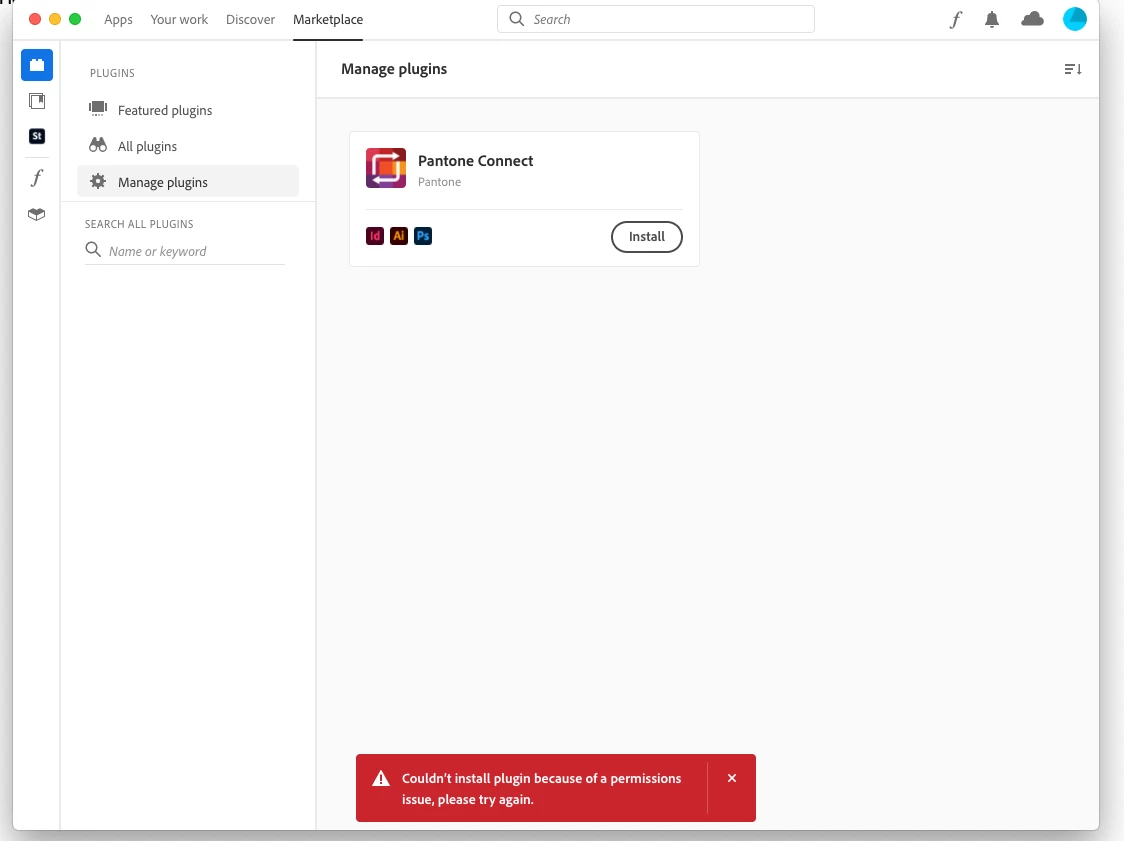
Can anybody help.... I have been trying to update Pantone connect plugin today with no success. I keep getting a permissions issue, all log in details are correct, I have tried everything suggested by Adobe live chat and in the end they suggested the forum.

I have an old mac, but do not have it cluttered with stuff, I only use it at work with Adobe CC, the only plug in I needed was Pantone connect and now that will not update (or now install, as I tried an unistall/install thinking that may be the answer). Any help or ideas would be appreciated, as I cannot use any of the new colours (eg P2202C) which are now pretty basic.

I have attached a pic showing the message I am getting, I work on a stand alone Mac, not connected to anything else, no one else uses or has access to it, also, I am not a techy person who messes about with settings etc, so nothing has changed, other than updates.

Ideas welcomed
2 replies

Participant
August 8, 2025

The Pantone Connect Plugin is awful, obviously logged in, it allows me to work on a couple of files, then crashes, making me have to quit Adobe Illustrator, then it works again, then crashes. Its REALLY BAD, sort it out!!!

Anshul_Saini
Community Manager
Community Manager
September 30, 2021

Hi there,


Sorry about the trouble. This error occurs when you haven't entered your account credentials on being prompted.

Try to install the plugin or extension again and enter your credentials when prompted. Also, please try installing the Pantone Connect Plugin from this link (https://exchange.adobe.com/creativecloud.details.103029.html). I hope it helps!


Thanks & Regards,

Anshul Saini

spiky
spikyAuthor
Inspiring
September 30, 2021

Hi Anshul,


I have tried that and end up in the same place with the same message


Regards

Anshul_Saini
Community Manager
Community Manager
September 30, 2021

Thank you for trying. Please close all your Adobe apps. Then, please open the link shared above in Google Chrome or Mozilla Firefox and try installing it again. Let me know how it goes.


Regards,

Anshul Saini