
Answered
Problems when converting to Image Trace - High Fidelity Photo
Hi there,
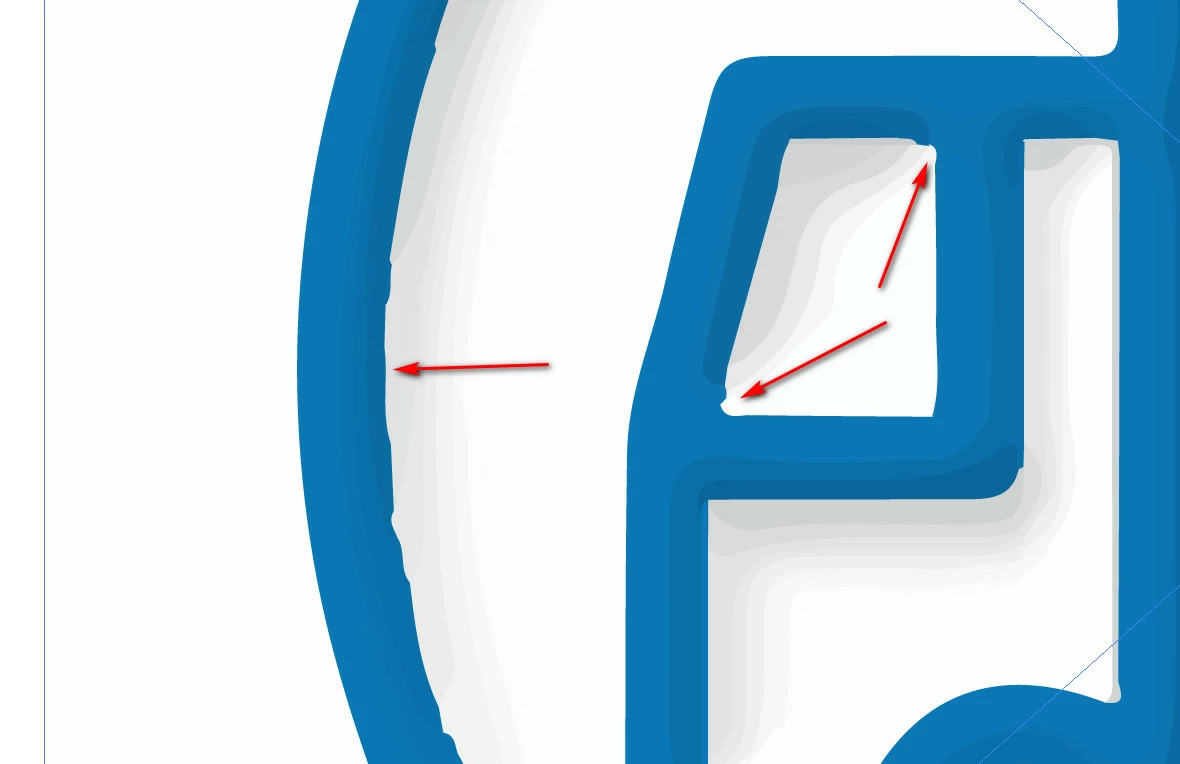
I get these Problems when I try to convert my .png image into a Image Trace - High Fidelity Photo.
Doese someone please can help me?
Thanks in advance,
Nico

Hi there,
I get these Problems when I try to convert my .png image into a Image Trace - High Fidelity Photo.
Doese someone please can help me?
Thanks in advance,
Nico
Image trace is not 100% accurate. The best you can do is adjust Paths and Corners under Advanced.
Even though there is shading in the illustration, I'd suggest tracing as Black and White (you can add shading later). Adjust the Threshold slider to the right until you get a good outline.
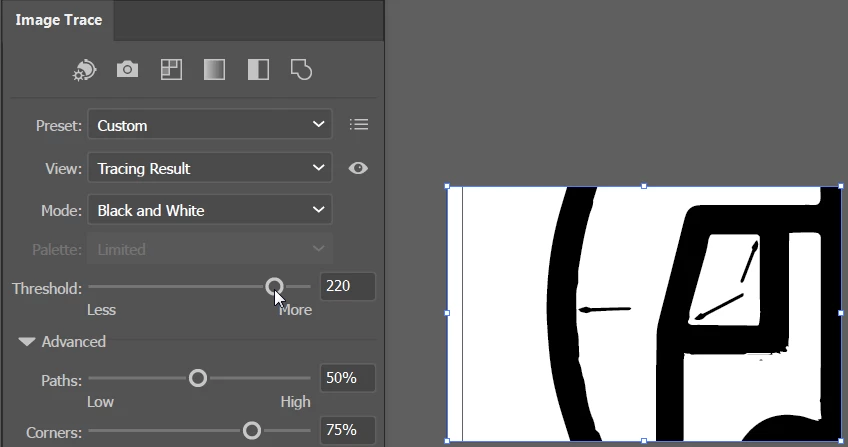
After clicking Expand, choose object > Paths > Simplify to smooth it out a bit.
Lowering Paths accuracy can smooth things a bit, although as the name implies, the path will not be as accurate.
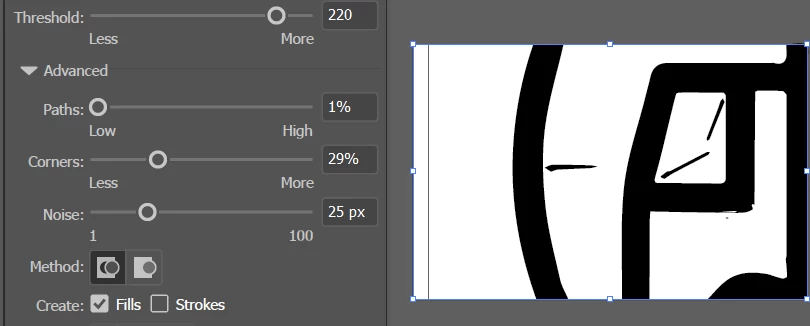
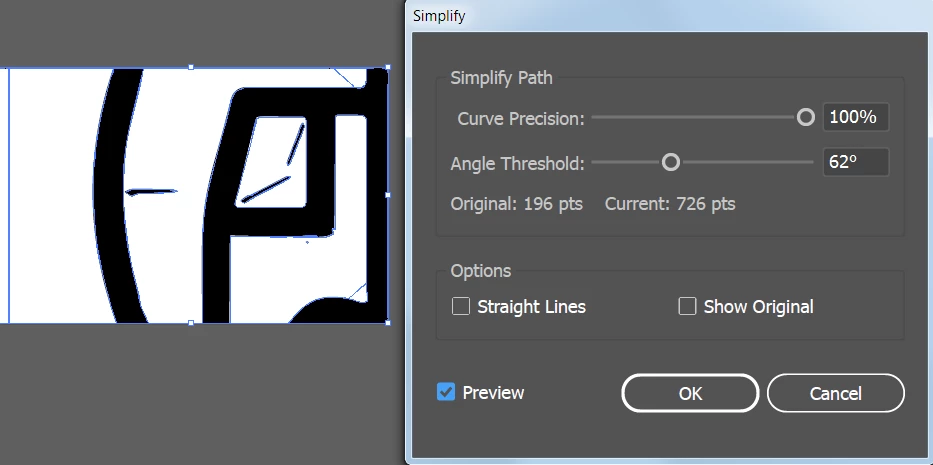
After you click Expand, Object > Path > Simplify may help to further smooth.
Already have an account? Login
Enter your E-mail address. We'll send you an e-mail with instructions to reset your password.
 AdChoices