
Participating Frequently
January 16, 2019
Question

Problems with 3D - Revolve and Extrusion

  • January 16, 2019
  • 4 replies
  • 3668 views

So, i have two annoying problems.

First, when i make 3D objects with the "revolve" effect, they randomly get transparency and wrong colors :
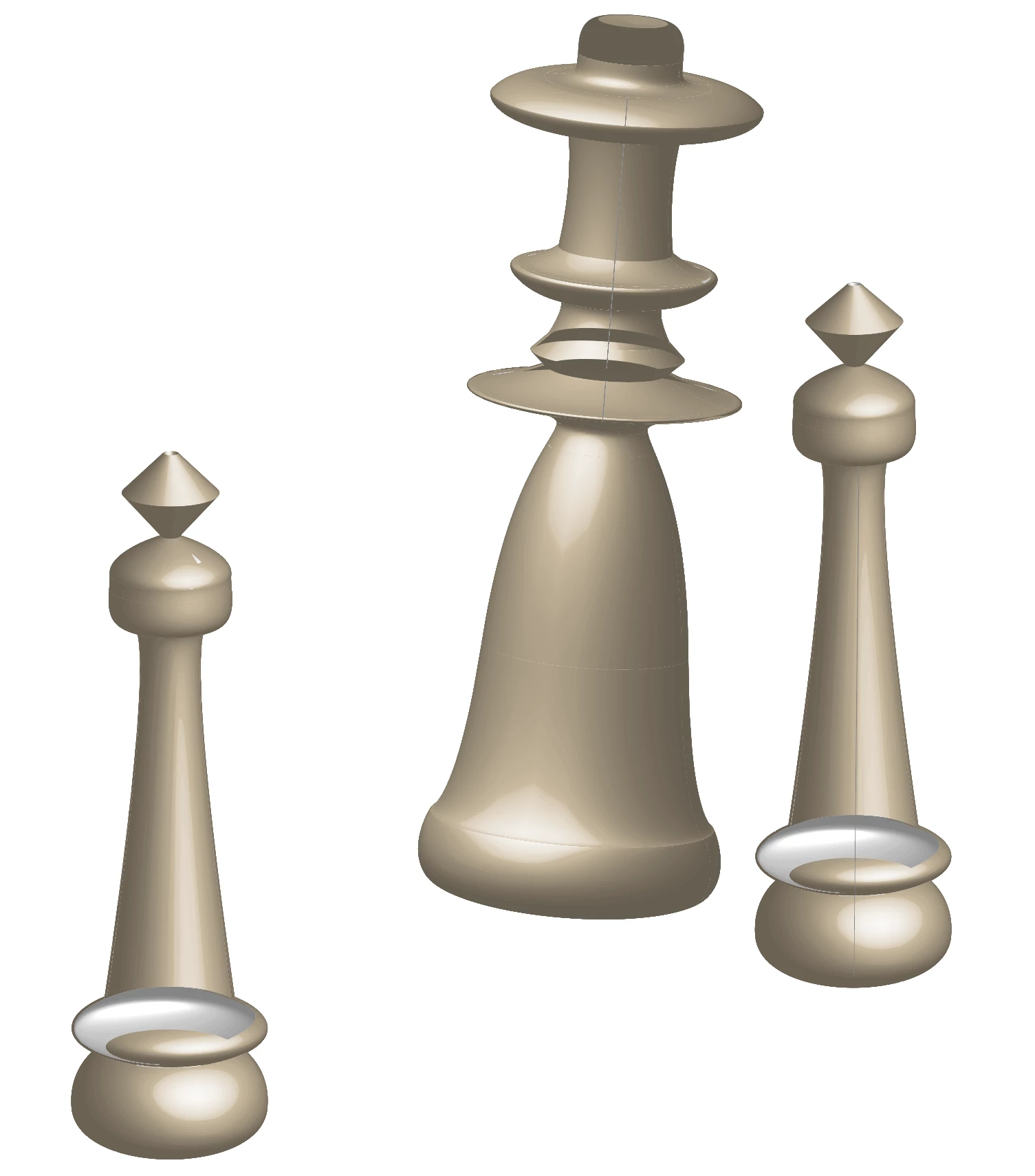
The problem doesn't occur when making really simple shapes, such as a sphere. The visual "bugs" seems to be randomly changing between each generation of the object, and rotation.

The second problem is with the "extrusion" effect : When i try to apply a color to my object, wether i do it before or after the extrusion, i'm greeted by an unknown error "CANT" :
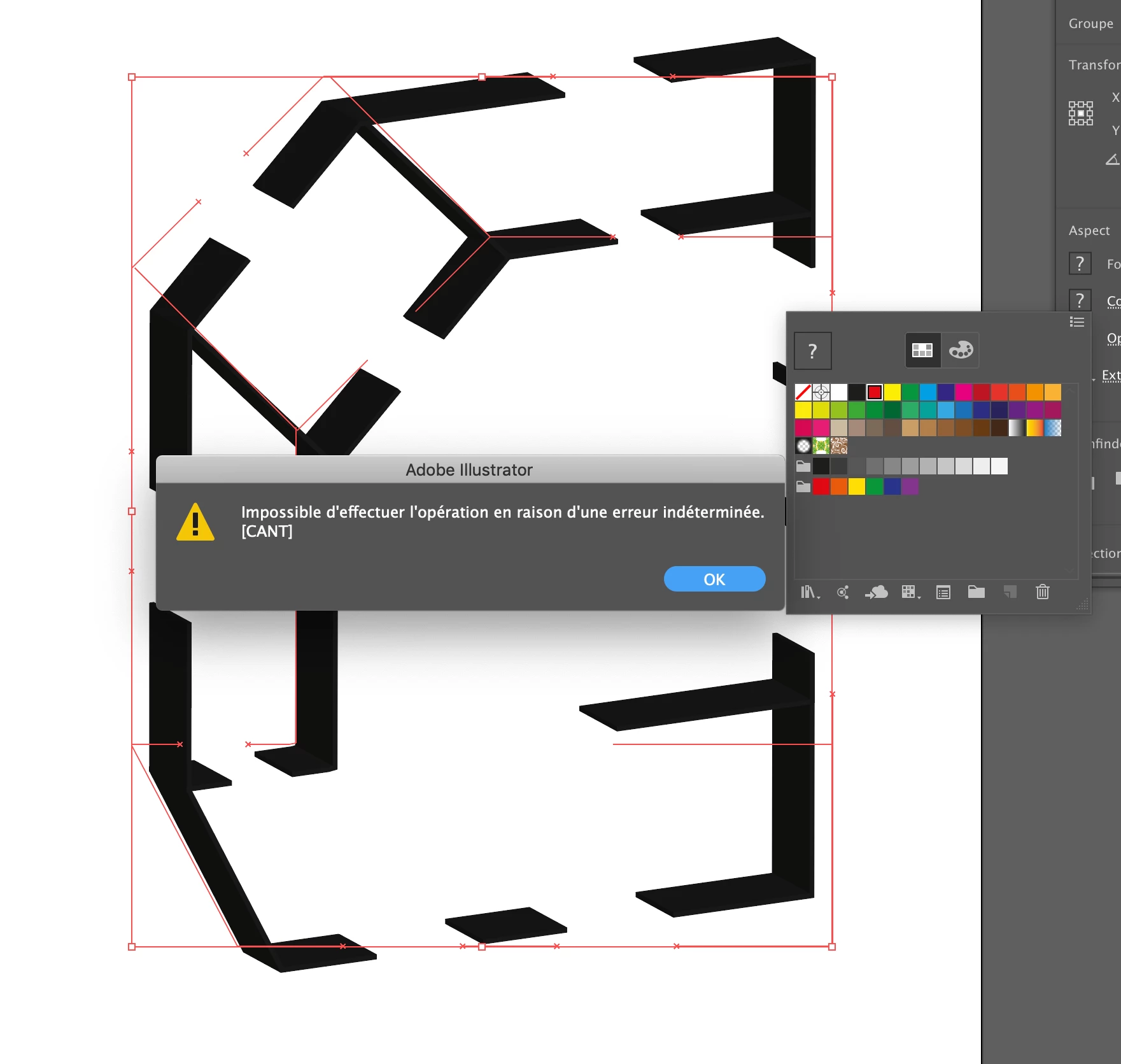
The only way to apply a color is to apply it as a shadow, but this is not exactly what i want.

I'm on MacOS, latest version (Mojave), latest version of Illustrator.

I've seen the "revolve" bug on some computers running Windows too, so this is not on my end.

Any ideas ?

This topic has been closed for replies.

4 replies

mohameda82609348
Participant
December 21, 2019

Well, I had the same problems a w minutes ago, I have been working on a ( 300 cm x 200 cm ) dimensions project.

Try to recreate your 3D effect on a smaller project, for me, it worked. 

Hope it helps you !

Participating Frequently
January 16, 2019

Try using the "Appearance" Panel to change color:

Participating Frequently
January 16, 2019

It keeps happening, even that way

Participating Frequently
January 16, 2019

Here it is, nothing fancy or too complex  :

For the extrusion, these are lines made with the pen tool, 3 points width

I restart my Mac every once in a while but i doubt it'll solve the issue, especially when there is nothing wrong on the computer other than that

Monika Gause
Community Expert
Community Expert
January 16, 2019

... but also not strictly by the rules. There are some anchor points not set correctly (in the sense of Bezier theory). For each curved segments there should be 1 handle on each side. It works better when the handles for the same segment are rather of equal length.

What you could try is to add an anchor point (by clicking with the pen tool) on those segments that cause issues in the revolved object.

Participating Frequently
January 16, 2019

I'll try that, i don't have much time now, but if i understand correctly, you can't make any shape then ? It must respect some kind of symmetry ?

Monika Gause
Community Expert
Community Expert
January 16, 2019

The revolve issue: please select the path, so we can see the points and handles. It's important that the paths are drawn correctly.

The extrusion issue: those are just strokes? Which stroke width?

When was your last computer restart?