Participant
November 11, 2019
Answered

Problems with rounding edges

  • November 11, 2019
  • 3 replies
  • 426 views

Im trying to round the edges on only one part of the the shape, which have worked perfect before.
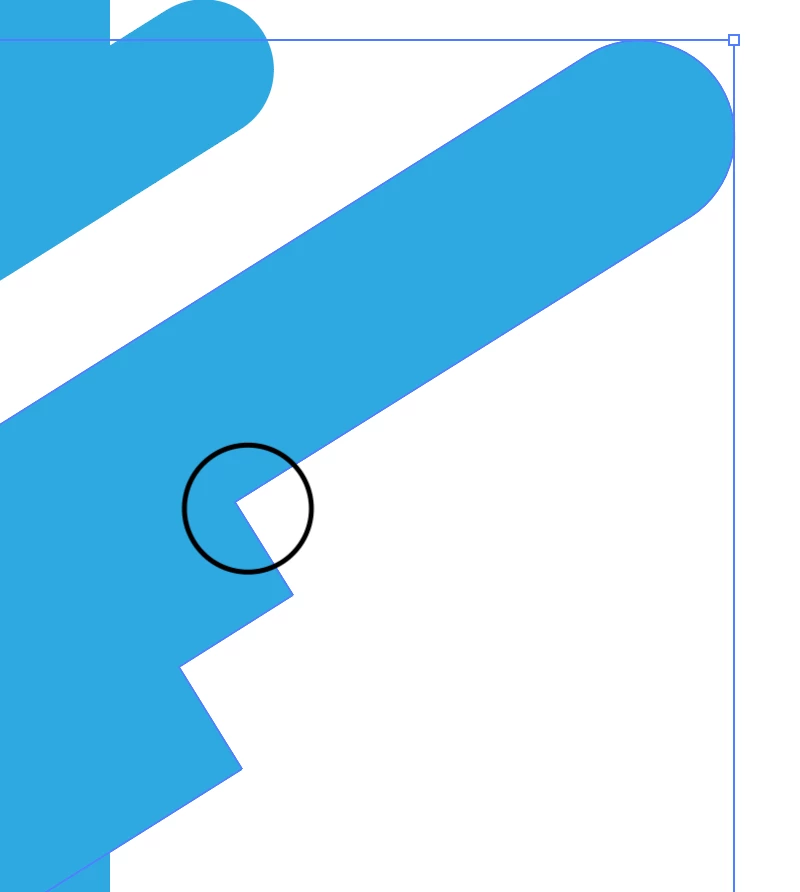
But when i do that now it seems like another part of the shape is beeing rounded.
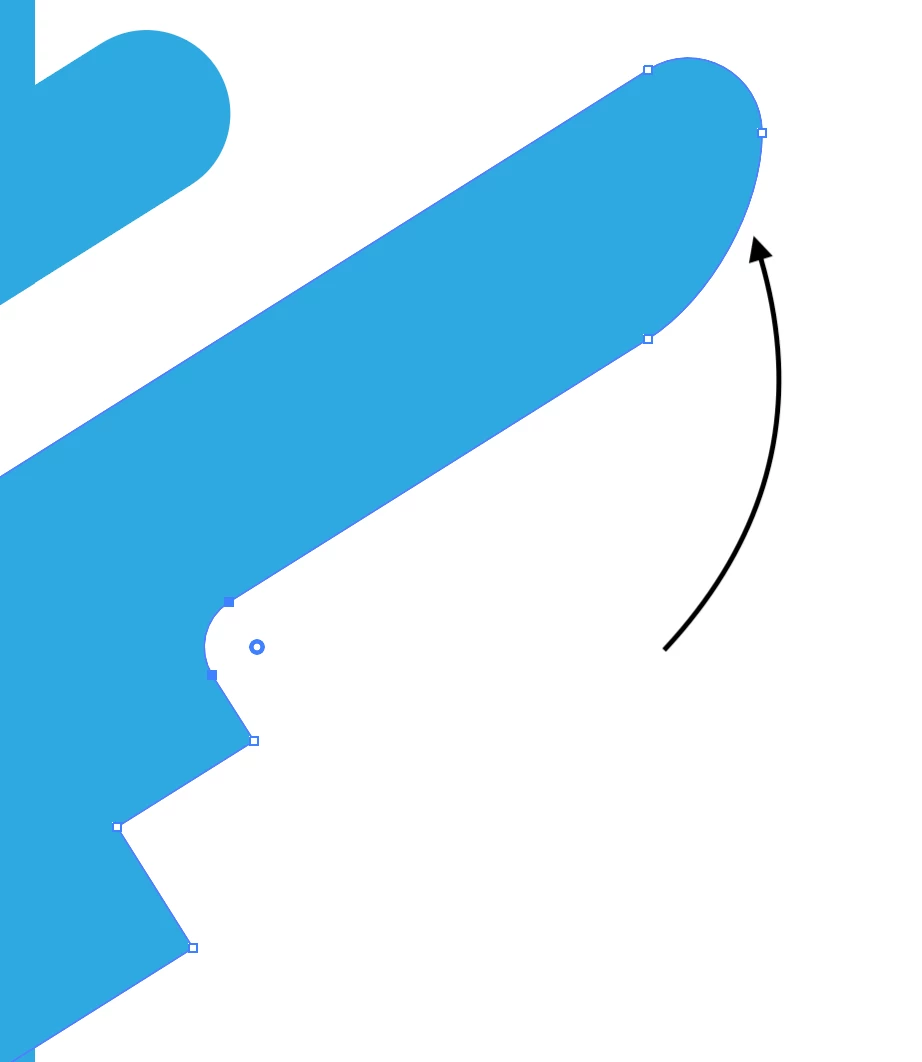
How do i only round only one selected part?

This topic has been closed for replies.
Correct answer Ton Frederiks

The other part that gets distorted has 2 points on top of each other. That causes the distortion.


3 replies

Ton Frederiks
Community Expert
Community Expert
November 11, 2019

And it is easy to correct in this case.

Select the problem object.

Choose: Object > Live Paint > Make.

Choose: Object > Live Paint > Expand.

Ton Frederiks
Community Expert
Ton FrederiksCommunity ExpertCorrect answer
Community Expert
November 11, 2019

The other part that gets distorted has 2 points on top of each other. That causes the distortion.


Monika Gause
Community Expert
Community Expert
November 11, 2019

You need to select only that one corner point with the direct selection tool

Participant
November 11, 2019

Thanks for the reply!

Thats exactly what im doing, note that the other corners one the path are not being rounded, only the one that i draw an arrow to. 

This have worked before until now when i updated illustrator. 

Monika Gause
Community Expert
Community Expert
November 11, 2019

Can you upload that file somewhere and share  a link here?