


Participating Frequently
May 14, 2026
Question

Problems with Viewport glitching - Illustrator on Windows

  • May 14, 2026
  • 2 replies
  • 93 views

Viewport glitches on the border of the screen, weird black or white artifacts. Looks like there is some delay of redrawing in the viewport. It appears in every document, when moving with hand, zooming in/out. It is very annoying for the workflow. I´m posting a video how the glitch look like.

When switch to CPU, artifacts are gone, but it doesn´t solve the core of the problem, also you cannot use dynamic zoom with the CPU...
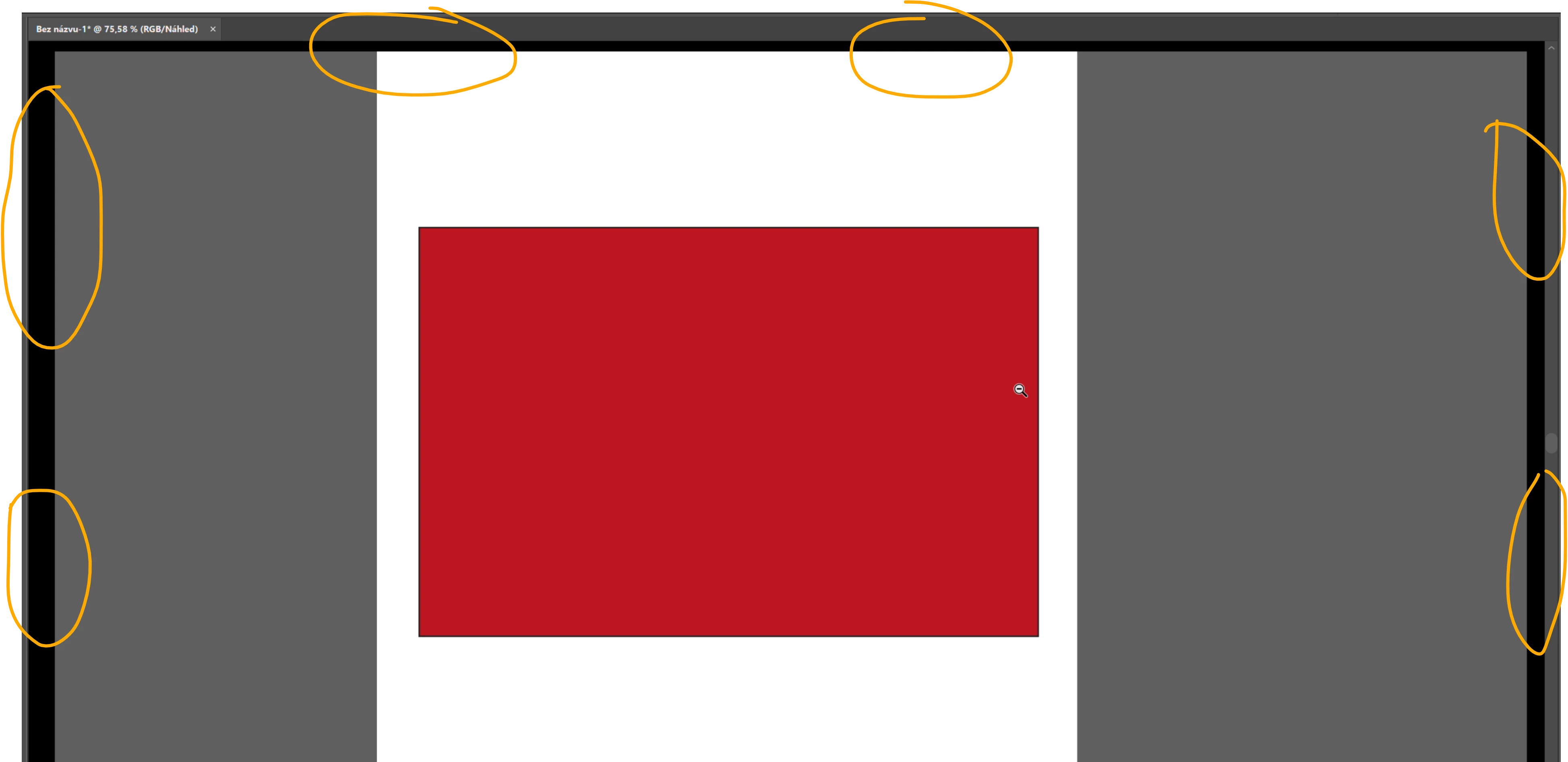
black rectangle glitch on the border of the viewport when zooming, moving

Illustrator version 30.4.

Nvidia rtx 5080

595.79 studio driver


    2 replies

    Participating Frequently
    June 3, 2026

    Hello Anubhav,

    I sent you a message with the link to files you wanted to investigate, hope it helps to find the solution


    Thanks

    Tom


    Anubhav M
    Community Manager
    Community Manager
    May 14, 2026

    Hello @Tom27874107lp1z


    I'm sorry to hear about your experience. Would you mind performing a clean reinstallation of the GPU(s) drivers (Intel / NVIDIA / AMD) and setting the Graphics Preference to High-Performance for Illustrator (https://adobe.ly/4wuPILA) and checking if it helps?

    If the problem persists, try running Illustrator under a different administrator account (Windows) and share your observations.


    Looking forward to hearing from you.

    Anubhav

    Participating Frequently
    May 28, 2026

    Hello Anubhav,

    Thanks for reply, but...

    Nothing from this helped. I even tried different versions of the Illustrator, different versions of nvidia drivers, from the oldest available to the newest available...Clean reinstall drivers. Nothing changed, other programs run fine. The PC is fresh new install, and this issue revealed immediately after first instalation of the Illustrator, so it is not working and never worked yet on this PC. How to get rid of this ? Is it driver related issue or something in Ilustrator itself ?

    Please help, it is really annoying to work with this

    Thanks

    Tom

    Anubhav M
    Community Manager
    Community Manager
    June 3, 2026

    Hello ​@Tom27874107lp1z 


    Sorry for the late response. I have shared the details with the product team for further investigation. Please share the following information to be able to help you with this scenario:
     
    1. AiSniffer file:
    - Close all Adobe applications.
    - Navigate to the Illustrator Preferences folder and copy the AiSniffer file to the desktop from this location: 
    %USERPROFILE%\AppData\Roaming\Adobe\Adobe Illustrator 28 Settings\en_US\x64\
     
    2. For the System Report, kindly follow these steps:
    - Please press Windows Key + the letter "R" on your keyboard to bring up the Run command window
    - Type "msinfo32" in the Open field and left-click OK
    - While viewing the Microsoft System Information summary, go to File, then choose Save (Please do not use Export)
    - Save your MSINFO32 report as "msinfo32.nfo" on your desktop to easily locate it after. It can take up to a minute to generate a report.
     
    Kindly upload the files to Google Drive/Dropbox/etc. and share a public link here or via DM so that we can investigate this further.
     
    Looking forward to hearing from you.
    Anubhav