
[Q] Is object size available in Perspective Grid (for avoiding Illustrator crash)
Hi all,
I think there's a crash bug on Illustrator when it resized more than maximum size on Perspective Grid.
I'm trying to work around the issue by checking object size before resize() call.
But I think I'm not getting the size to check.
Steps to reproduce the crash with Illustrator CC 2017 (21.1.0) on Win 7.
1) Open new doc
2) Show Perspective Grid
3) Select Ellipse tool
4) Add Ellipse near Vanishing Point of Perspective Grid as maximum size
5) Run script to resize 150%
Expected result
Ignored.
Actual result
Illustrator crash
Note that Illustrator UI operation does not cause crash. Only from script cause crash.
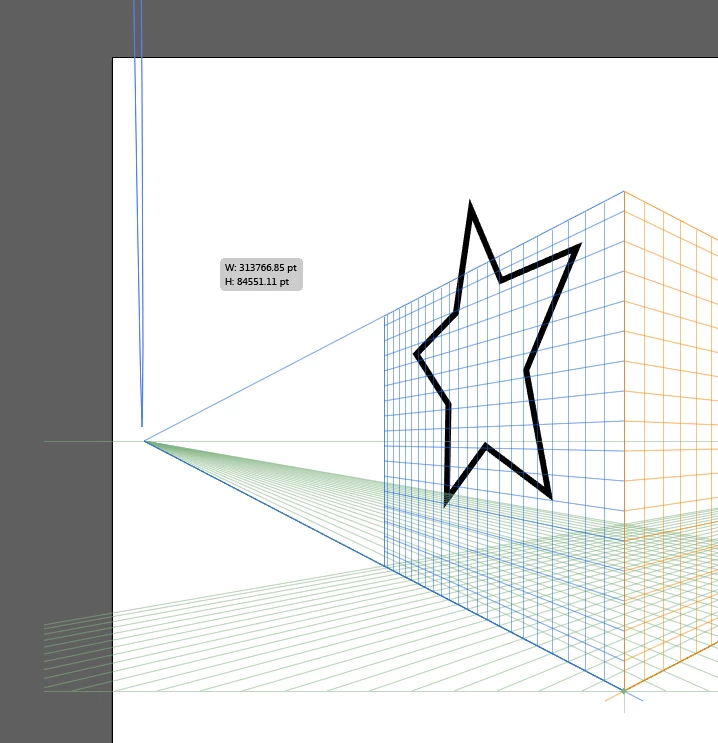
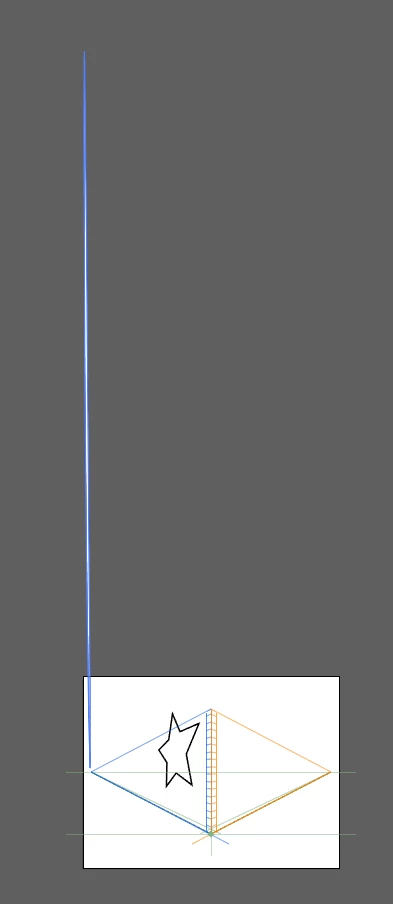
The reason I thought it is max size is from following screenshot.
The size tool tips is showing "W: 313766.85pt" and it does not bigger by position.
My question is that how can I get the size in script.
So I can avoid the resize() operation.
I'm not sure it is exposed in script.
| Test code |
|---|
// select obejct before run var _t = activeDocument.selection[0]; // I'd like to get above size "W: 313766.85pt" in script $.writeln("left = ", _t.length ); $.writeln("width = ", _t.width ); $.writeln("top = ", _t.top ); $.writeln("height = ", _t.height ); $.writeln("controlBounds = ", _t.controlBounds ); $.writeln("geometricBounds = ", _t.geometricBounds ); $.writeln("position = ", _t.position ); $.writeln("visibleBounds = ", _t.visibleBounds ); _t.resize(200,200); // cause crash |
Output: left = 5737.29393172847 width = 26 top = 2497.26831054688 height = 2868.41697923552 controlBounds = 4.5,3492.33313502452,31.5,-375.265221663346 geometricBounds = 5,2497.26836299477,31,-371.148616240749 position = 5,2497.26836299477 visibleBounds = 5,2497.26831054688,31,-371.148834228516 |
Thank you,
Naoki
 AdChoices