melaniek35023688
Participant
August 30, 2022
Answered

Quasimoda font prints curves with angles

  • August 30, 2022
  • 1 reply
  • 566 views

I have an Adobe font that I'm using - Quasimoda. I'm printing it poster-sized for an exterior sign. I converted the text to outlines in AI, saved as PDF, and did a preflight to make sure the font was good. Everything looks good.

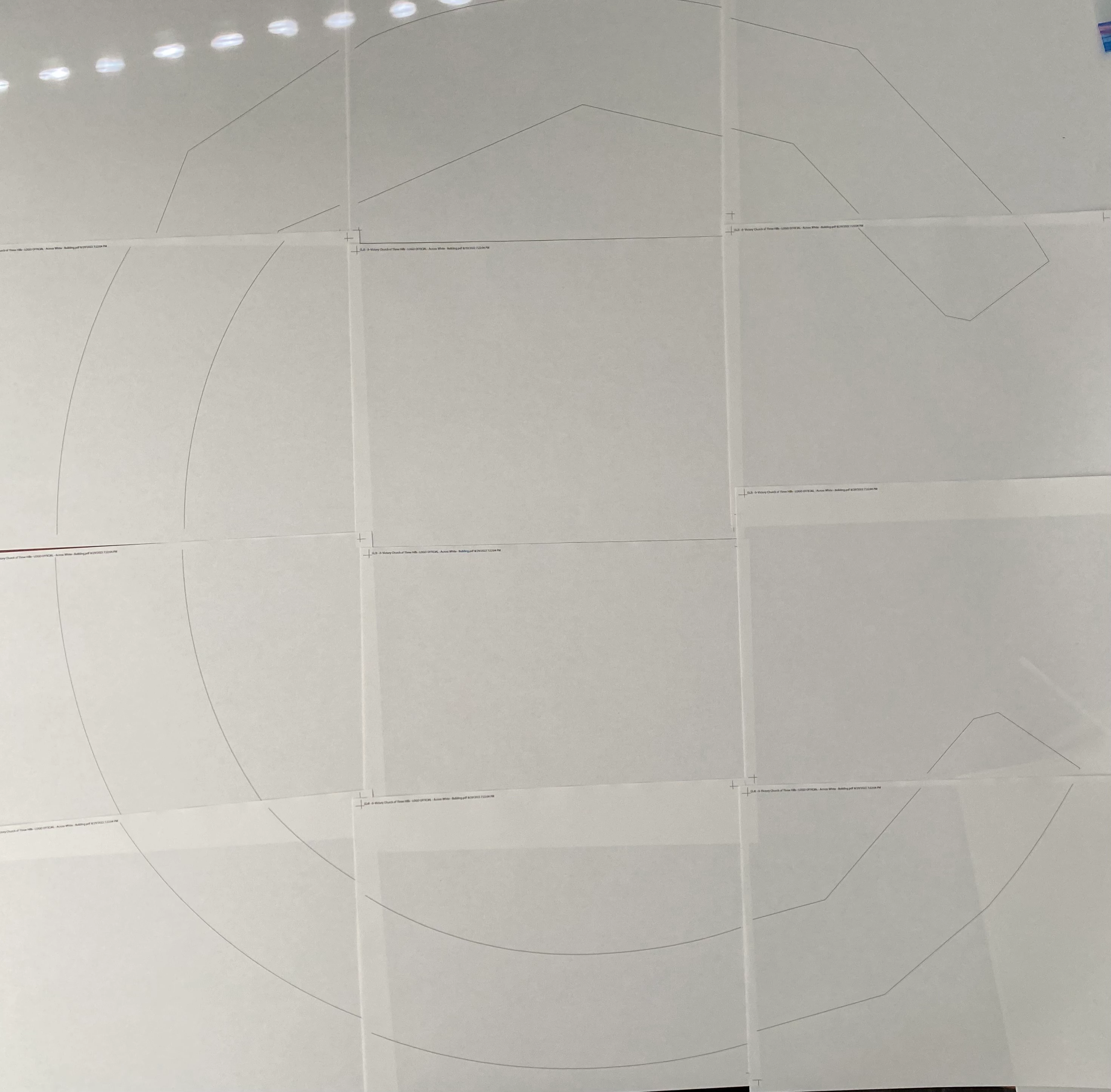
Straight lines are printing fine. I'm having trouble with printing curved lines such as the "C" pictured.

Parts of the curve will print correctly, other parts will print incorrectly with angles, etc.

Please help! Thank you!
 

This topic has been closed for replies.
Correct answer melaniek35023688

Thanks for the suggestion. I couldn't find anything related to flatness for my printer.


But alas, I solved my own problem by creating an image out of the letters and opening it in Windows Paint which then  allowed me to print it with no trouble at all. Problem solved!

1 reply

Monika Gause
Community Expert
Community Expert
August 31, 2022

There's a setting in the printer for "flatness". How is that set up?

melaniek35023688
melaniek35023688AuthorCorrect answer
Participant
August 31, 2022

Thanks for the suggestion. I couldn't find anything related to flatness for my printer.


But alas, I solved my own problem by creating an image out of the letters and opening it in Windows Paint which then  allowed me to print it with no trouble at all. Problem solved!