
Inspiring
January 27, 2024
Answered

question about dotted line

  • January 27, 2024
  • 2 replies
  • 417 views

Hello,

I have created a graphic with a dotted circle. 

If I select this dotted circle and go to the Outline menu / dotted, I see that for this dotted circle I am unable to select the right dotted symbol in this menu (see blue arrow) : it is grey. Why ?
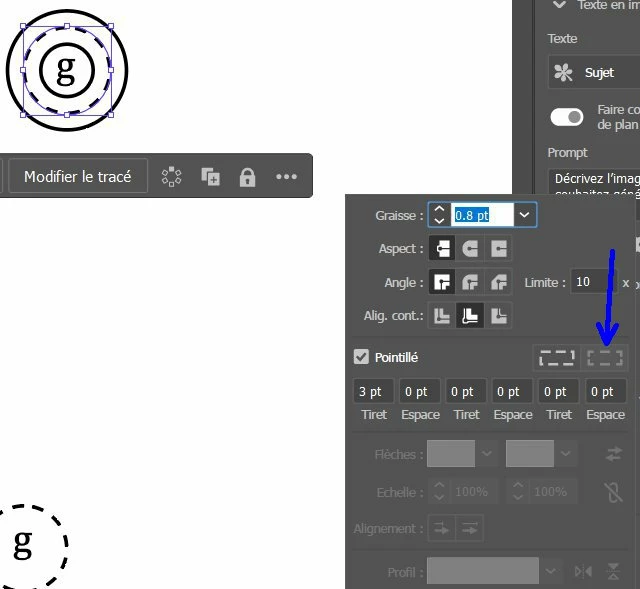


It is strange because for some graphics with dotted line I can select this dotted symbol in the menu, but for some others graphics I cannot.

This topic has been closed for replies.
Correct answer Monika Gause

Your stroke is aligned to the inside of the path.

2 replies

Inspiring
January 27, 2024

Hi Monika,

I have now used the button to align the dotted line at the center of the path,  and it worked (I can now select the right dotted button).

I need to use this right dotted button, because I have seen that if I don't do that,  for the exported SVG in Word, the result is strange about the dotted lines.

Monika Gause
Community Expert
Community Expert
January 27, 2024

I'm wondering about the SVG, since SVG doesn't support that setting natively. 

Monika Gause
Community Expert
Monika GauseCommunity ExpertCorrect answer
Community Expert
January 27, 2024

Your stroke is aligned to the inside of the path.