



Roger Breton
Legend
November 7, 2023
Answered

Radar tool: change spacing between spokes?

  • November 7, 2023
  • 3 replies
  • 404 views

Simple question: is there some option like some extra keyboard shortcuts to change the spacing between spokes? Here's an example:
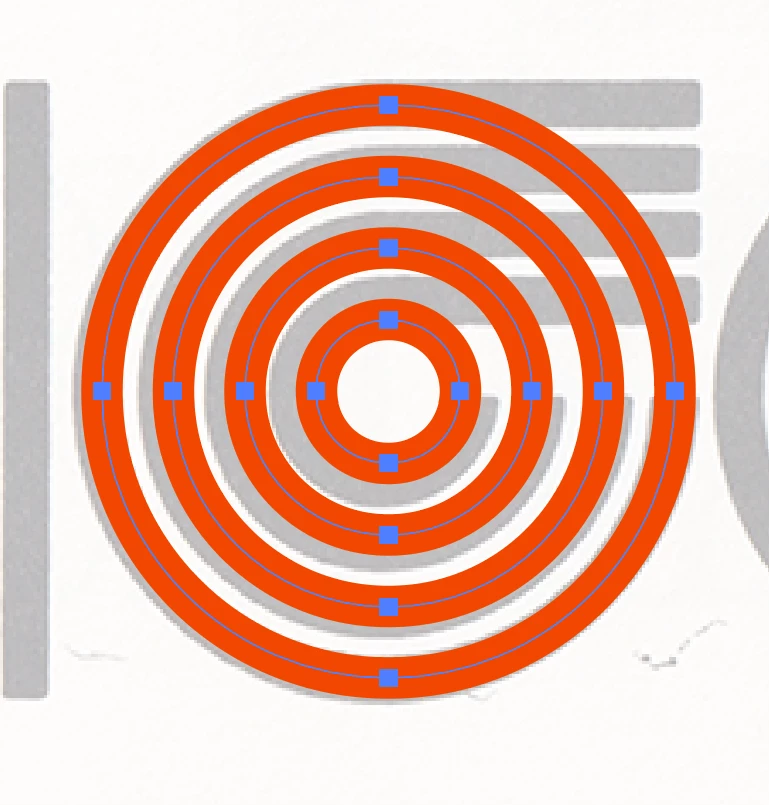
As you can see, to replicate the form behind in gray, I only need 4 spokes (circles).
BUT I need to reduce the space between the circles? Interactively?
Otherwise, I'm going to have to use the Blend tool

This topic is closed to new replies. Start a new post to keep the conversation going.
Correct answer Kurt Gold

With the Polar Grid tool you can interactively change the skew of the concentric dividers by pressing a key while drawing with the tool. It depends on what keyboard layout you are using. On a German keyboard it is the X and C key.


However, it probably does not help in your case.


3 replies

Kurt Gold
Community Expert
Kurt GoldCommunity ExpertCorrect answer
Community Expert
November 7, 2023

With the Polar Grid tool you can interactively change the skew of the concentric dividers by pressing a key while drawing with the tool. It depends on what keyboard layout you are using. On a German keyboard it is the X and C key.


However, it probably does not help in your case.


Roger Breton
Legend
November 7, 2023

Ja, es arbeit Perfekt!!!!

Monika Gause
Community Expert
Community Expert
November 7, 2023

You need the inner one larger? That cannot be achieved with the radial grid tool.