
Participant
June 14, 2021
Question

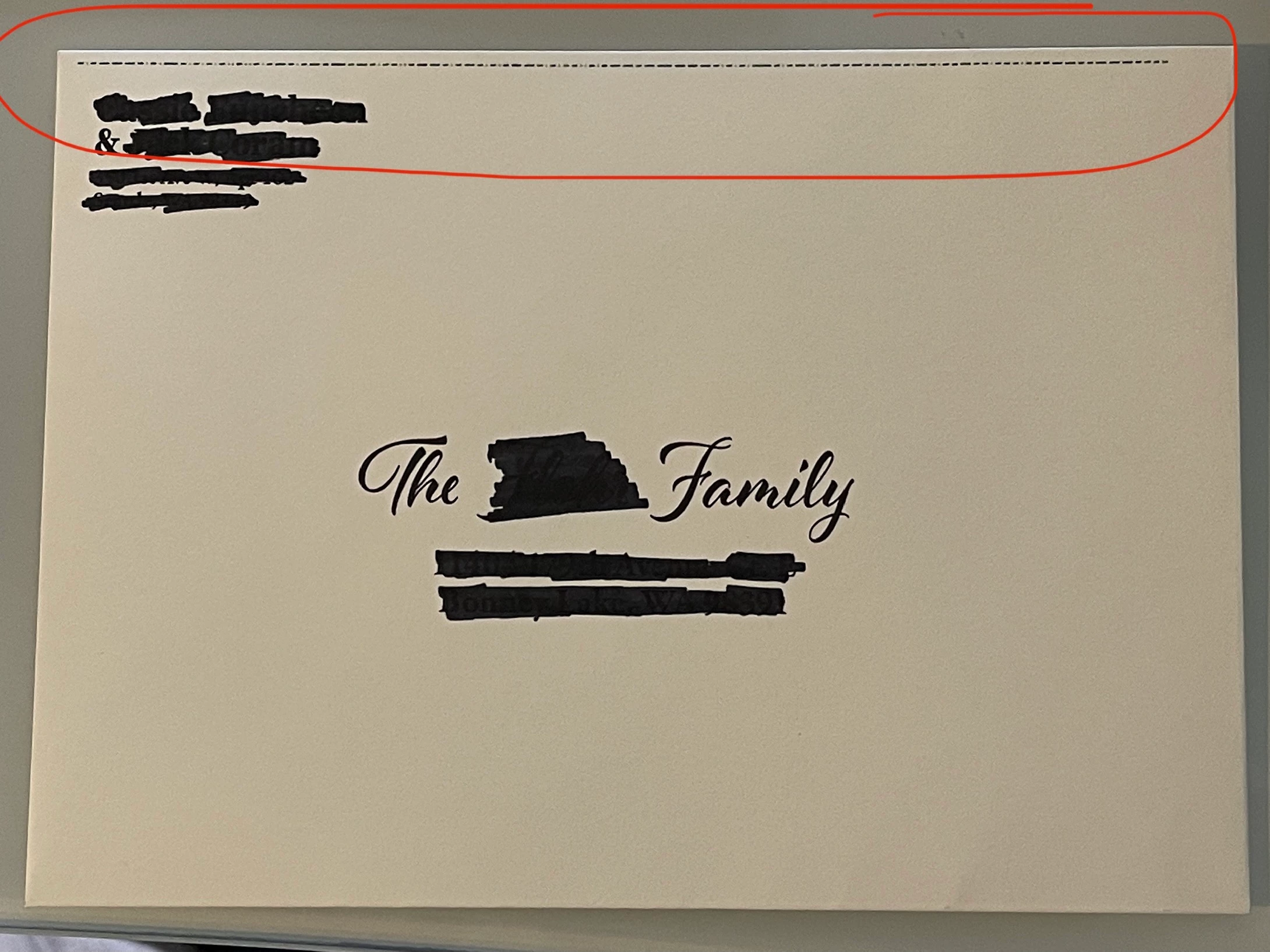
Random line printing from Illustrator

  • June 14, 2021
  • 1 reply
  • 355 views

I'm trying to print these envelopes and I keep getting a random line in the print that is nowhere in the design. I don't know if it's an over print warning or something else. Any ideas on what it is and how to keep it from showing up in the print? Picture attached.
This topic has been closed for replies.

1 reply

Ashutosh_Mishra
Inspiring
June 14, 2021

Hi there,


Sorry to hear about your experience. Would you mind sharing the version of the OS & Illustrator? Do you see this behavior with this specific file only? Have you tried saving the file as PDF and checked if you see the similar behavior?


This information would help us assist you accordingly. Looking forward to your response.


Regards,

Ashutosh

jaccoramAuthor
Participant
June 14, 2021

OS: Windows 10

Illustrator Version: 25.2.3


I've only experienced this behavior on this file. I have not yet tried converting to a pdf prior to printing.


Screenshot of my print settings I tried to use.