
Participant
June 14, 2021
Question

Random Shapes appearing in Drop Shadow

  • June 14, 2021
  • 2 replies
  • 1448 views

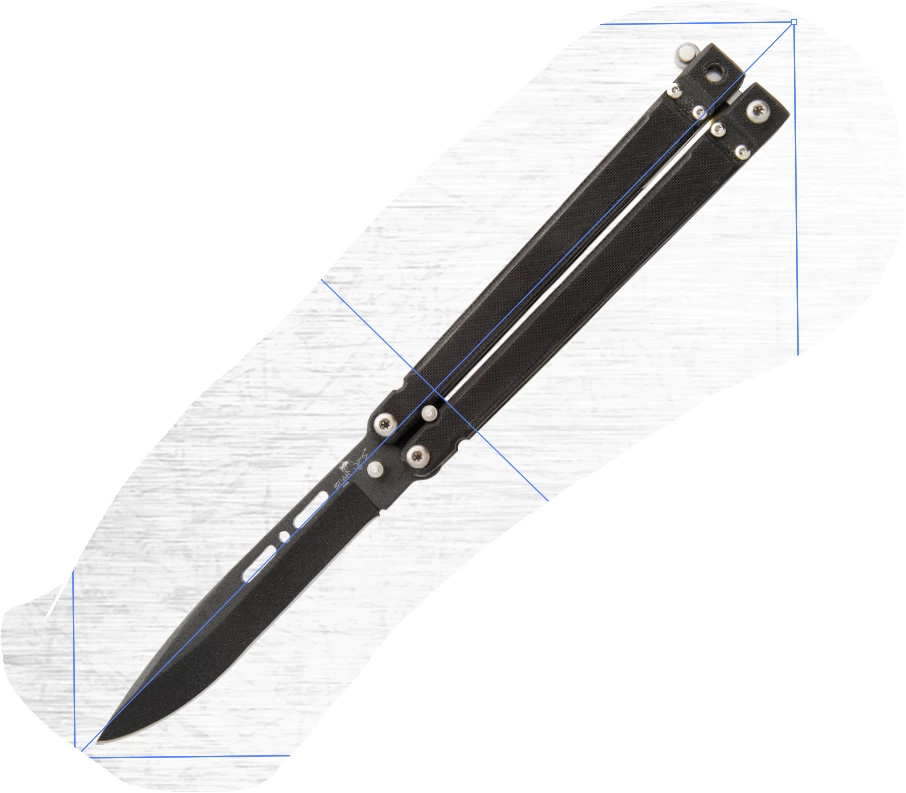
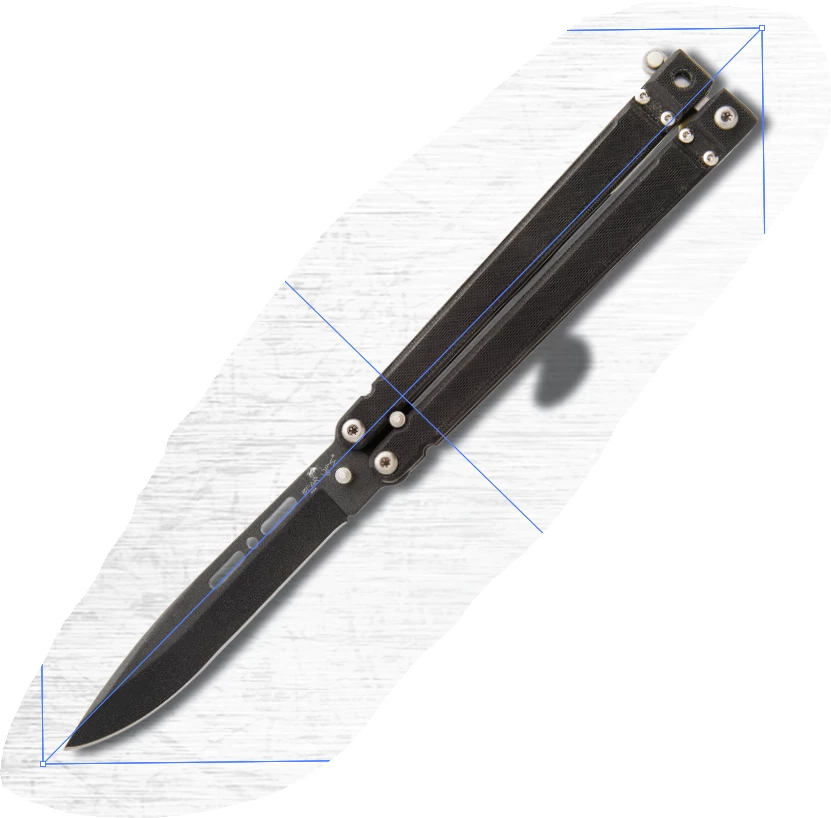
Sometimes when I add a drop shadow in illustrator, I get these weird shapes in the shadow and I cannot for the life of me figure out why its doing it. I attached 2 images, one of the object without the shadow and one with. There's also another object on this document thats giving me 2 stright line way offset from the object itself. I'm sure it's a stupid mistake I'm overlooking but can anyone help???
This topic has been closed for replies.

2 replies

Ton Frederiks
Community Expert
Community Expert
June 14, 2021

Can you check your file in Photoshop to make sure that the area of the weird shape is fully transparent (use the eraser)?

Participant
June 14, 2021

I checked PS many many times to make sure there wasn't some little flaw in the image with no luck. This happens to me (at work) all the time but I have no idea what the culprit could be.

Ton Frederiks
Community Expert
Community Expert
June 14, 2021

Can you share that image with the strange blob in the dropshadow?

Simmer1
Community Expert
Community Expert
June 14, 2021

Hi,


Can you send a screenshot including your Layers Palette and Appearance Palette?


Thanks,

Sim


Participant
June 14, 2021

Thanks for the reply! Here are the sceenshots. Let me know if I can provide anything else. This is driving me nuts.

Simmer1
Community Expert
Community Expert
June 14, 2021

It seems the Drop shadow is referencing some of the underlying shapes.


Try locking thoses