

Participating Frequently
January 12, 2026
Question

Random vector points shift when applying rounded corners

  • January 12, 2026
  • 5 replies
  • 123 views

Vectors points that should be unrelated to rounding corners are shifting when applying corner radius.
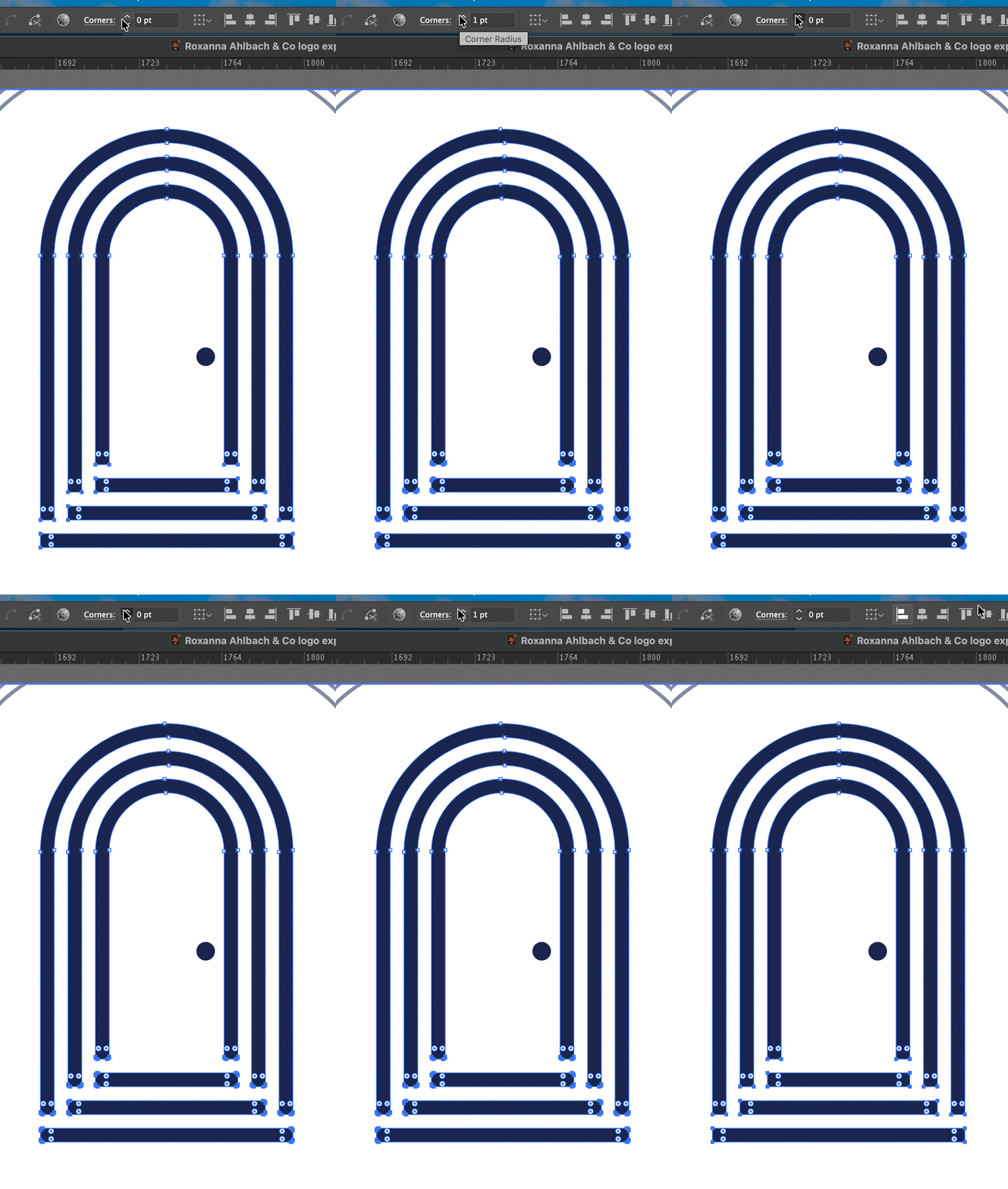

 

vector_1_1.gif

5 replies

Jacob Bugge
Community Expert
Community Expert
January 27, 2026

kidhack, everyone,


I have just learned that the forums are planned to switch to new software by tomorrow afternoon, and that this and all other threads started between 17th November and the switch tomorrow will be unavailable until some day in March 2026, which means that the new forum will be starting with older threads and then the new threads tomorrow.


Obviously, threads unfinished by tomorrow will remain so during the following month(s).


kidhackAuthor
Participating Frequently
January 26, 2026

Here's another view of the issue with layers panel visable.

Jacob Bugge
Community Expert
Community Expert
January 25, 2026

kidhack,


You may be happier if you either exempt the corners already rounded (the ones involved in the top arch set) or apply the the round corner Effect (in the Effect dropdown), at least until the bug is fixed or till the end of days, whichever occurs first.


kidhackAuthor
Participating Frequently
January 26, 2026

I did exempt them, the issue is they're changing regardless. Using the Round Corners from Effects menu causes even more drastic distortion to the parts I don't want to change.

Jacob Bugge
Community Expert
Community Expert
January 26, 2026

That is serious indeed, kidhack.


"There were strokes that were then expanded to be fills."


Then you may be happier, until the bug is fixed or till the end of days, whichever occurs first, if you:


1) Start with the whole arched doorway artwork (maybe except the doorknob) as a Group of Stroked paths;

2) Apply the (dropdown) Object>Path>Outline Path (looks the same), then deselect (you can Click an empty spot);

3) Select all the real corner Anchor Points at the bottom with the Direct Selection Tool, then apply the free Round Any Corner script with the desired rounding radius, to round just those and let the round Anchor Points be.


The Round Any Corner script by is available in this free set of scripts by 佐藤浩之 (Satō Hiroyuki) either here or here,

https://github.com/shspage/illustrator-scripts/tree/master/etc

https://shanfan.github.io/Illustrator-Scripts-Archive/


see the following simplified screenshots of the steps, doorway being made from 100 x 220 paths with Butt Cap and Stroke Weight 20 to become 120 x 230, and corresponding threshhold 100 wide with Projecting Cap to become 120 x 20, all together 120 x 270, everything in pt and enlarged to x4 for close viewing,


Click to get closer, Click again to get closer still

Ares Hovhannesyan
Community Expert
Community Expert
January 25, 2026

How was created your objects? Can you show your layers screenshot or share a file? Thx

kidhackAuthor
Participating Frequently
January 26, 2026

There were strokes that were then expanded to be fills.

Monika Gause
Community Expert
Community Expert
January 13, 2026

Is Snap to pixels or snap to grid turned on?

kidhackAuthor
Participating Frequently
January 13, 2026

it happens regardless of snap.


I should have included the grid in the capture. 

Harshika Verma
Community Manager
Community Manager
January 23, 2026

Hi kidhack,


Thank you for reaching out, and sorry for the delayed response. Are you still experiencing the issue? Would you mind telling us which version of Illustrator is installed on your machine and your operating system details?

Does that happen with every file?


We will try our best to investigate the issue.


Thanks,

Harshika


D