Known Participant
December 3, 2017
Question

Raster custom stroke has gaps

  • December 3, 2017
  • 1 reply
  • 2586 views

Hi,

I am creating a custom pattern stroke for a border, using a raster image.

I have done a huge amount of troubleshooting, reading posts here, etc, but to no avail.

I have tried numerous things to get rid of these pesky gaps between the tiles. It is beyond frustrating.

I have tried exporting as a png, a jpg, a tif, even a psd file with art optimized export, but when I bring it into photoshop I still have the gaps.

I have tried exporting the file as high res pdf with pdf pdfxa 2001 and then importing to psd. Still gaps.

I have even tried to save out as an eps and bring it into indesign, export and then open in photoshop, but still the gaps are there.

The vendor needs these as tif files (high res, and these are large files as they are being printed on fabric), so I need to export these as tif, I cannot supply them high res pdfs.

Please advise what else I can do to get rid of these pesky gaps? I am at a loss. If you see my design, I cannot just place a color behind it, as these are very intricate designs.

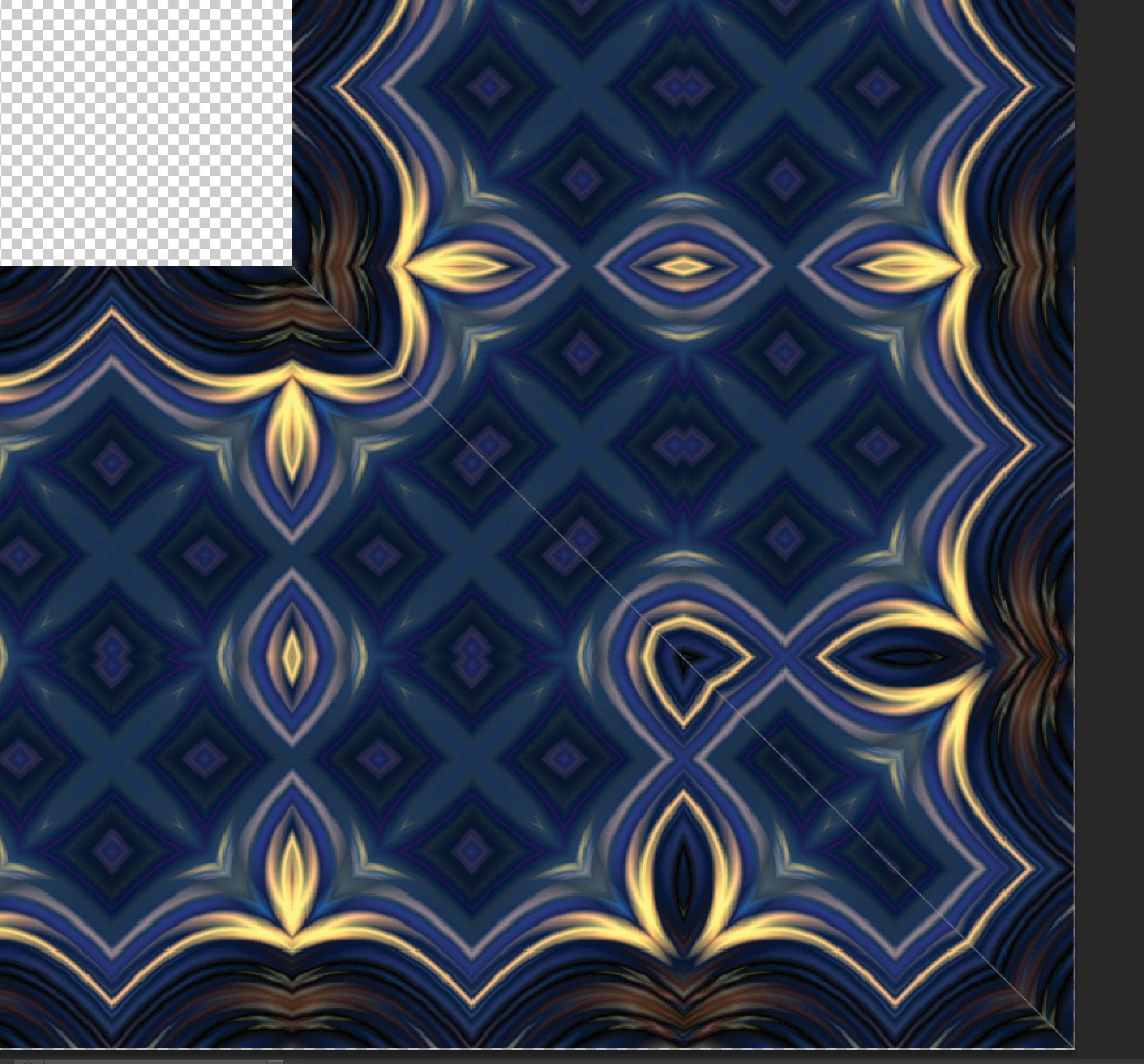
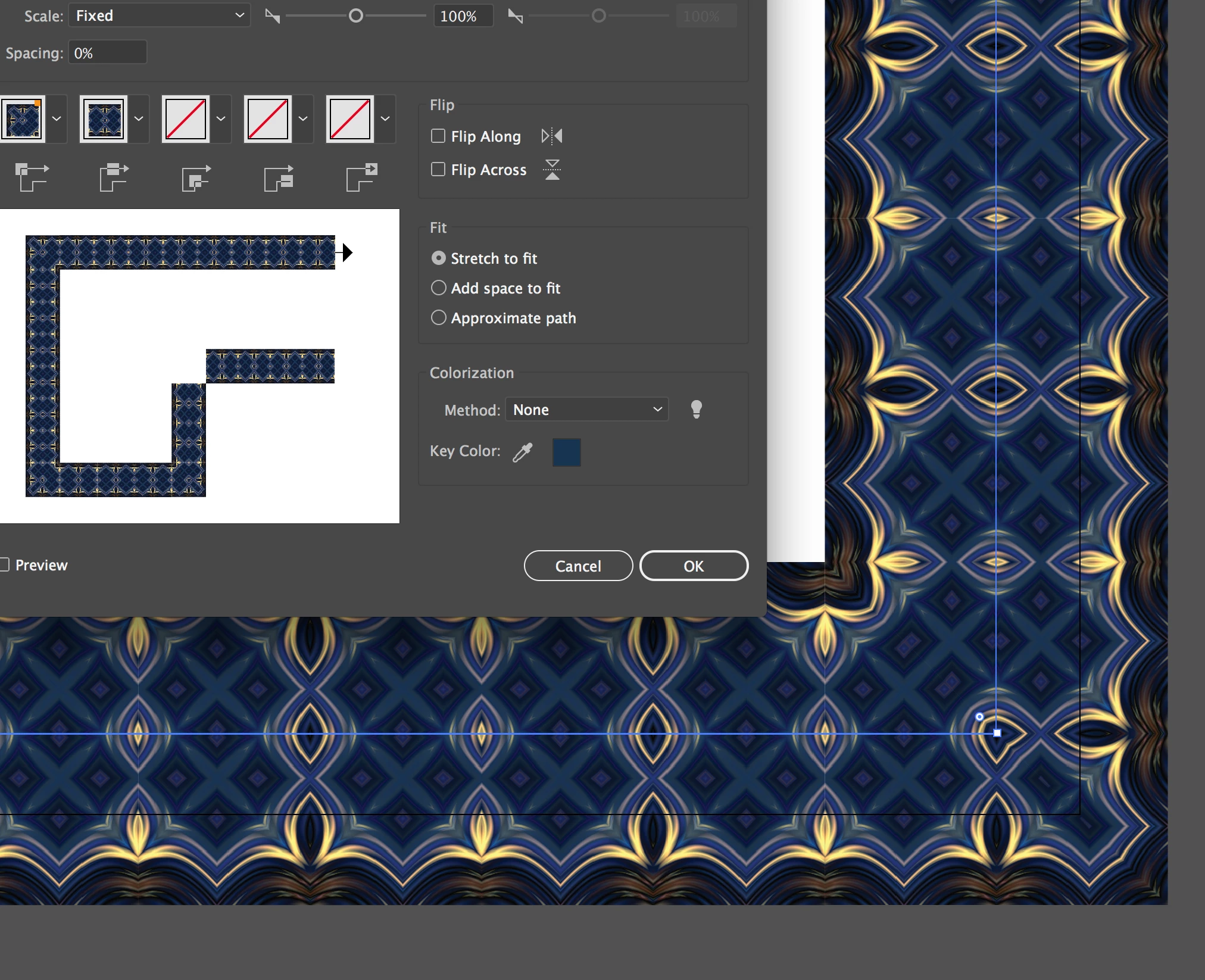
First screenshot is illustrator, second is in photoshop. The gap is real and will print. Mind the gap.

Help! Thanks.
    This topic has been closed for replies.

    1 reply

    Monika Gause
    Community Expert
    Community Expert
    December 3, 2017

    This happens because of the clipping masks applied in the brushes. Most probably those are just anti-aliasing artifacts and don't print.

    But you will have to be careful with those brushes. In other places you might get gaps that do print.

    You could try and in Preferences > General uncheck "Anti-aliasing". Are the gaps still there? Then try and export at a much higher resolution and then scale down in Photoshop.

    hebbie70Author
    Known Participant
    December 3, 2017

    Hi Monika,

    Thank you for your response-I did a test- I turned off anti aliasing in the prefs in Illustrator, and I exported it as twice the file size, and then scaled it back back down in psd. The gaps are still there.

    As I do need to send these to the vendor as tifs, the gaps showing are real in photoshop, not artifacts.

    I have noticed on this particular border stroke, that the gaps are only showing up on the corners, I have had others that the gaps are in-between every tile.

    Any other ideas?

    Ton Frederiks
    Community Expert
    Community Expert
    December 10, 2017

    Hi Ton,

    I redid my brush. I brought it in at exactly 2 inches by 2 inches. I then created a border at 1 pt. I exported it, and I am still getting gaps. I cannot rasterize at 72 dpi as I need the resolution.

    I am really at a loss as to how to proceed.

    Thanks,

    Heather


    Heather,

    if you want to have a look at my version, see here: (don't look at the wrong preview in the CC files web page).

    Adobe Creative Cloud