Known Participant
April 28, 2018
Question

Raster pattern brush still has gaps

  • April 28, 2018
  • 1 reply
  • 1800 views

Hi All,

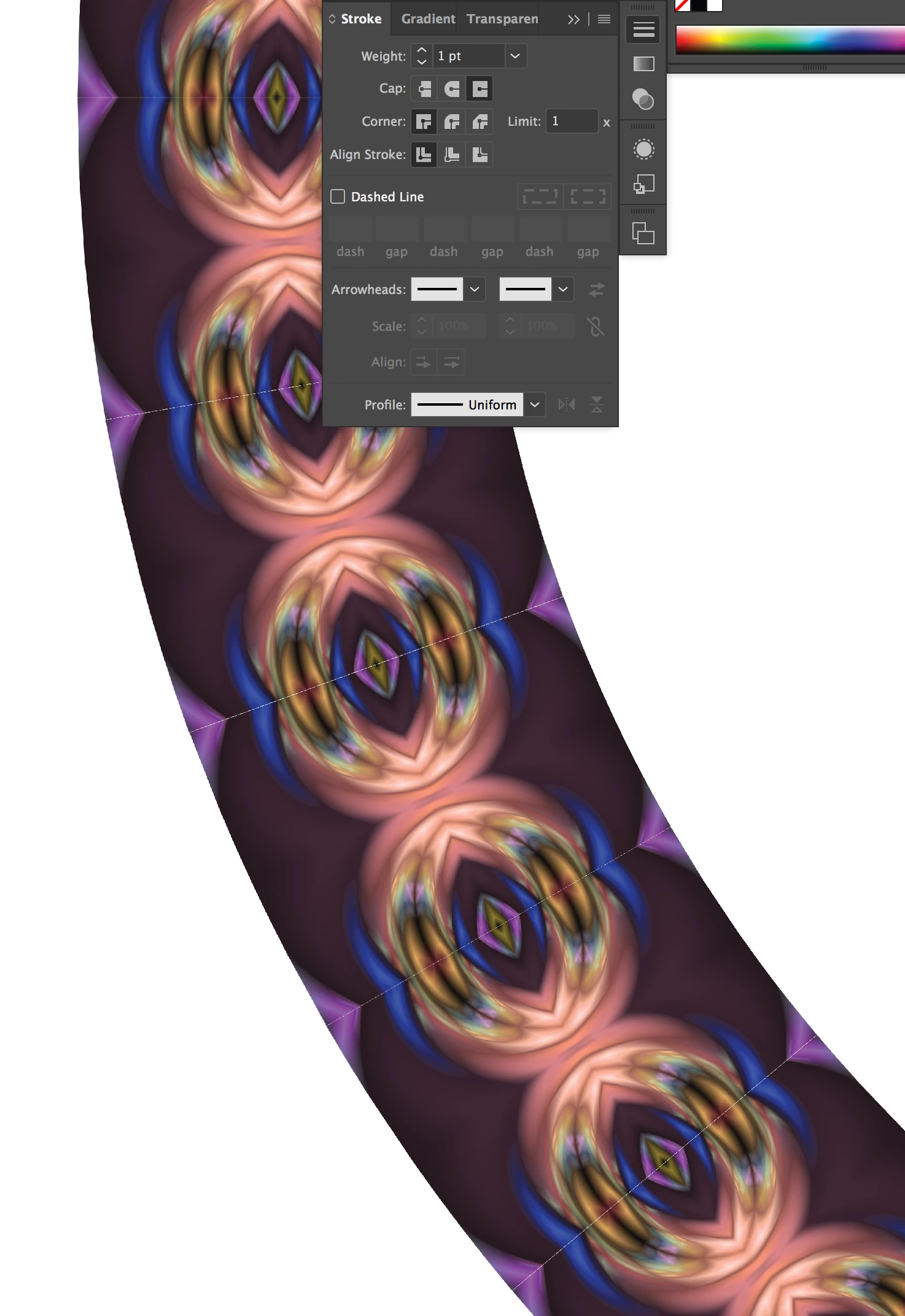
I still not have been able to make a raster pattern brush without gaps. I am making my pattern brush around a circle this time, and I still am getting gaps. I have my anti alias turned off. I have my stroke width set to 1. I have added the box behind my pattern. When I view it gaps are there. When I export in every format, gaps are there (pdf, eps, tif, jpg, etc). How do I get rid of these pesky gaps?
Thanks-
    This topic has been closed for replies.

    1 reply

    Monika Gause
    Community Expert
    Community Expert
    April 28, 2018

    You might try and drag the brush out of the brushes panel, then see that you can select the underlying invisible rectangle. this one needs to be slightliy smaller. Then drag the brush into the brushes panel again.

    hebbie70Author
    Known Participant
    April 28, 2018

    HI Monika, I have done that. The rectangle behind is slightly smaller than the image over it.

    Monika Gause
    Community Expert
    Community Expert
    April 28, 2018

    And it still does not work?

    The problem is that raster brushes will get distorted in curves which causes resampling and this in turn will cause those anti-aliasing issues. If the invisible rectangle can't fix it then there's not much you can do about it.