
Participating Frequently
July 2, 2024
Answered

Re-Type Illustrator 2024

  • July 2, 2024
  • 1 reply
  • 543 views

Hi!

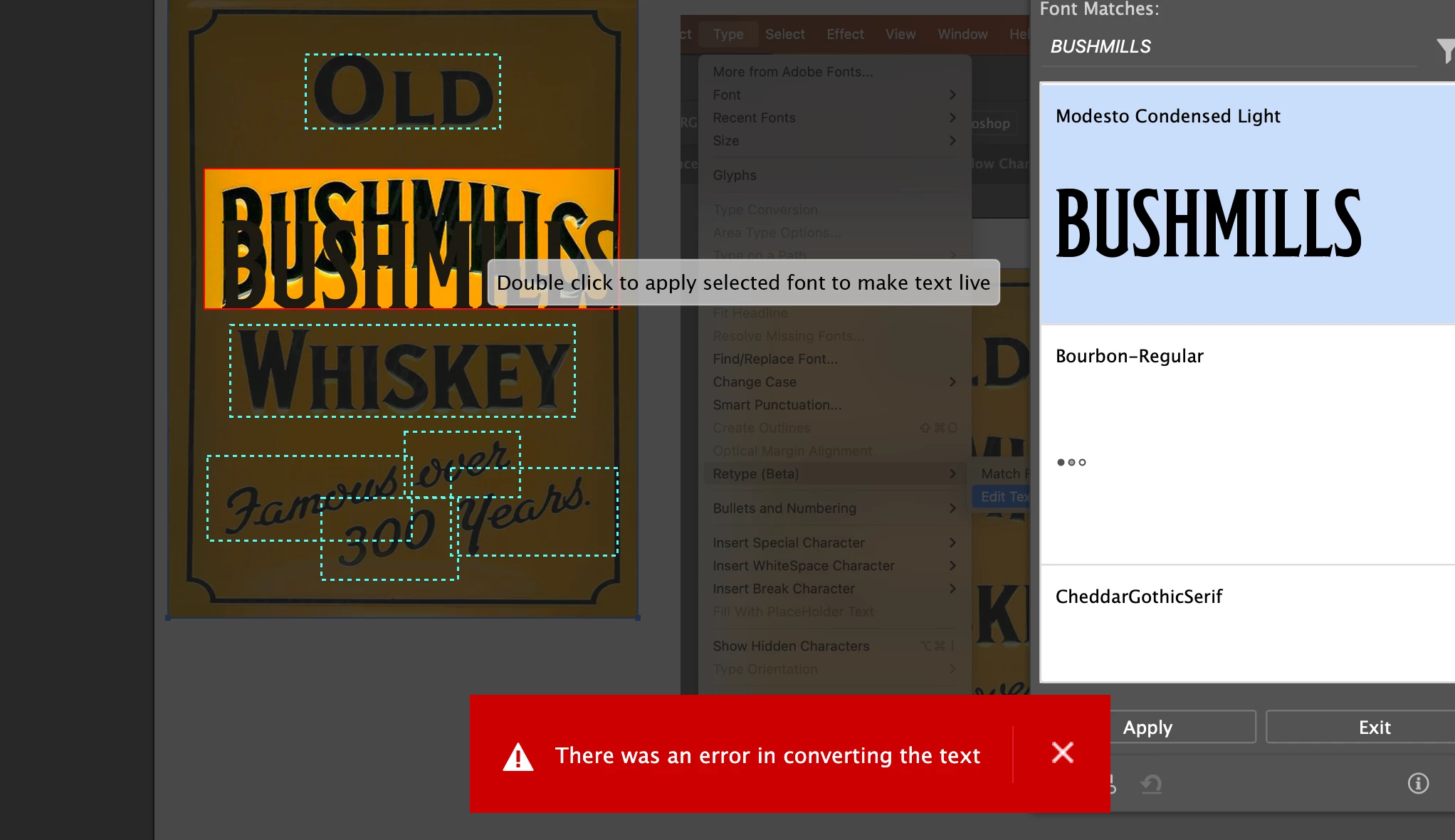
Just wondering if anyone can help, when I "Double-click to apply selected font to make text live," it makes a duplicate and keeps saying error. 

I have attached a screenshot below.

Much appreciated!


Thank you very much. 
 

This topic has been closed for replies.
Correct answer Srishti_Bali

Hi @WSA508


Thanks for sharing the video. That does look unusual. To troubleshoot this, I suggest resetting Illustrator preferences. Before you do that, please save your existing settings by going to the Edit menu (Edit > My Settings > Export).

You can follow the steps to reset your preferences as outlined here: [link to steps].


I hope this helps! Please feel free to reach out if you need any further assistance. 


Regards,

Srishti

1 reply

Anubhav M
Community Manager
Community Manager
July 2, 2024

Hello @WSA508,

We understand that encountering technical issues can be frustrating. Would you mind confirming if Illustrator behaves this way with all files? Also, kindly share some more details, like the exact version of the OS/Illustrator, details of your workflow, a public link to a sample file after uploading it to Dropbox/Google Drive/etc., and a screen recording of the problem (https://adobe.ly/3L9DWjy), so we can investigate this further?


Looking forward to hearing from you.


Thanks,

Anubhav

WSA508Author
Participating Frequently
July 3, 2024

Hi!

Thank you so much for the reply.

Illustrator behaves this way any time I try to use the Retype (Beta), i've tried it on several different images/files and the same error has occured. 

Screenshot of the OS/Illustrator

Google drive link to sample file and screen recording of the problem.

https://drive.google.com/file/d/1-jw5cGJ1MkegaiUZnRpVaEjzQA6waSgI/view?usp=share_link


https://drive.google.com/file/d/1i2aL5PVXr0sCpRVvCKj6VHDfHoAA36s6/view?usp=share_link


Thank you kindly for your help. 🙂


Srishti_Bali
Srishti_BaliCorrect answer
Legend
July 3, 2024

Hi @WSA508


Thanks for sharing the video. That does look unusual. To troubleshoot this, I suggest resetting Illustrator preferences. Before you do that, please save your existing settings by going to the Edit menu (Edit > My Settings > Export).

You can follow the steps to reset your preferences as outlined here: [link to steps].


I hope this helps! Please feel free to reach out if you need any further assistance. 


Regards,

Srishti