
rehana36276218
Known Participant
November 7, 2023
Question

Recolor Artwork

  • November 7, 2023
  • 1 reply
  • 477 views

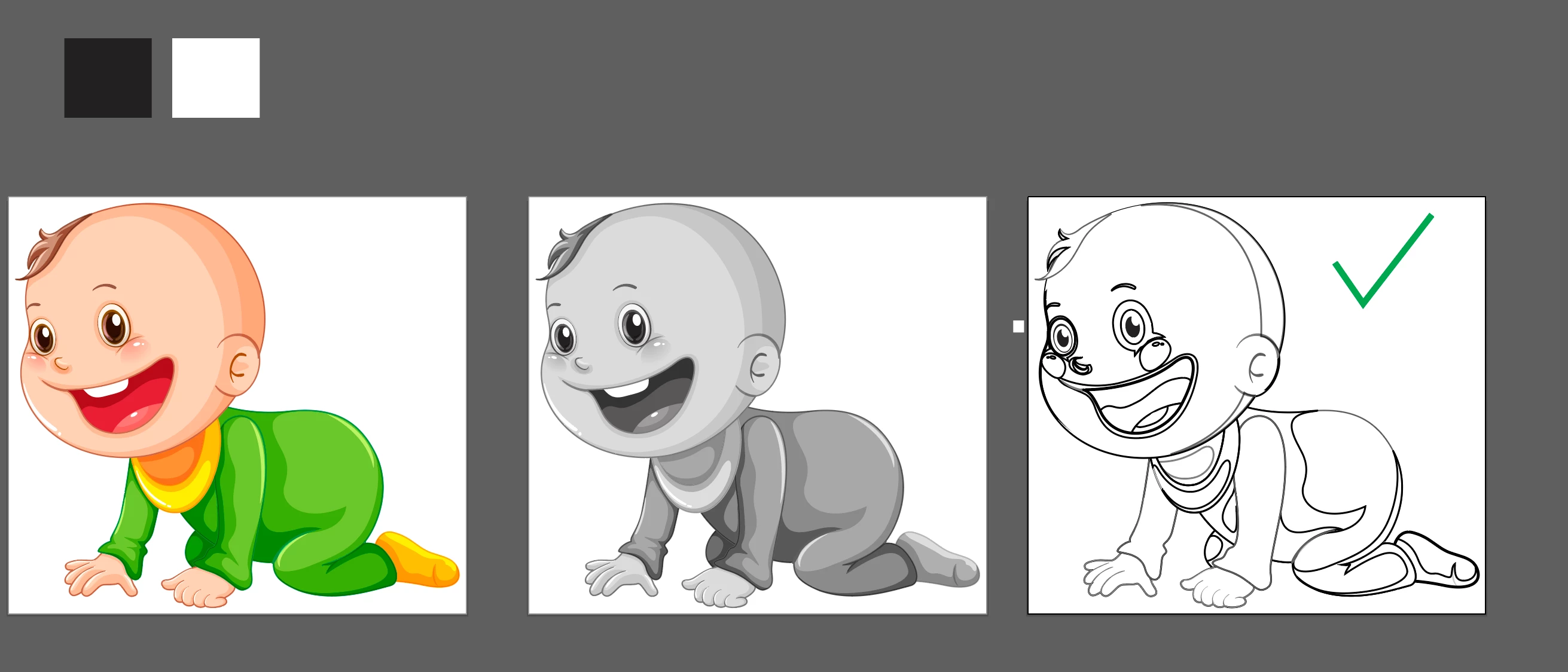
hi guys , i want to change my all colors in clipart  in to black and white outline by using smartly recolor artwork simply i dont know what i am missing while doing 100 of times , but am fail to acheive the result. i did it manually here but i have alot of grpahics which am using in making school book and doing one by one is panic . i dont know what command i am missing here.


This topic has been closed for replies.

1 reply

Monika Gause
Community Expert
Community Expert
November 7, 2023

You want the result on the right?

Just apply a white shape and a black stroke to the artwork. Recolor artwork probably can't do it at all, e.g. when you have colors used as fill as well as in strokes.

rehana36276218
Known Participant
November 7, 2023

yes the right one correct, but am sure there is a way to do that automatically just in clicks manully its panic.

Monika Gause
Community Expert
Community Expert
November 7, 2023

Make an action:


Select all

Apple stroke of black

Apply fill of white

Save file


Run as a batch on the folder and drink coffee.