
davecourtemanche
Inspiring
June 8, 2022
Question

Rectangle tool broken

  • June 8, 2022
  • 3 replies
  • 777 views

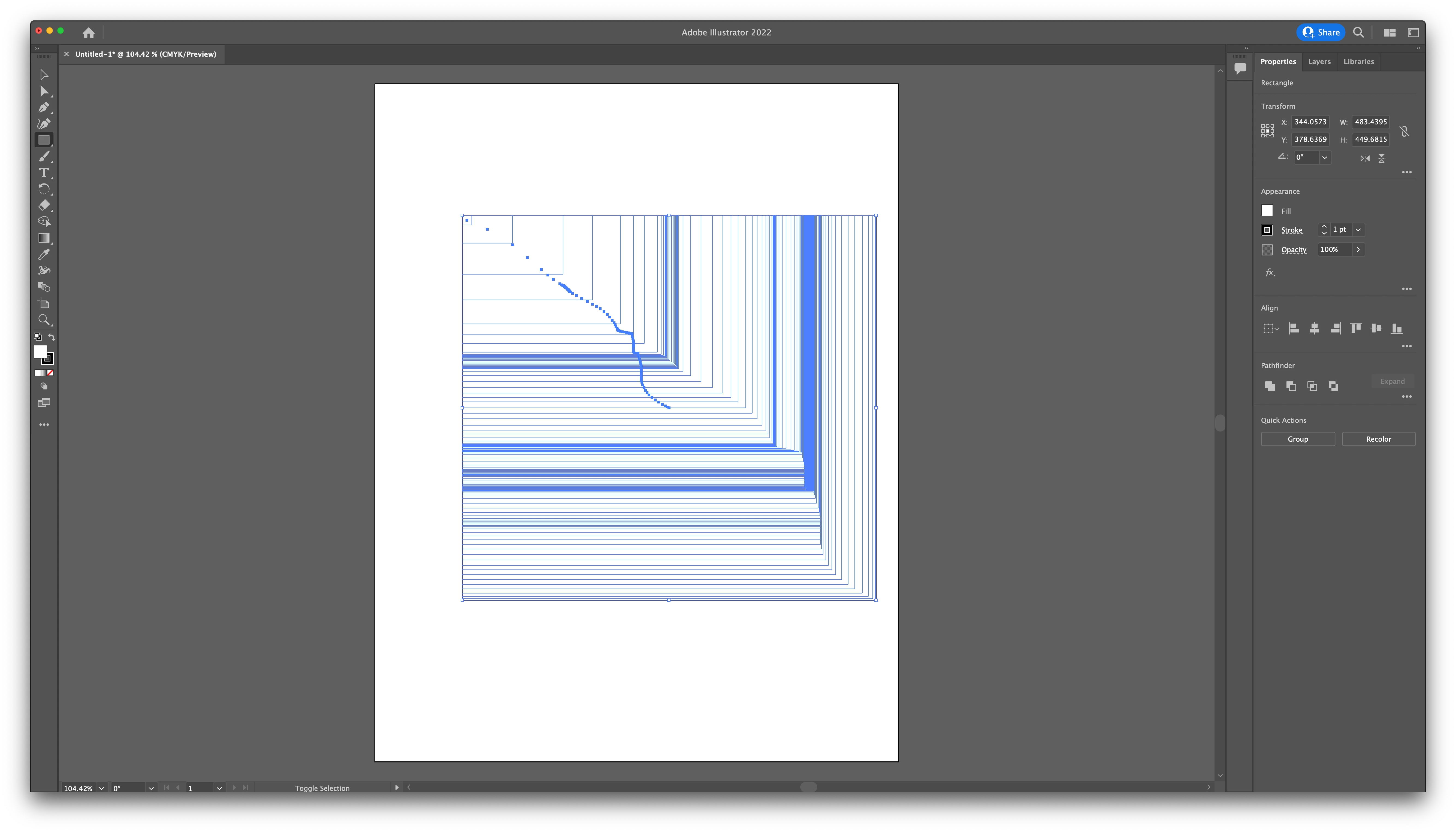
This has happened a couple of times, not sure what the fix is. I select my rectangle tool and draw a box. Unfortunately, I get 50 boxes. Uninstalled and reinstalled, deleted preferences did not fix.

This topic has been closed for replies.

3 replies

Monika Gause
Community Expert
Community Expert
March 9, 2023

Does it still happen when you boot the computer into Safe mode and then launch only Illustrator?

Also: what about your keyboard? Does it happen with a different one?

Kurt Gold
Community Expert
Community Expert
June 8, 2022

That sometimes also happens for some unknown reasons without using the Tilde key (or some other key), depending on what international Illustrator version one is using.


Usually it then can be cured by just quitting Illustrator and/or restarting the computer.


davecourtemanche
Inspiring
March 9, 2023

Not using an international version. Many upgrades later, still happening & a quit won't fix. 

Ton Frederiks
Community Expert
Community Expert
March 9, 2023

Your previous messages were from june 2022. If this is still happening, I would contact support:

https://helpx.adobe.com/contact.html?rghtup=autoOpen

Ton Frederiks
Community Expert
Community Expert
June 8, 2022

That is exactly the effect when you hold down the tilde key (~) while drawing lines, rectangles, ovals.

Is your ~ key stuck?

davecourtemanche
Inspiring
June 8, 2022

No, it isn't.