
Rectangles displaying as slightly rhomboid (wider at bottom)
I'm relatively new to Illustrator, and I noticed something odd with my rectangles. I can't find anything about this (but maybe I don't know the proper search terms to use.) When I draw a new rectangle the bottom displays as slightly wider than the top. If I mouse over or click on it, the red object border appears to be a perfect rectangle, with the distored rectangle below it. (See image - 6400% zoom)
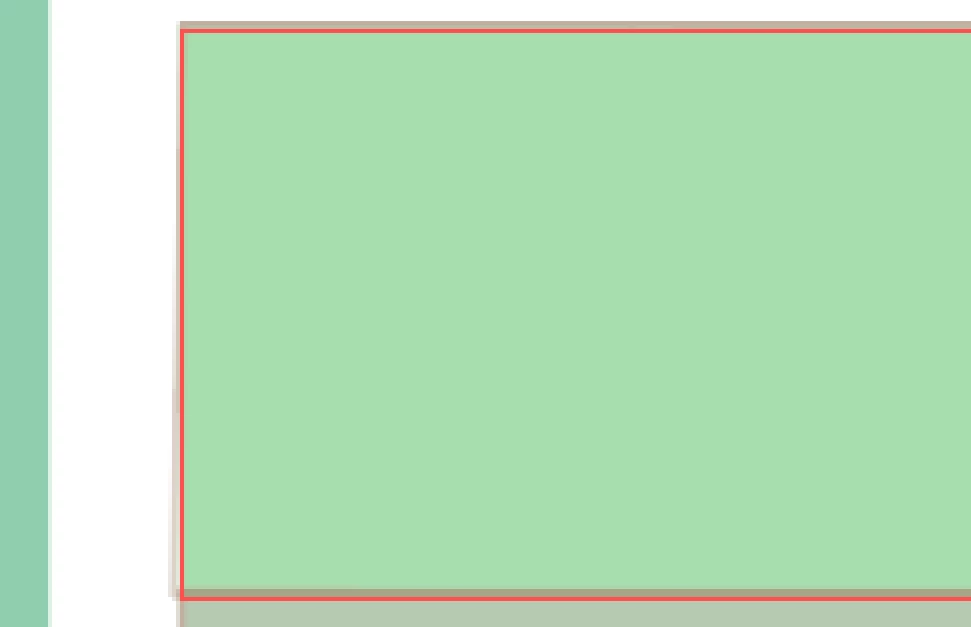
The distortion is very minor (shown rectangle height is 0.04 cm), and only seems to show up at zooms of 3200% or more. I can live with it, but I find it very annoying. Is this a bug, a setting I can fix, or am I doing something wrong? Does it have anything to do with having a document size of 5,000cm x 5,000cm?
FYI - Object > Transform > Reset Bounding Box is greyed out, as I haven't done any transforms - just plain ol' rectangles.
If I rotate the rectangle, it looks like the distortion rotates too.
Any advise appreciated!


 AdChoices