
Participant
September 27, 2017
Answered

Rectangular Grid Tool

  • September 27, 2017
  • 1 reply
  • 5341 views

I have a question!

So I have an area 7.6 in. by 9 in. and apply a rectangular grid with 45 horizontal dividers and 38 vertical dividers with a .5pt stroke, basically creating a grid with .2 in. squares. I then applied a separate rectangular grid that has 90 horizontal dividers and 76 vertical dividers and with a .5pt stroke, creating a grid of .1 in. squares.

If I have both of those rectangular grids visible, they do not line up as they should except at the outermost edges. Each of the .2 in. squares should "contain" four of the .1 in. squares, but it's not lining up that way, except on the extreme edges, as a I mentioned.

Any idea why this happens?
    This topic has been closed for replies.
    Correct answer Ray Yorkshire

    I'm tired  so may be wrong but i think you may need one less divider each way

    for example

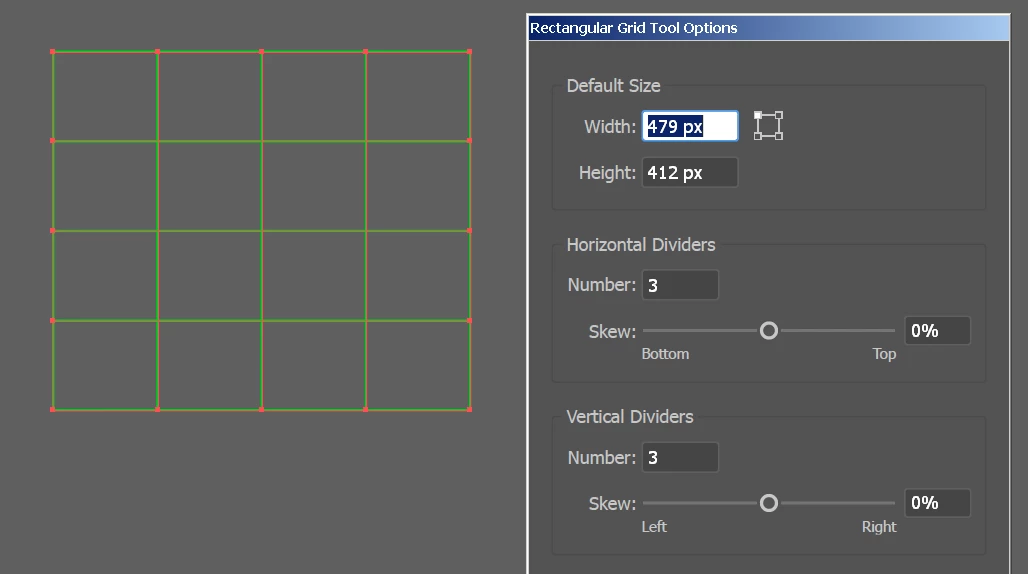
    3 x 3 dividers gives a 4 by 4 grid

    so maybe you have 46 squares one way not 45 throwing your maths off

    as 9 divided by 46 is not .2

    1 reply

    Ray Yorkshire
    Ray YorkshireCorrect answer
    Participating Frequently
    September 28, 2017

    I'm tired  so may be wrong but i think you may need one less divider each way

    for example

    3 x 3 dividers gives a 4 by 4 grid

    so maybe you have 46 squares one way not 45 throwing your maths off

    as 9 divided by 46 is not .2

    rrcalbickAuthor
    Participant
    September 28, 2017

    Ahh, that was it, thank you! I had the "Use Outside Rectangle As Frame" box ticked and didn't even think about this. It's common sense really, although very easy to overlook, or at least it was for me! Thank you so much, this was driving me crazy!