Participant
Oct 11, 2023 1:15 PM UTC
Question

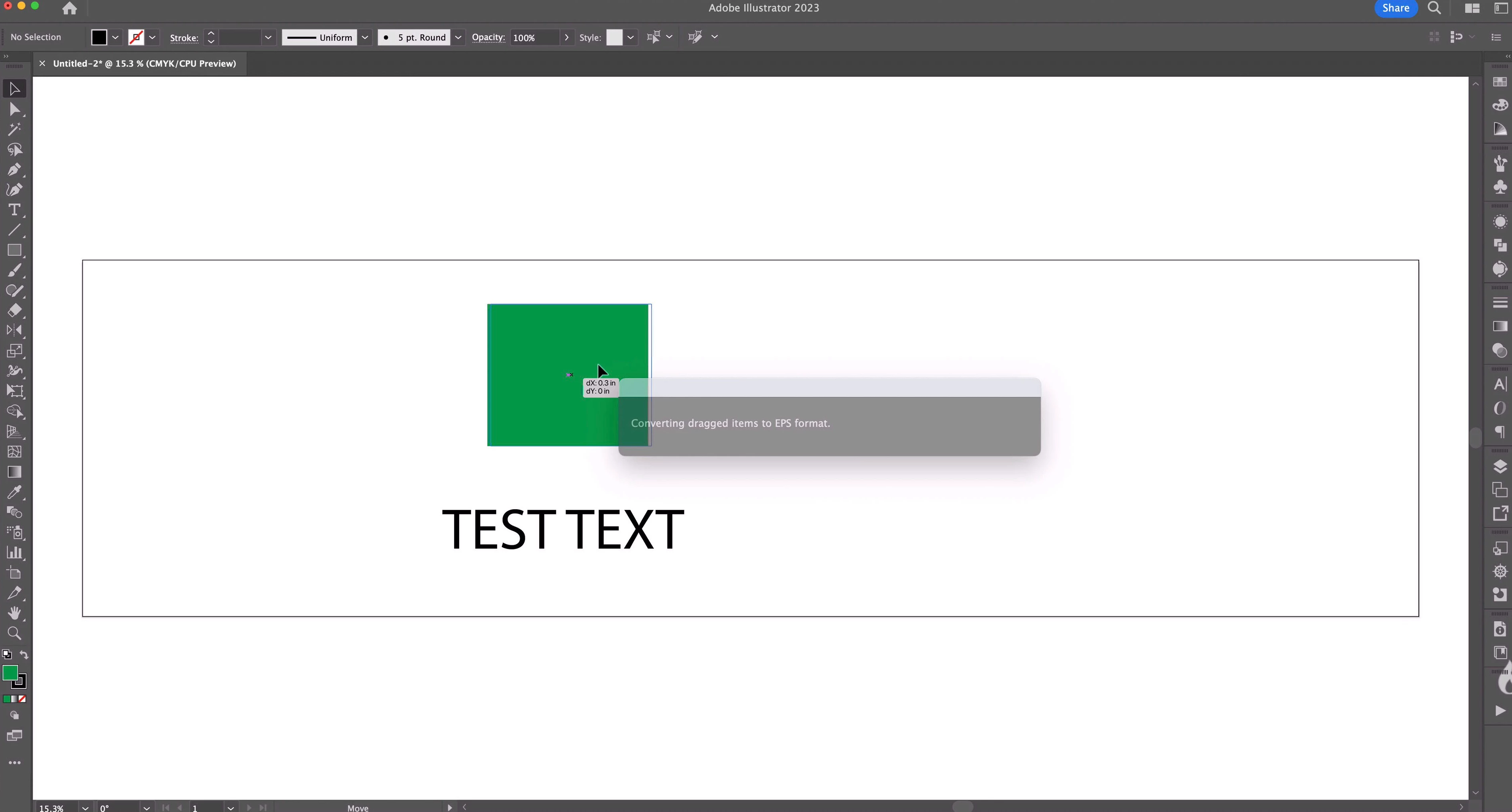
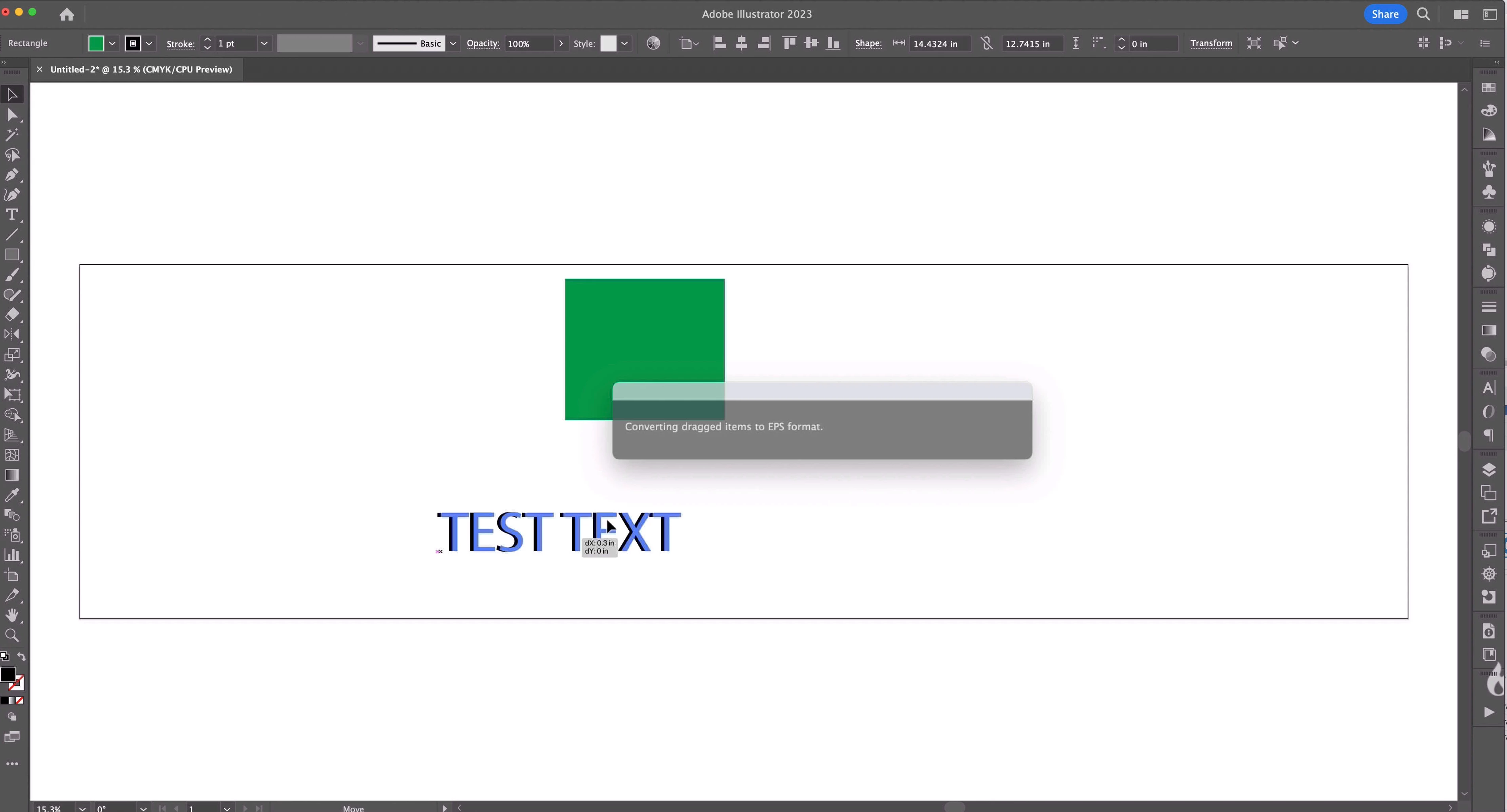
Recurring "Converting dragged items to EPS fortmat" Dialog Box

Hello,

I'm having an issue with moving objects in Adobe Illustrator. Every time I go to grab and move any item, whether it be a shape, text, image, etc., there is a delay and a "Converting dragged items to EPS format" dialog box pops up briefly before I can move the object I am trying to move. See the attached images for a couple examples. I am running Illustrator v 27.9 up to date, and recently updated to MacOS Sonoma 14.0 on my machine (issues started subsequently after this OS upgrade). For comparison, these same issues are not occuring in Photoshop or InDesign, where moving objects occurs as normal without delay.


Thank you in advance for any suggestions or solutions!
 

27 replies

andrewchadwick
Participant
Nov 29, 2024 8:56 PM UTC

Related thread on the Apple community forum: https://discussions.apple.com/thread/255849547?sortBy=rank

This is a very annoying issue and must be caused by the update to the Screen Sharing app in Sonoma. It is however still possible to downgrade some Macs to Ventura, which is not affected by this (you will need to check that your Mac can be downgraded before you try this!). Not ideal, but better than putting up with this problem. To downgrade you need to (make a back up of your data) create a USB installer for Ventura > boot to recovery and wipe the storage > activate the Mac again > boot to the USB and install Ventura.

Translate
Participant
Jan 3, 2025 2:51 PM UTC

I think I've found a fix. In Illustrator, go to Settings > Clipboard Handling and check AICB (Adobe Illustrator Clipboard). It seems to have resolved my issue, for now.

Translate
Participant
Mar 16, 2024 10:42 PM UTC

Anche io ho questo problema. Lavoro da casa con iMac27 [macOS High Sierra] collegato al MacStudio Sonoma 14.4 del Lavoro tramite Condivisione Schermo. Va tutto bene in tutte le applicazioni tranne quando sposto un oggetto su Adobe Illustrator 2024 [28.3]. Quando prendo un'oggetto e lo sposto si blocca e compare la finestra "Conversione degli elementi trascinati in formato EPS". Se l'oggetto che sposto è leggero si blocca per un secondo e poi riparte mentre se è un oggetto complesso di colpo fa il logout automatico e devo rientrare dentro al computer o mi si blocca la connessione. Abbiamo notato che quando si cerca di spostare un'oggetto si apre anche il pannello Librerie collegato al cloud. Per il momento tengo acceso anche AnyDesk solo per spostare gli oggetti piu pesanti e per sbloccare il computer.

Davis

Translate
Participant
Feb 29, 2024 8:00 PM UTC

Same problem here, OSX Sonoma 14.3 even with the latest version of Illustrator 28. The issue arises only when using the native OSX VNC screen sharing. Simultaneously, the "Libraries" window occasionally pops up. I suspect it's some conflict with shared libraries; I've disabled them, but the problem persists. It's extremely annoying!

Translate
Monika Gause
Community Expert
Community Expert
Feb 29, 2024 8:14 PM UTC

In another thread someone found out that the screen sharing is causing it.

Translate
Participant
Jan 19, 2024 4:48 PM UTC

I have the same problem and it's only when I'm working remotely, using the Apple Screensharing app. When I'm in the office I don't have the problem. The issue is so bad that when I try to drag any placed images my computer glitches and goes to the sign in screen. I can't figure out if it's an Adobe or Apple issue. It's extremly annoying and time consuming. I like to work quickly and this completely hinders my efficiency. 

Translate
Participant
Dec 1, 2023 6:33 PM UTC

An update on my end that I found out the issue for me only occurs when using Illustrator throw Mac's native screenshare application.  I work remotely on this machine and experience the issue through there and that's only when the issue occurs. When I've used the computer natively or had a coworker use it, Illustrator operates normally, so for me it is looking for like a screenshare issue and less of an Adobe issue.

Translate
Monika Gause
Community Expert
Community Expert
Dec 2, 2023 12:03 AM UTC

Thank you for the details.

Translate
Participant
Dec 1, 2023 5:26 PM UTC

I am also experiencing the same issue, but I am still on Mac Ventura OS, so I do not think this is an asolated issue with the Sonoma. 

Translate
Monika Gause
Community Expert
Community Expert
Dec 1, 2023 6:29 PM UTC

Exactly what are you dragging exactly where?

Translate
Participant
Nov 6, 2023 5:30 PM UTC

I'm experiencing the same thing. Totally annoying.


Translate
Monika Gause
Community Expert
Community Expert
Oct 11, 2023 2:15 PM UTC

I don't think that Adobe has issued a statement yet that all aps are ready for Sonoma.

Translate
Participant
Oct 11, 2023 1:36 PM UTC

Some further testing on my part and scaling or rotating objects appear to work normally in Illustrator. Just draggin objects appears to be the issue.

Translate