
Participant
March 22, 2023
Answered

Red Line always at left of Art Board

  • March 22, 2023
  • 4 replies
  • 3682 views

After the most recent update to Illustrator (v 27.3.1), I now have a red line on the left side of all art boards. This occurs when opening any file, even ones created before the update.
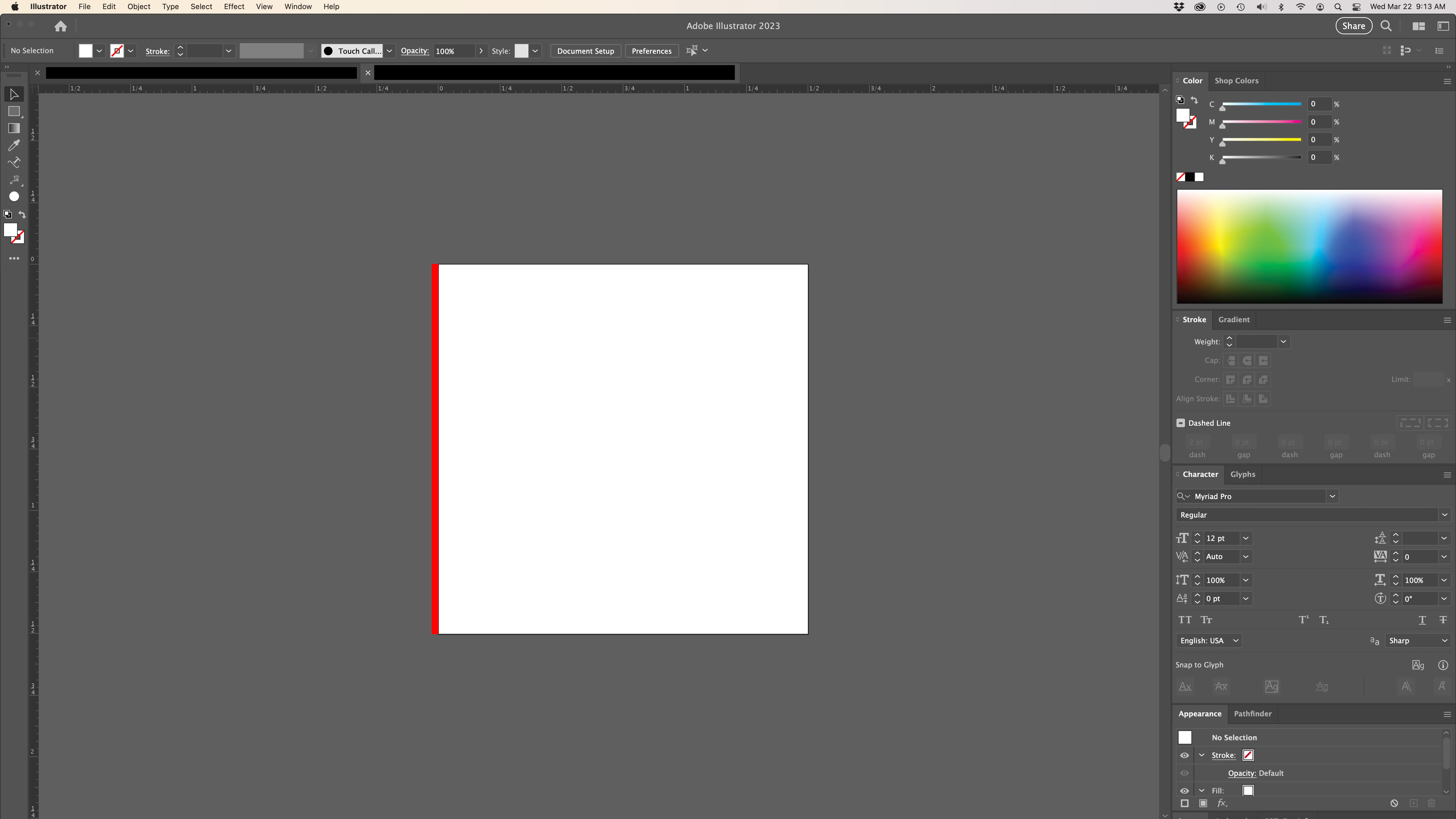


The red line is not selectable, I have confirmed that I do not have bleed lines on, and I have tried turning off any guides to see if the line would go away. The red line stays in place and does not follow if I move the art board, but it will return to the left of the art board after saving the file. The red line does not show in preview and hasn't been a visual issue in any of my final PDF documents.


I tried searching for a community post with anyone else having this issue, but I have so far not had any luck, nor found any resolution.


The red line does not hinder my ability to use Illustrator, other than it being an eye sore and a distraction. But, I would love for it to be gone. Any assistance would be greatly appreciated.


Thank you!

This topic has been closed for replies.
Correct answer Egon GW

It's the Ai Cut plugin from Kongsberg. It's some kind of warning that Webcenter plugin isn't installed! If you select an other tool the line will dissapear! So wait for the updated version of Ai-Cut!

4 replies

Egon GWCorrect answer
Participant
May 22, 2023

It's the Ai Cut plugin from Kongsberg. It's some kind of warning that Webcenter plugin isn't installed! If you select an other tool the line will dissapear! So wait for the updated version of Ai-Cut!

kirkw67592843
Participant
May 4, 2023

I have the same exact issue on 4 machines at my shop.

Has an answer been determined? Glitch bug?

I think we can rule out resetting preferences when it is occuring on 5 machines?

It is very annoying.

Ton Frederiks
Community Expert
Community Expert
May 4, 2023

And can we rule out plug-ins?

kirkw67592843
Participant
May 4, 2023

It was never an issue until the last update.  My plugins haven't changed.

Anubhav M
Community Manager
Community Manager
March 30, 2023

Hello @brandond62546257,


We understand that encountering technical issues can be frustrating. We are here to help and would like to suggest trying to reset Illustrator's preferences as described in this article (https://helpx.adobe.com/illustrator/kb/troubleshoot-preference-issues.html). If you don't mind, could you please follow the steps and share your observations with us? We appreciate your time and effort in helping us resolve this issue.


Looking forward to hearing from you.


Thanks,

Anubhav

Ton Frederiks
Community Expert
Community Expert
March 22, 2023

Do you have any plug-ins installed?