
baytekmaria
Participant
October 26, 2020
Answered

Reflecting Stroke Width in Illustrator

  • October 26, 2020
  • 1 reply
  • 913 views

Hello! 


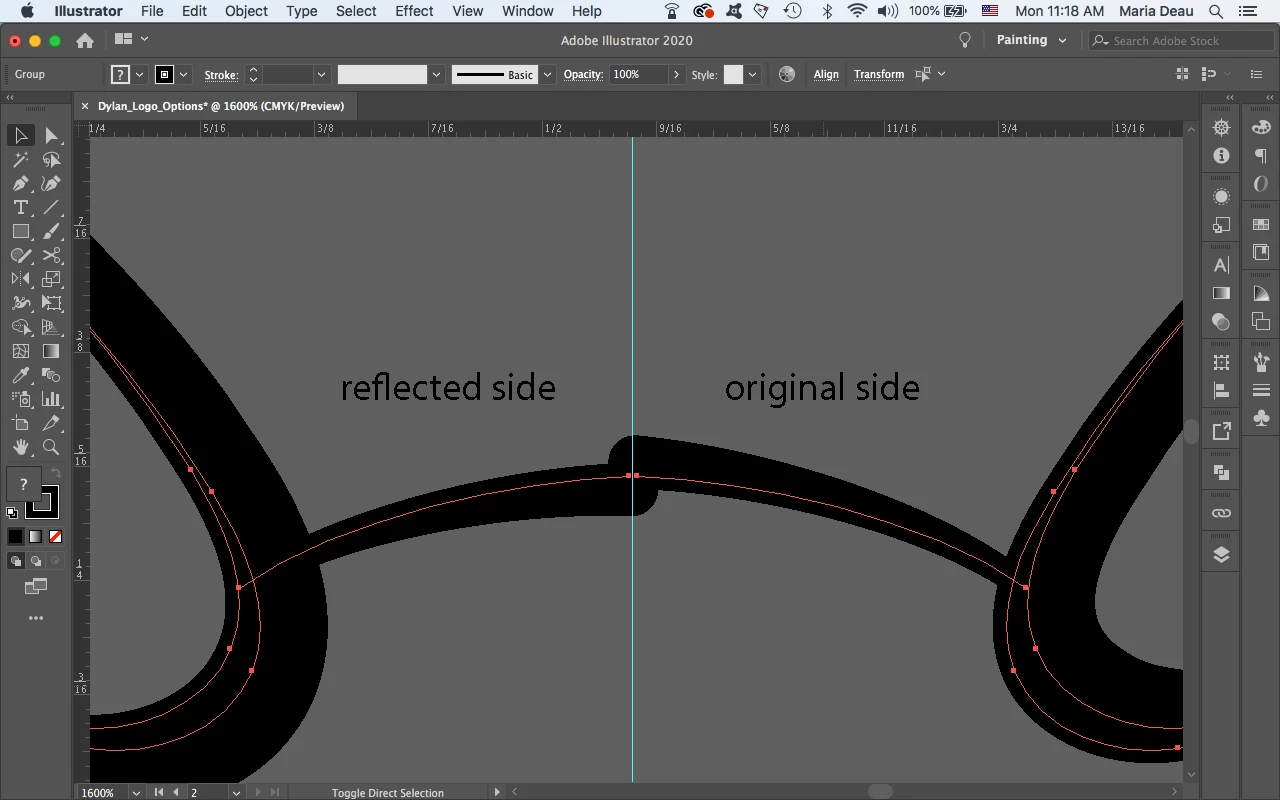
I have been trying to find a way to reflect my strokes in illustrator without the width flipping to the opposite side. When I adjust the width on some strokes, I like to keep the width to one side but when I reflect it, it flops to the opposite direction than I originally intended. Does anyone know how to reflect and keep the width consistent?
This topic has been closed for replies.
Correct answer marliton

Hi. Select one of the strokes and in the Stroke panel click on the "Flip Across" button.


1 reply

marliton
Community Expert
marlitonCommunity ExpertCorrect answer
Community Expert
October 26, 2020

Hi. Select one of the strokes and in the Stroke panel click on the "Flip Across" button.


Marlon Ceballos