Participant
April 13, 2020
Answered

Remove a stroke at intersections

  • April 13, 2020
  • 2 replies
  • 1266 views

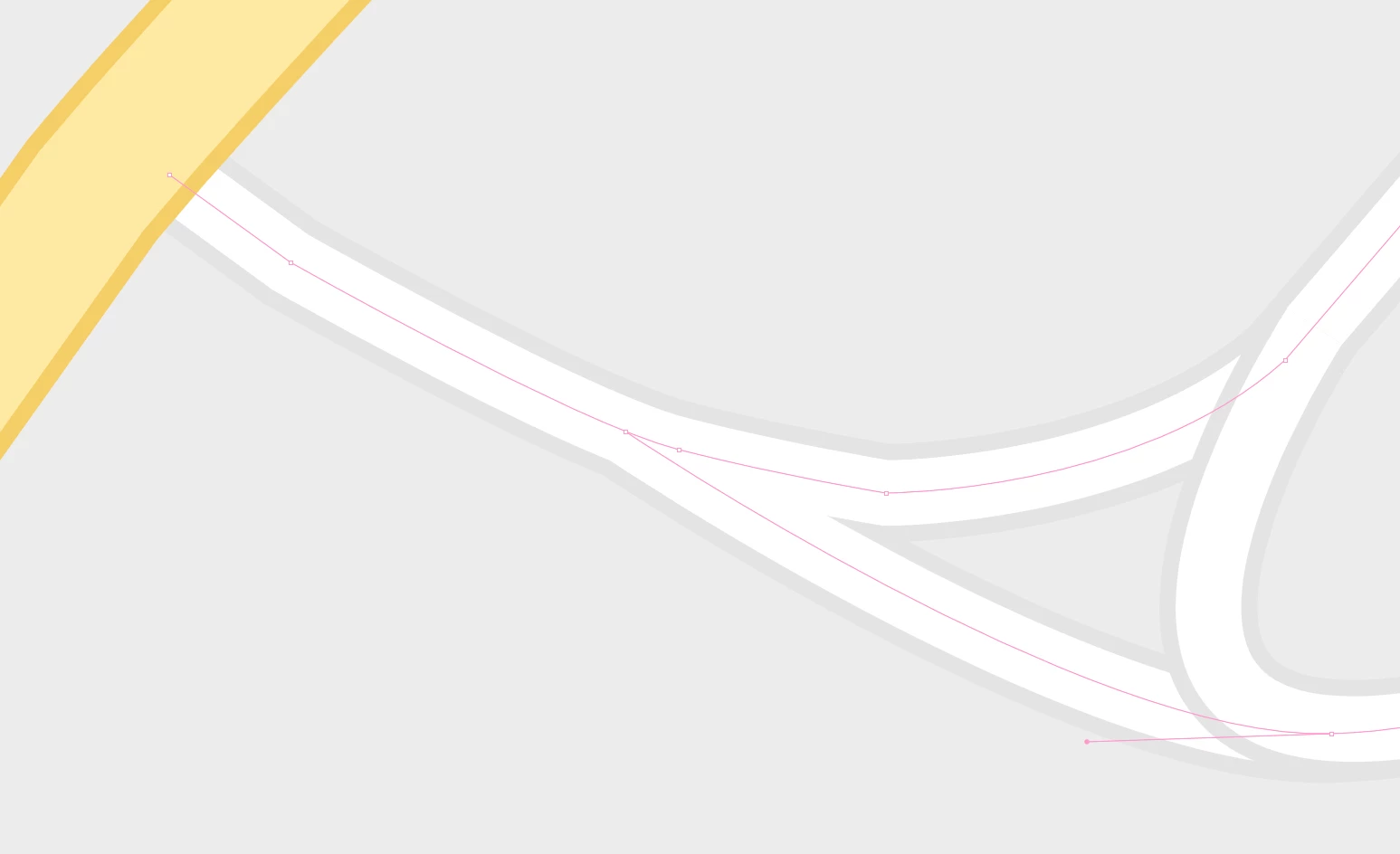
I have some lines with a stroke to give it width, then another stroke to outline that.
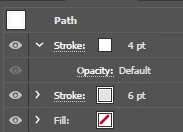


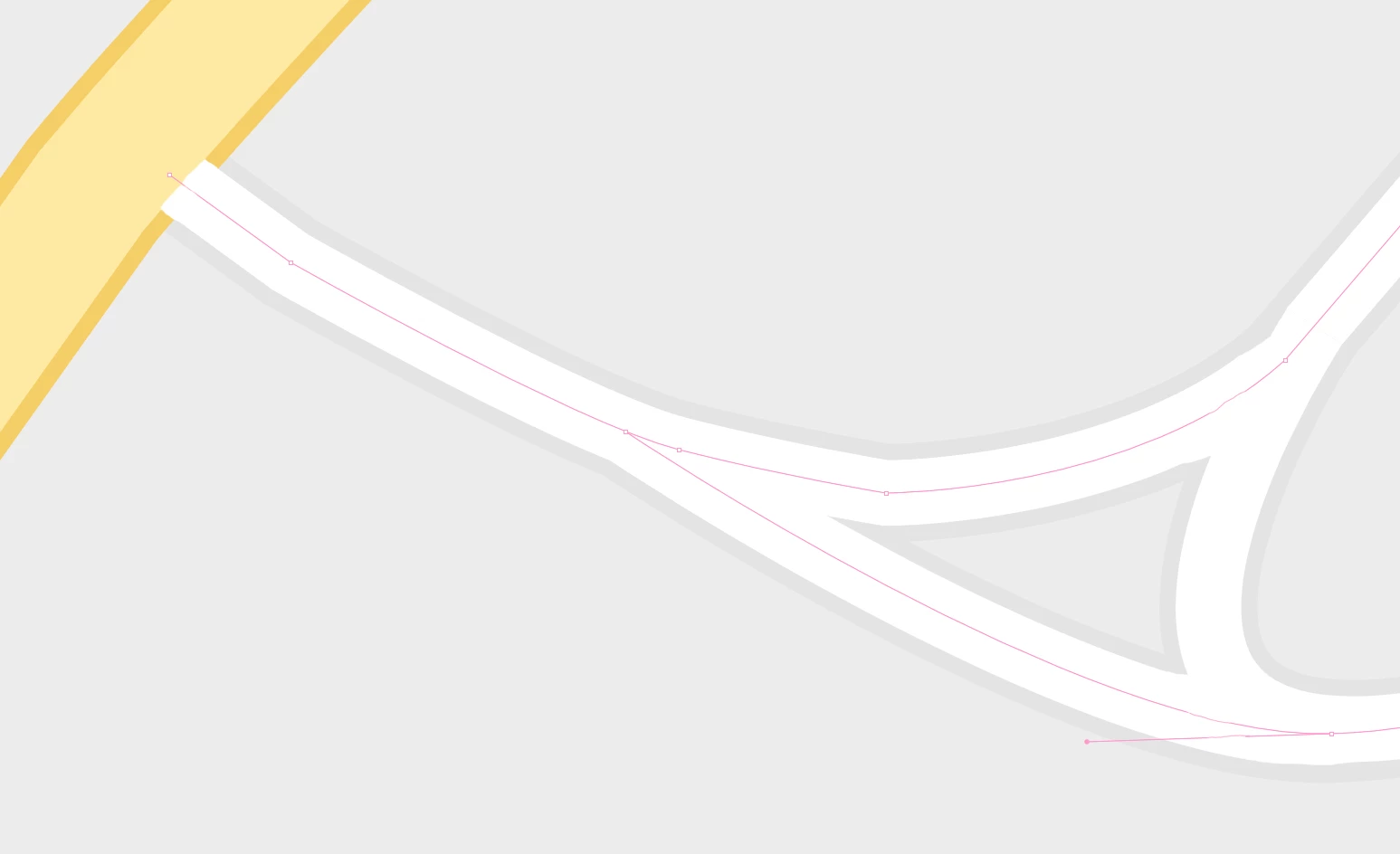
My goal is to get rid of the outline stroke at places the lines are intersecting (example made in Ps)

Current:
Desired output:
I know I could kind of do this if I converted my lines to use a fill and stroke but I'd prefer to keep them lines if possible.

Any ideas how to do this? Is it possible without just using fills/strokes and using the shape builder? Thanks in advance! 🙂


This topic has been closed for replies.
Correct answer Ton Frederiks

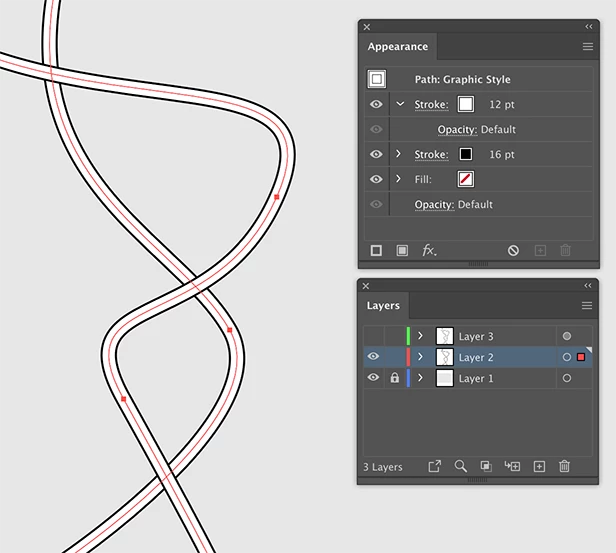
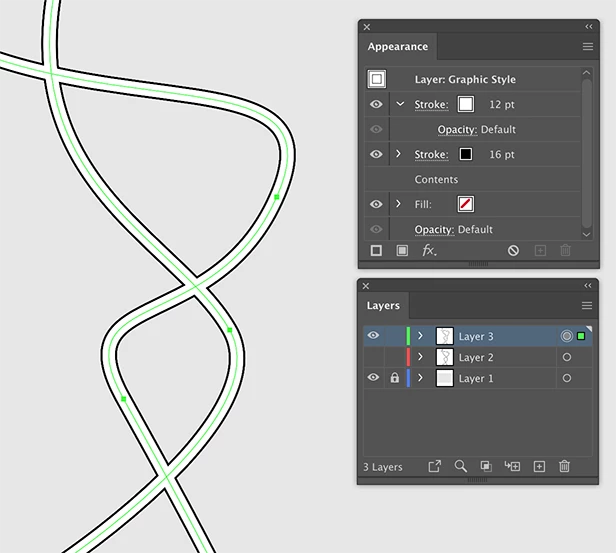
You can use a Layer Style.

First create a path that has 2 strokes in the Appearance panel.

Add the style to the Graphic Styles panel.

Create a new layer for the style.

Click on the circle at the right of the Layer name to target the layer.

Click the Graphic Style to apply it to the layer.

From now on everything you draw on that layer will show crossings instead of viaducts.

2 replies

キィィ─!!!
Participating Frequently
April 13, 2020

Hi, MattContrady.
I think a good way to connect lines of different colors and different widths, like the one you presented, would be to cover the top with a new line.
It might be a bit of an ugly way to do it, though.

Ton Frederiks
Community Expert
Ton FrederiksCommunity ExpertCorrect answer
Community Expert
April 13, 2020

You can use a Layer Style.

First create a path that has 2 strokes in the Appearance panel.

Add the style to the Graphic Styles panel.

Create a new layer for the style.

Click on the circle at the right of the Layer name to target the layer.

Click the Graphic Style to apply it to the layer.

From now on everything you draw on that layer will show crossings instead of viaducts.