


elena.fx
Participating Frequently
August 13, 2021
Question

Remove black from complex stock art lens flare gradients for use on white backgrounds

  • August 13, 2021
  • 2 replies
  • 5188 views

Hello! First time poster here.

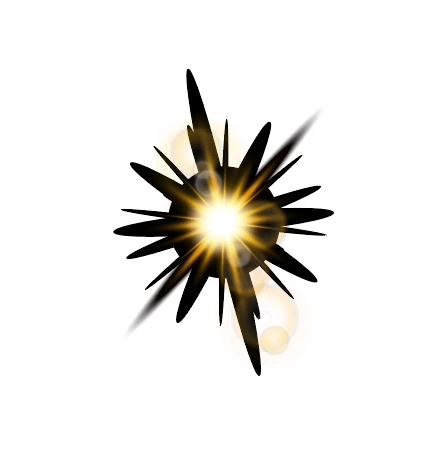
I have a logo that has used stock art of lens flares which have the gradients set to fade into black. 

Is there a quick way to change all the blacks to white and change their opacity to 0 so there's no muddyness? 

Thanks for any suggestions in advance. 


2 replies

Monika Gause
Community Expert
Community Expert
August 13, 2021

If they are in fact gradients (and not blends) you could use "Recolor artwork" to change the color from black to white. But you cannot change the opacity with that.

elena.fx
elena.fxAuthor
Participating Frequently
August 15, 2021

Thank you! 

I tried this and then used the select similar fill colour to adjust the transparency to 0% of multiple white points at once just with the transparency menu. Some of this I had to do manually but I definitely saved some time and sanity. 

Brad @ Roaring Mouse
Community Expert
Community Expert
August 13, 2021

These stock illustrations are built with a transparency effect that requires something behind it to work properly. Try that.

elena.fx
elena.fxAuthor
Participating Frequently
August 15, 2021

Thank you! I didn't even think to try this. This worked but the colours in the art did vary with the colour of the background and blending modes. I need to build out assets that will remain true no matter the colour of the background so will get in there and ajust the art as best I can.

Brad @ Roaring Mouse
Community Expert
Community Expert
August 15, 2021

"the colours in the art did vary"

and they will.

The main transparency effect that they utilizie is either Screen or Lighten, so the background colour totally affects the result.

You can see why the outside has to be black, then, as if it was white, it would be Lighter than the background causing the exact reverse problem.

So, yes, working with opacity gradients is your best best. Personally, I would have brought this into Photoshop and rendered a mask to do the work and left it as a PSD file.